72 Chapter 8: Dynamics Processors
ProMix 01 User’s Guide
1. Press [COMP] repeatedly to
select a processor: 1, 2, or 3.
The COMP LCD function
appears. If you didn’t exit
after your last COMP edit, the
COMP EDIT LCD function
appears instead.
2. Use the cursor buttons to
select the ON/OFF, PATCH,
and KEYIN parameters and
the PARAMETER wheel to
set them.
3. You must press [ENTER] to
activate the PATCH and
KEYIN parameters.
Patching in a Processor
Dynamics processors can be patched into the input channels, SEND3,
SEND4, and stereo output. The SEND3, SEND4, and stereo outputs
patches can configured to pre-fader or post-fader. See “Pre-Fader or
Post-Fader Patches” on page 74. Although a stereo dynamics proces-
sor can be used in mono (i.e. on a single channel), it cannot be used
as two independent mono processors.
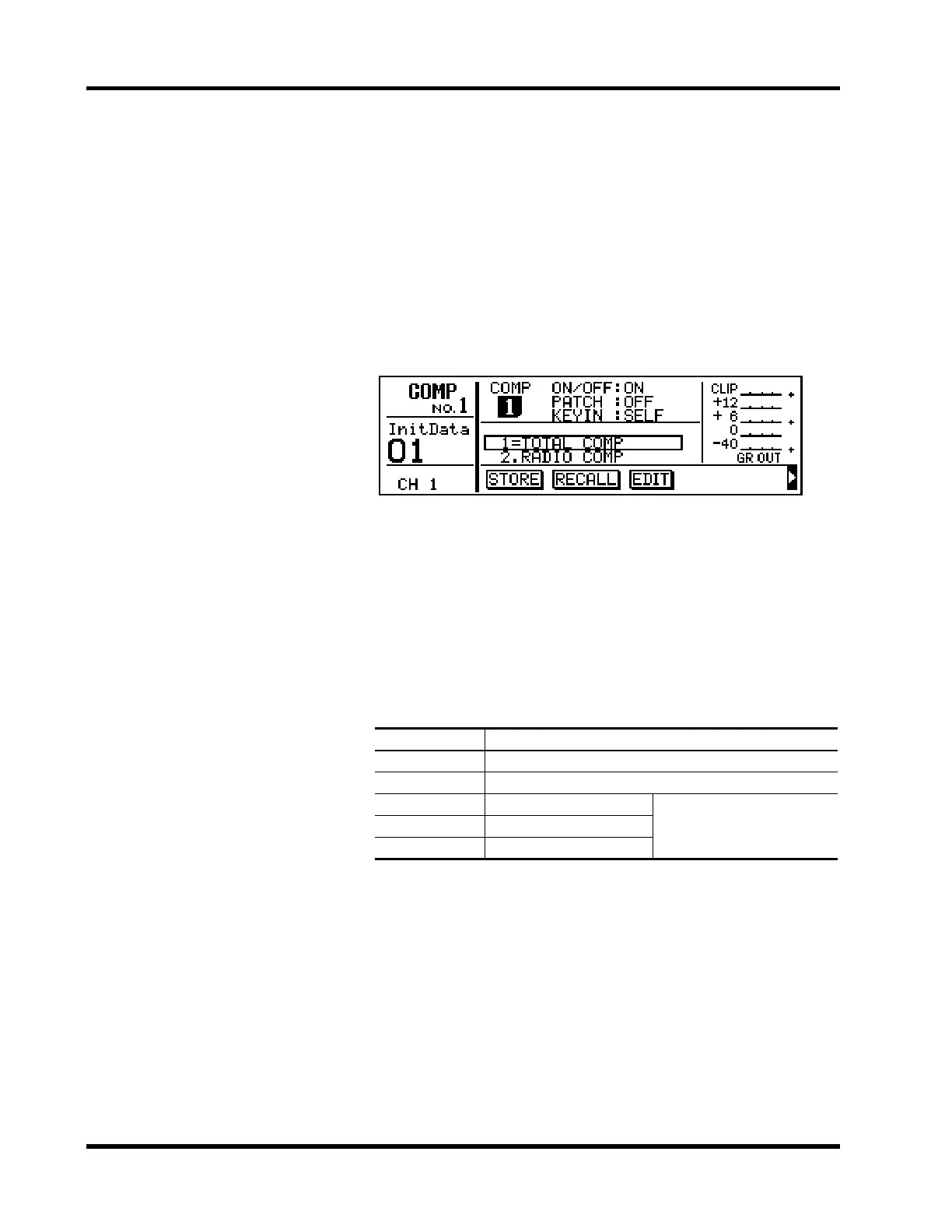
Shown below is the COMP LCD function. Dynamics setup parame-
ters appear in the top part of the display. Programs are listed in the
center.
The parameters are:
ON/OFF — this is used to turn a dynamics processor ON and OFF.
PATCH — this is used to patch a dynamics processor into a channel.
The current setting is highlighted. Other settings flash when selected.
Settings are activated by pressing [ENTER]. Stereo-pair channels are
patched together.
The options are:
Note: Patch points that are in use by the other dynamics processors are
not available.
PATCH Patch Point
OFF No patch
CH1–CH16 An input channel: post-EQ, pre-fader
SEND3 SEND3
Can be pre-fader or post-fader.
See “Pre-Fader or Post-Fader
Patches” on page 74.
SEND4 SEND4
STEREO Stereo output











 To Next Page