Playing back music stored on a USB flash drive
Playback of USB flash drive content
You can play back music files stored on a USB flash drive on the unit.
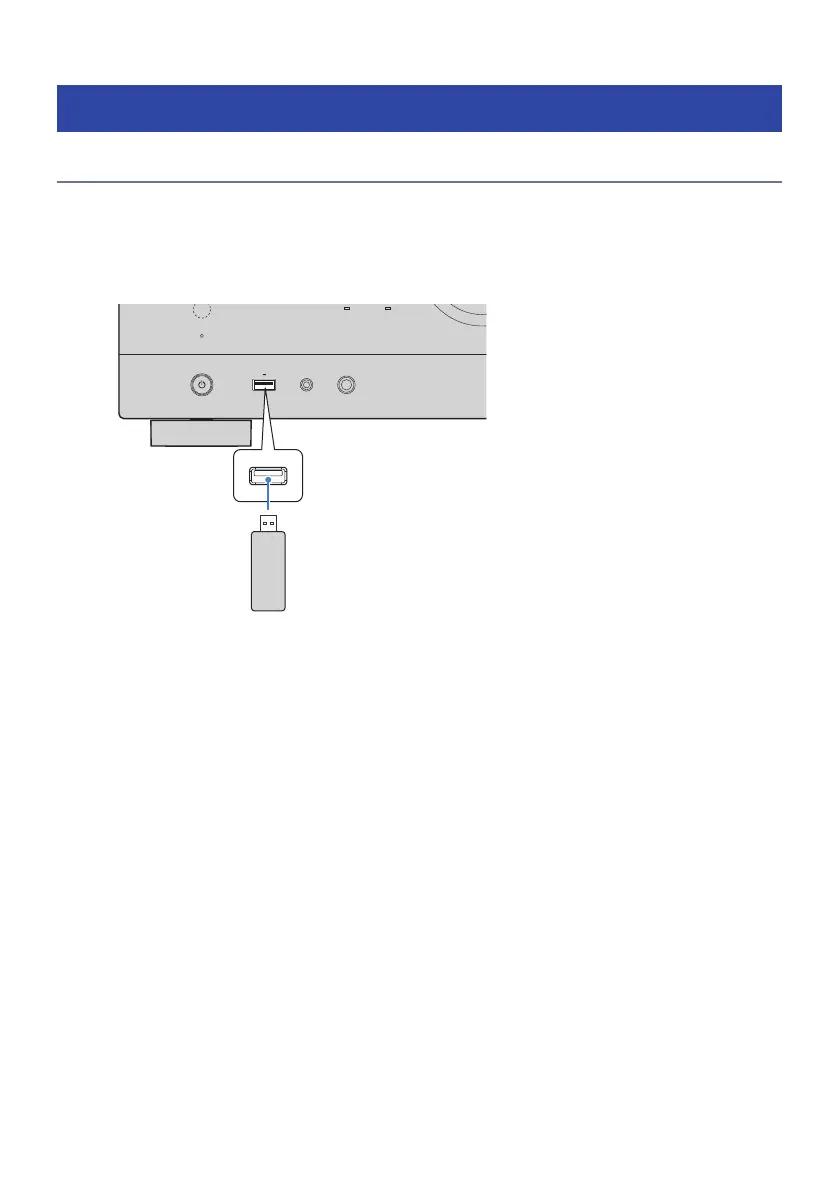
1 Connect the USB flash drive to the USB jack.
PHONES
USB
ZONE
PURE DIRECT
YPAO
5V 1A
The unit (front)
USB flash drive
2 Select “USB” as the input source.
The browse screen is displayed on the TV. If playback is ongoing on your USB flash drive, the
playback screen is displayed.
3 Select an item.
Playback starts and the playback screen is displayed.
NOTE
(
To return to the top level while on the browse screen, hold down RETURN on the remote control.
(
To switch the screen mode browse/playback/off, press DISPLAY.
(
If the USB flash drive contains many files, it may take time to load them.
(
The maximum limits of playback are 500 music files. The folder structure of your USB flash drive may reduce the maximum limits.
(
Stop playback of the USB flash drive before disconnecting it from the USB jack.
(
Connect a USB flash drive directly to the USB jack of the unit. Do not use extension cables.
(
The unit does not supply power to the USB flash drive while it is in standby mode.
(
You can configure the shuffle/repeat settings for playback of contents.
(
You can register contents as shortcuts and access them directly.
(
When you connect a USB flash drive to the USB jack on the unit for the first time, the unit starts automatically to play back the
content at the head of the top-level folder (root folder) on the USB flash drive.
112
PLAYBACK > Playing back music stored on a USB flash drive



 To Next Page