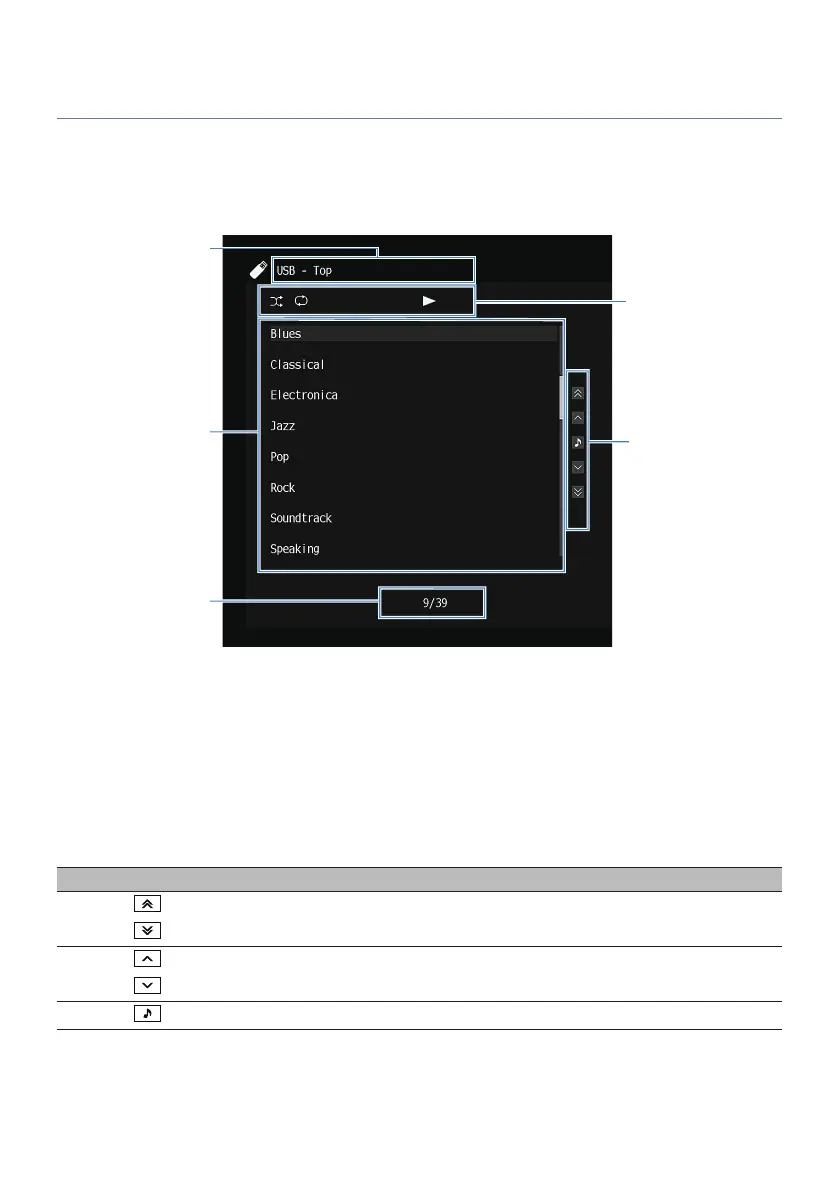
Item names and functions of the browse screen
When the following input source is selected, the browse screen appears on the TV.
(
SERVER
(
NET RADIO
(
USB
a
List name
b
Contents list
Displays the list of contents. Select an item and press ENTER to confirm the selection.
c
Item number/total
d
Status indicators
Display the current shuffle/repeat settings and playback status (such as play/pause).
e
Operation menu
Select an item and press ENTER to confirm the selection.
Icon Function
Moves 10 pages of the list.
Moves one page of the list.
Moves to the playback screen.
96
PLAYBACK > Basic playback procedure



 To Next Page