4
The Controls and Connections
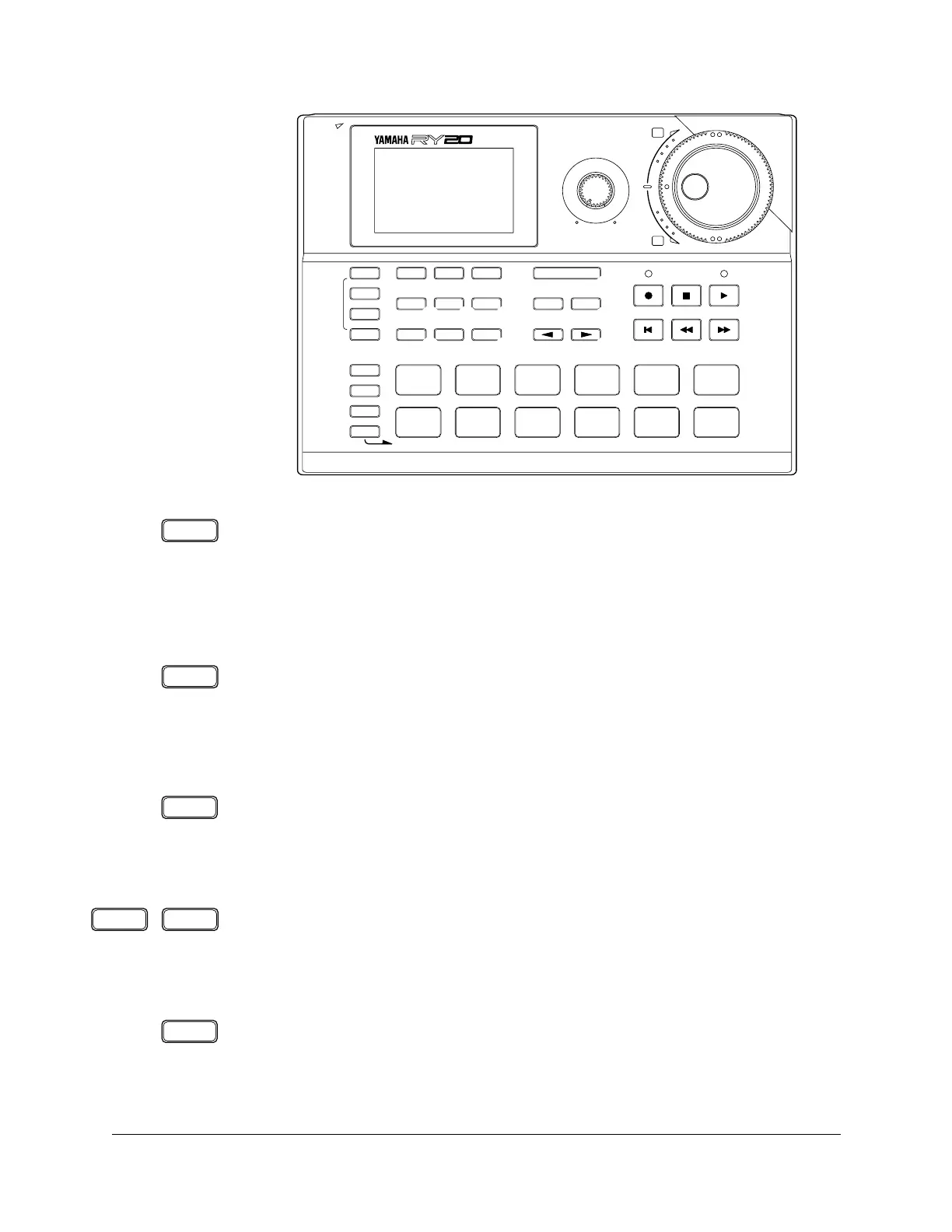
8 MIDI Button
The [ MIDI ] button switches the RY20 to MIDI Mode. In this mode you can
set or modify the MIDI control functions.
The RY20 can both receive and transmit MIDI data.
9 Drum Kit Button
The [DRUM KIT] button switches the RY20 to Drum Kit Mode. In this mode
you can select another drum kit or modify the parameters of the current
drum kit.
0 Effect Button
The [EFFECT] button switches the RY20 to Effect Mode. In this mode you
can change the current effect or modify the effect parameters.
A Page+ and Page– Buttons
The [ PAGE+ ] and [ PAGE– ] buttons select the display pages within the
various modes.
B Pad Bank Button
The [PAD BANK] button is used to select “DRUM” or “BASS” mode. In drum
mode, it is used to select one of the five banks in each drum kit. In bass
mode, it is used to select one of the five octaves of the bass bank.
+
–
OTHERS
HH
SD
BD
PATTERN
MIDI
PAGE –
SONG
DRUM KIT
PAGE +
TEMPO
EFFECT
PAD BANK
ENTER
–1 +1
CLEAR
COPY
AUDITION
SECTION
TOM 1
0
BD
6
TOM 2
1
SD
7
TOM 3
2
SIDE
STICK
8
TOM 4
3
HH
PEDAL
9
HH
OPEN
4
HH
CLOSED
10
RIDE
5
CRASH
11
INTRO MAIN A MAIN B FILL AB FILL BA ENDING
DELETE
INSERT
TRACK
SELECT/
MUTE
MIN MAX
VOLUME
POWER
RHYTHM
PROGRAMMER
9 0
A
8
D
B
C
E
F HG
MIDI
DRUM KIT
EFFECT
PAGE – PAGE +
PAD BANK












 To Next Page