14
Playing the Preset Patterns
The RY20 is programmed with 50 preset patterns covering a wide
variety of musical styles which you can use to construct combination
patterns or songs.
1
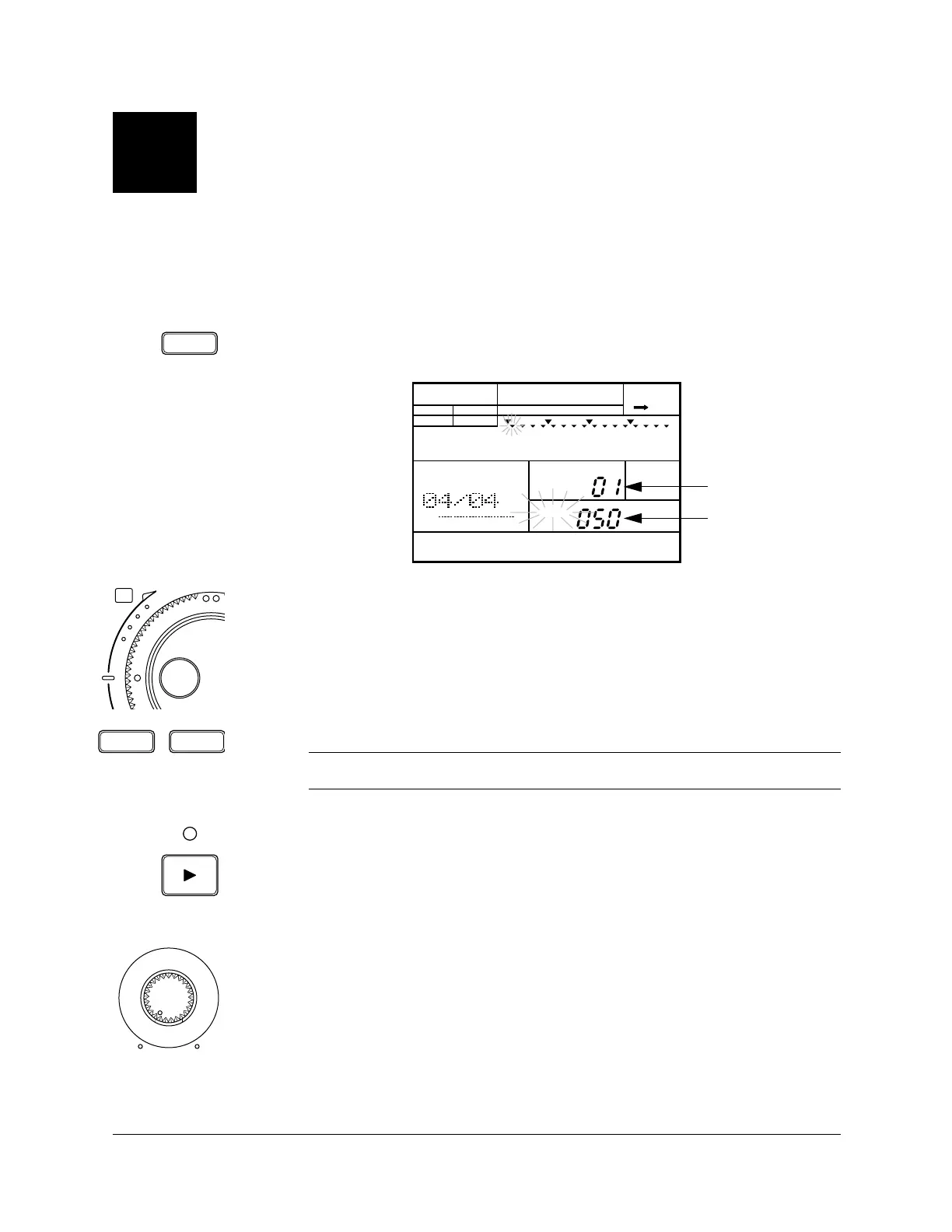
Press the [PATTERN] button to place the unit in Pattern Mode. Notice that
the “PATTERN” indicator is flashing beside the current Pattern Number.
2
Select a pattern by rotating the Jog Dial or by using the [ +1 ] and [ –1 ]
buttons.
The preset patterns are from number “000” to number “049”. Refer to the
list of preset patterns provided on page 121.
3
Press the [ PLAY ] button to start the pattern. The green Play LED will
flash in time with the current tempo setting and the pattern will begin
playback.
4
Adjust the volume of the playback by rotating the VOLUME control.
3
Playing the Preset
Patterns
NOTE
The RY20 is shipped with no data recorded in patterns “
050” to “149”.
PATTERN
PATTERN
A CHASE
MEASURE
EMPTY
PATTERN
MAIN A
PAD BANK
OTHERS
HH
SD
BD
Measure Number
Pattern Number
+
–1 +1
MIN MAX
VOLUME












 To Next Page