15
Playing the Preset Patterns
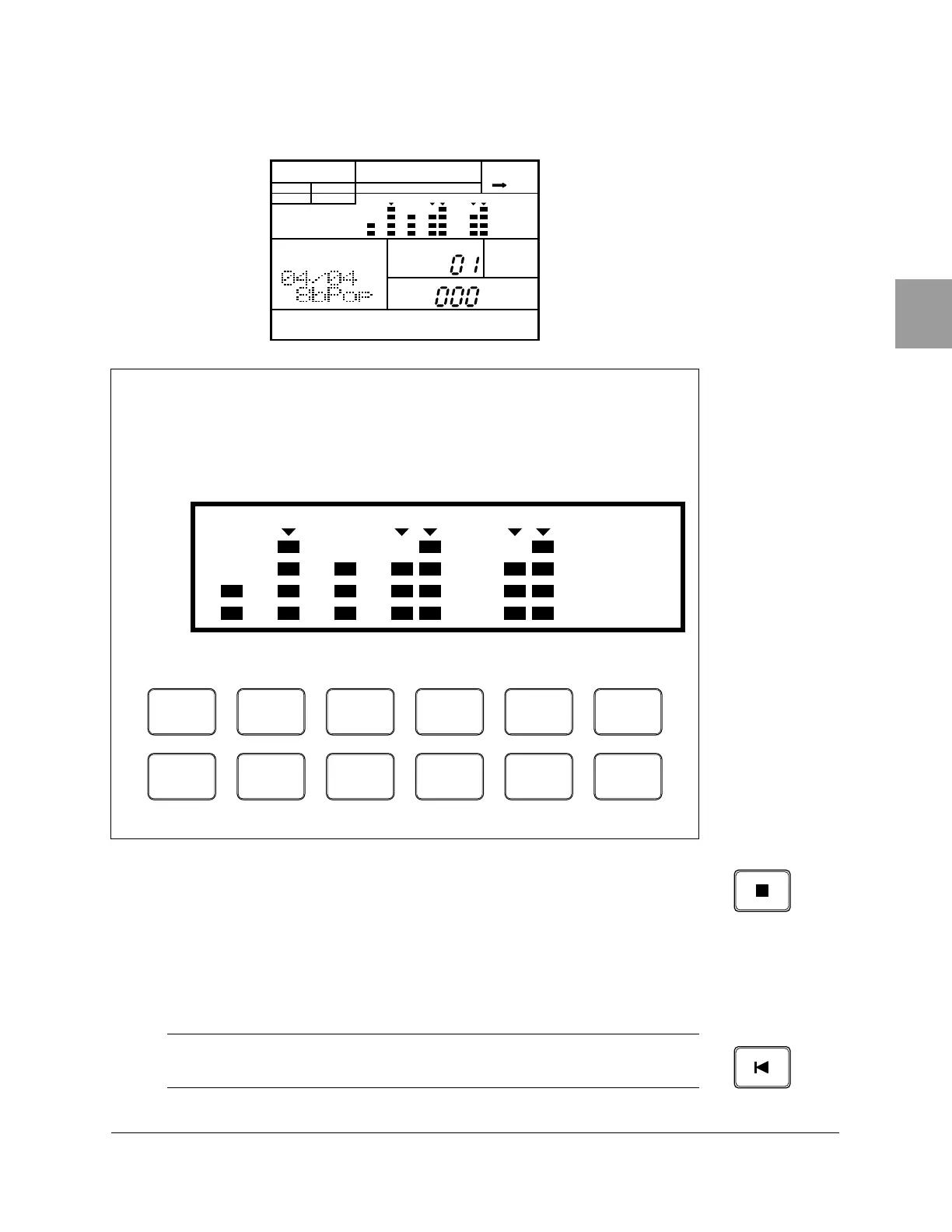
As the pattern plays, the Voice Level Indicator for the active drum pad
lights up on the LCD.
5
Press the [ STOP ] button to stop playing the pattern. The green Play LED
stops flashing.
6
Press the [ PLAY ] button again to start the pattern from the point at which
it was stopped.
Voice Level Indicators
Each drum pad is associated with a Voice Level Indicator. As each voice
sounds, the Voice Level Indicator lights up depending on how loud the
voice was recorded.
NOTE
If you want to play the pattern from the beginning again, press the
[ TOP ] button to
reset the position. Then press the
[ PLAY ] button to play the pattern again.
PATTERN
A CHASE
MEASURE
PATTERN
MAIN A
PAD BANK
OTHERS
HH
SD
BD
01234567891011
TOM 1
0
BD
6
TOM 2
1
SD
7
TOM 3
2
SIDE
STICK
8
TOM 4
3
HH
PEDAL
9
HH
OPEN
4
HH
CLOSED
10
RIDE
5
CRASH
11
INTRO MAIN A MAIN B FILL AB FILL BA ENDING












 To Next Page