63
Recording a Song
3
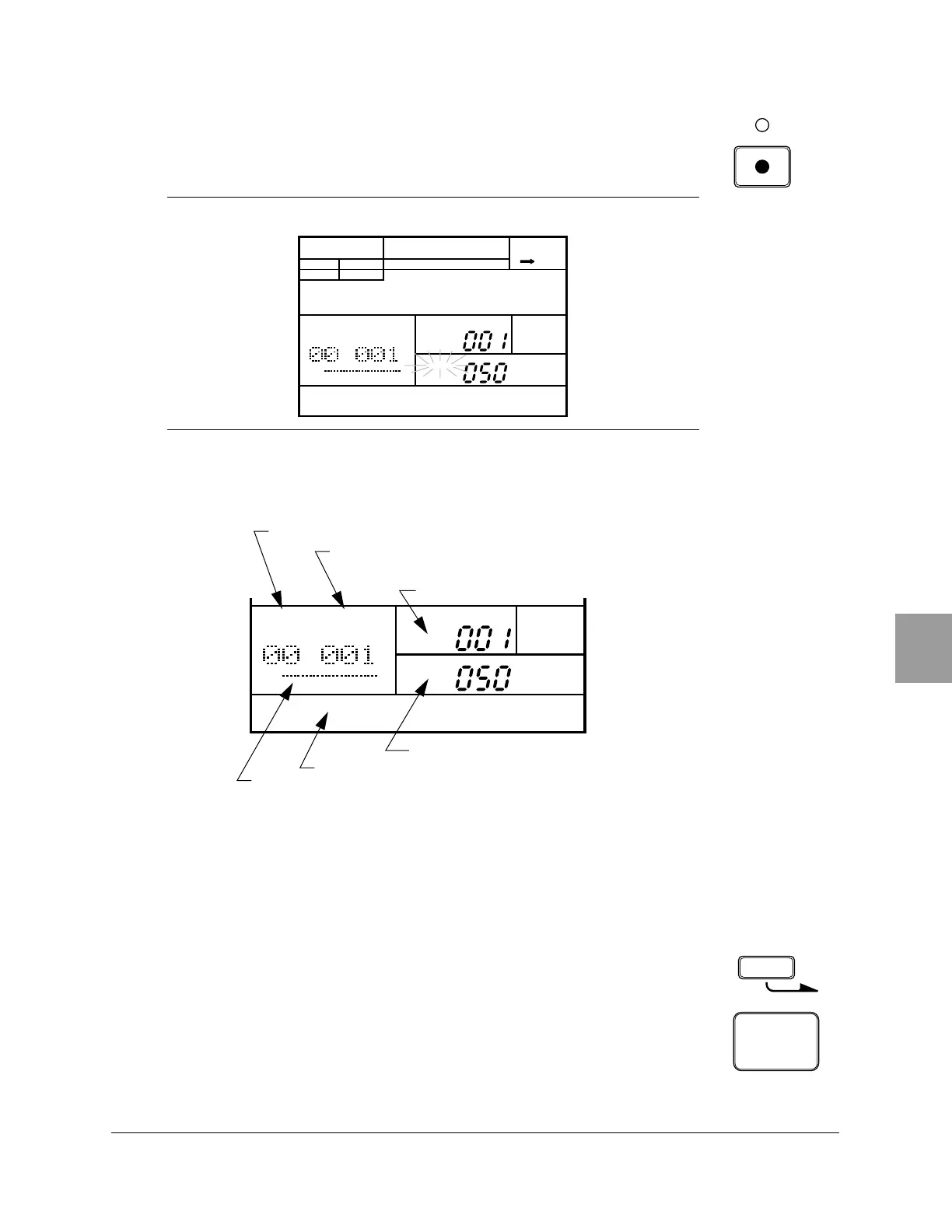
Start recording by pressing the [RECORD] button. The red Record LED
lights and the “PATTERN” indicator flashes.
The following illustration points out some key indicators on the display
when the RY20 is in Song Record Mode.
4
Select your first pattern by rotating the dial Jog Dial or by using the [ +1 ]
or [ –1 ] buttons.
You can select any pattern from “000” to “149” to record into your song.
5
Select one of the six pattern sections. The default section is the last one
selected in Pattern Mode, for example “MAIN A”.
Press and hold the [SECTION] button. Then press the Drum Pad button for
the section you want to record, for example “INTRO”.
The selected section of the pattern is automatically recorded at the
current part.
NOTE
The current Pattern is shown beside the flashing “
PATTERN” indicator.
SONG
A CHASE
SONG
PART
MEASURE
PATTERN
MAIN A
PAD BANK
OTHERS
HH
SD
BD
SONG
A CHASE
SONG
PART
MEASURE
PATTERN
MAIN A
PAD BANK
OTHERS
HH
SD
BD
Current section
Measure number
Pattern number
Part number
Song name
Song number
SECTION
BD
6
INTRO












 To Next Page