30
Basics Section Quick Guide Reference Appendix
Playing Voices
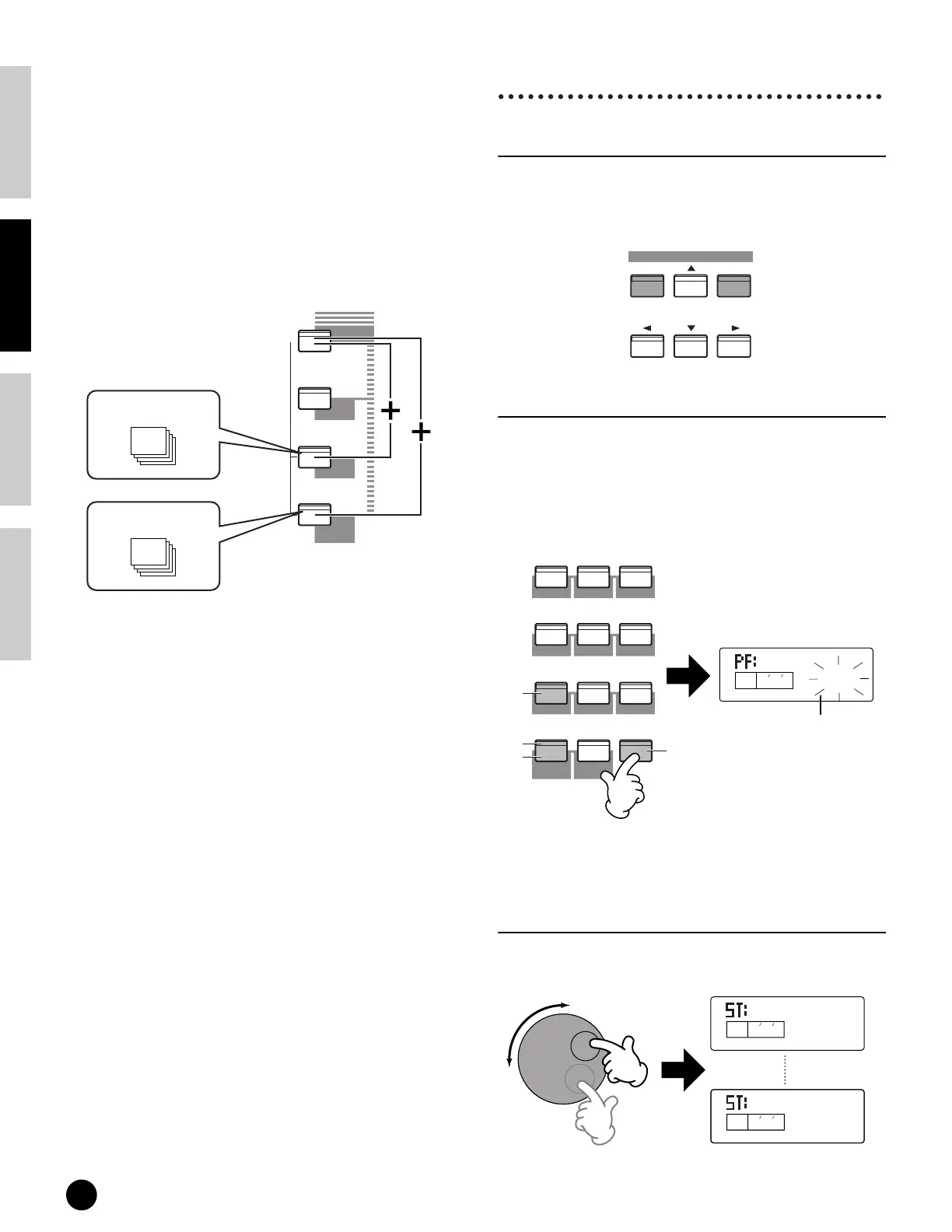
The Drum Voices (page 22) are stored in separate areas
of the User and GM2/XG memory sections.
•To call up the User Drum memory (USDR1/
USDR2):
Press the [USER] button while holding down thes
[DRUM] button.
•To call up the GM2/XG Drum memory
•To call up the XG SFX Kit memory
Press the [GM2/XG] button while holding down the
[DRUM] button.
n PRESET, of course, contains the Preset Voices. The XG
Voices are assigned in order according to the GM format,
starting with Bank 1, and various GM2/XG Voices are
distributed throughout the GM2/XG memory banks.
USER is stored in internal RAM memory and contains
factory default Voices. These can be overwritten, but can
be recalled from the original factory settings at any time
if required.
3 Select a Voice number.
Selecting with the [INC/YES] and
[DEC/NO] buttons
First, press the [ENTER] button to specify the Voice
Memory, then press the [INC/YES] button to
increment the Voice Number, and press [DEC/NO] to
decrement it.
Selecting with the numeric keypad
and [ENTER] button
First, specify the Voice number with the numeric
keypad, then press the [ENTER] button to actually set
it. For example, to select voice number 100, press
buttons [1], [0] and [0] in order. (The indicated
number flashes.) Finally, press the [ENTER] button to
select the Voice.
n For one- or two-digit numbers, it’s not necessary to enter
all three digits (such as, “001” or “010”). For example, to
enter Voice number “3,” simply press numeric keypad
button [3], then press the [ENTER] button.
Selecting with the data dial
Rotating the data dial to the right (clockwise) increases
the voice Number, while rotating it to the left counter-
clockwise) decreases it.
User Drum 1/2
PRESET
USER
GM2/XG
DRUM
CATEGORY
SEARCH
DRUM/PERC
SE
OTHER
GM2/XG Drum 1
~
29
INC/YESDEC/NO
DATA
ENTER
KEYBOARD
–
0
1
2
3
4
56
7
89
GUITARORGANPIANO
BASS STRINGS BRASS
REED/PIPE
SYN LEAD
SYN COMP
CHROMATIC
PERCUSSION
SYN PAD
Set the number.Specify the number.
1
KEYELEMPA RT
PAG E
StPiano1
PR100
2
3
4
The displayed value flashes.
KEYELEMPA RT
PAG E
PR099
Solo Bow
KEYELEMPA RT
PAG E
PR101
OrchHarp


 To Next Page