67
Basics SectionQuick GuideReferenceAppendix
MIDI SETUP
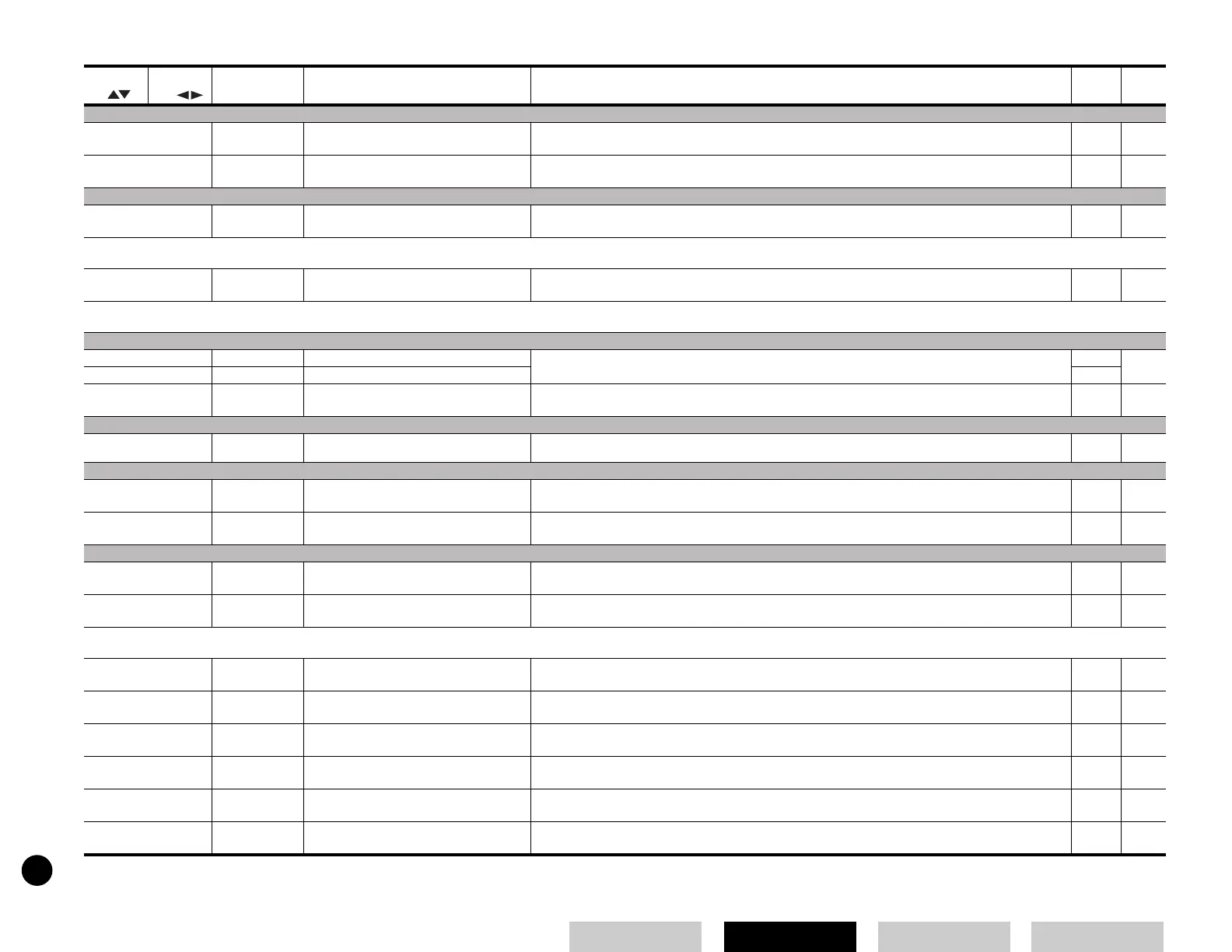
12 Local Sw Local Switch
When this is set to “off,” the keyboard and controllers are internally disconnected from the synthesizer’s
tone generator section.
15 *32
13 HostSelect Host Select Switch Determines which physical input/output terminal(s) are used for transmitting/receiving MIDI data: 13 *31
EFFECT
14 V EfBypass Voice Effect Bypass Determines whether or not effects in the Voice Mode can be bypassed. Only System effects (Reverb/
Chorus) can be bypassed.
47
■ Utility Job [UTILITY] →→
→→
[JOB]
1FactorySet Factory Set Restores your synthesizer’s factory default settings (Factory Set). 23
■ Controller [CONTROLLER]
Settings... MIDI Data Table 2-3 in the separate Data List
CTRL ASSIGN (Controller Assign)
1 MWTxCtlNo MW Transmit Control Number Determines the MIDI Control numbers assigned to the Modulation Wheel and Foot Controller. 37, 39 *33
2 FCTxCtlNo FC Transmit Control Number 37, 39
3 FSTxCtlNo FS Transmit Control Number Determines the MIDI Control numbers assigned to the Footswitch. 28, 39 *33
KEYBOARD
4 Kbd Trans Keyboard Transpose
Transposes the pitch of the keyboard up or down (in semitones). This affects transmitted MIDI data.
VELOCITY
5Vel Curve Velocity Curve Determines how the volume of the sound is affected by your playing strength (velocity). Each curve has
different response characteristics.
57
6 Fixed Vel Fixed Velocity The velocity is fixed at this setting. The sound output is always the same, regardless of how strongly or
softly you play the keyboard. (Off: not fixed)
57
CTRL SETUP (Controller Setup)
7 Ctl Reset Voice Mode Controller Reset Determines whether the current condition of the controller (Modulation Wheel, Foot Controller) is
maintained or reset when you switch between Voices.
8AC1 CC No Voice Mode AC1 Control Number Determines the Control number for the AC1 in the Voice mode. 37 *28
■ Card [CARD]
1SaveSaveSaves the settings to Memory Card as a file. 53
2 Load Load Loads files from Memory Card to your synthesizer. 28, 53
3 Renam Rename Renames files using up to eight characters. 55
4 Del Delete Deletes files saved on Memory Card. 55
5 Frmt Format Formats a Memory Card. 55
6 Imprt Import Imports the designated data from the Voice Editor Library files. 55
Selected
by
Selected
by
Display Parameter Name Explanation
Related
Page
Utility / Utility Job / Controller / Card


 To Next Page