・
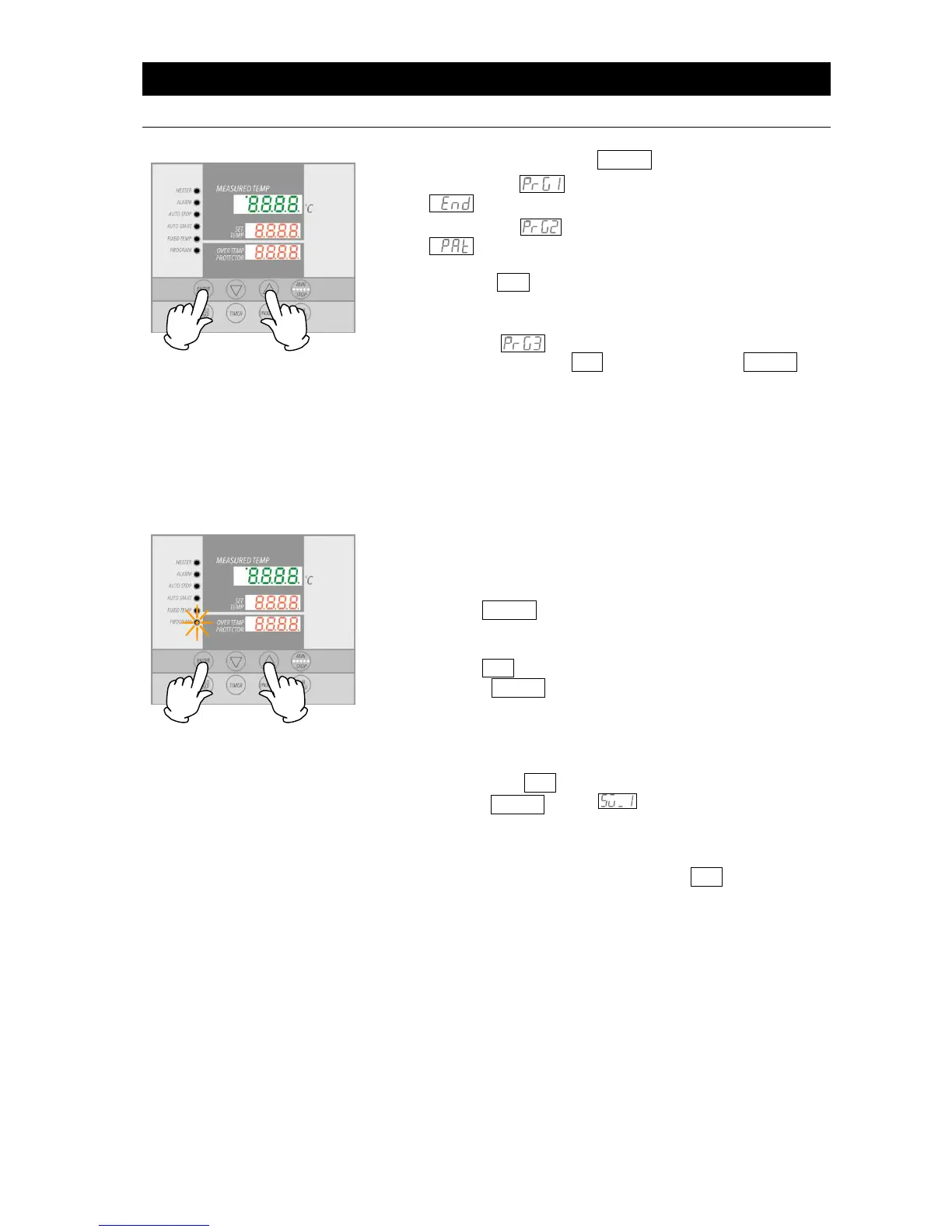
When PrG1 is selected, the top display will show
.
・
When PrG2 is selected, the top display will show
, signifying program “pattern”. For PrG2 pattern,
select either "1" or "2" (signifying the 2 available patterns)
using the ▲▼ keys. Press the ENTER key again. The
top display will show "End".
・
When PrG3 is selected, the top display will show "PAt1".
For PrG3 patterns, select "1", "2" or "3" (3 availble
patterns) using the ▲▼ keys. Press the ENTER key
again. Top display will show "End".
PrG1. PrG2 or PrG3 can be selected for the program example
above, since only 8 steps are used.
① Select PrG3 according to step 2, above.
② Enter the number of steps, temperature and time for each step
(use the program planning worksheet on pages 28 & 29).
③ Press the ENTER key. Pat1 will show, flashing in top display.
("End" is shown if PrG1 is selected. In this case, go to ⑥)
④ Select an unused pattern from among Pat1, Pat2 and Pat3
using the ▲▼ keys.
⑤ Press the ENTER key. "End" will be shown and the step
number will be shown flashing.
"End" indicates the total step numbers to be used. In the
example above, "8" would be entered here.
⑥ Enter the total number of steps (8 in the example above) to be
used, using the ▲▼ keys
⑦ Press the ENTER key. , indicating temperature for
step 1 can now be set, will show in the top display. Current
temperature setting will also be displayed flashing in the
center display.
⑧ Set the temperature for step 1 using the ▲▼ keys.



 To Next Page