⑨
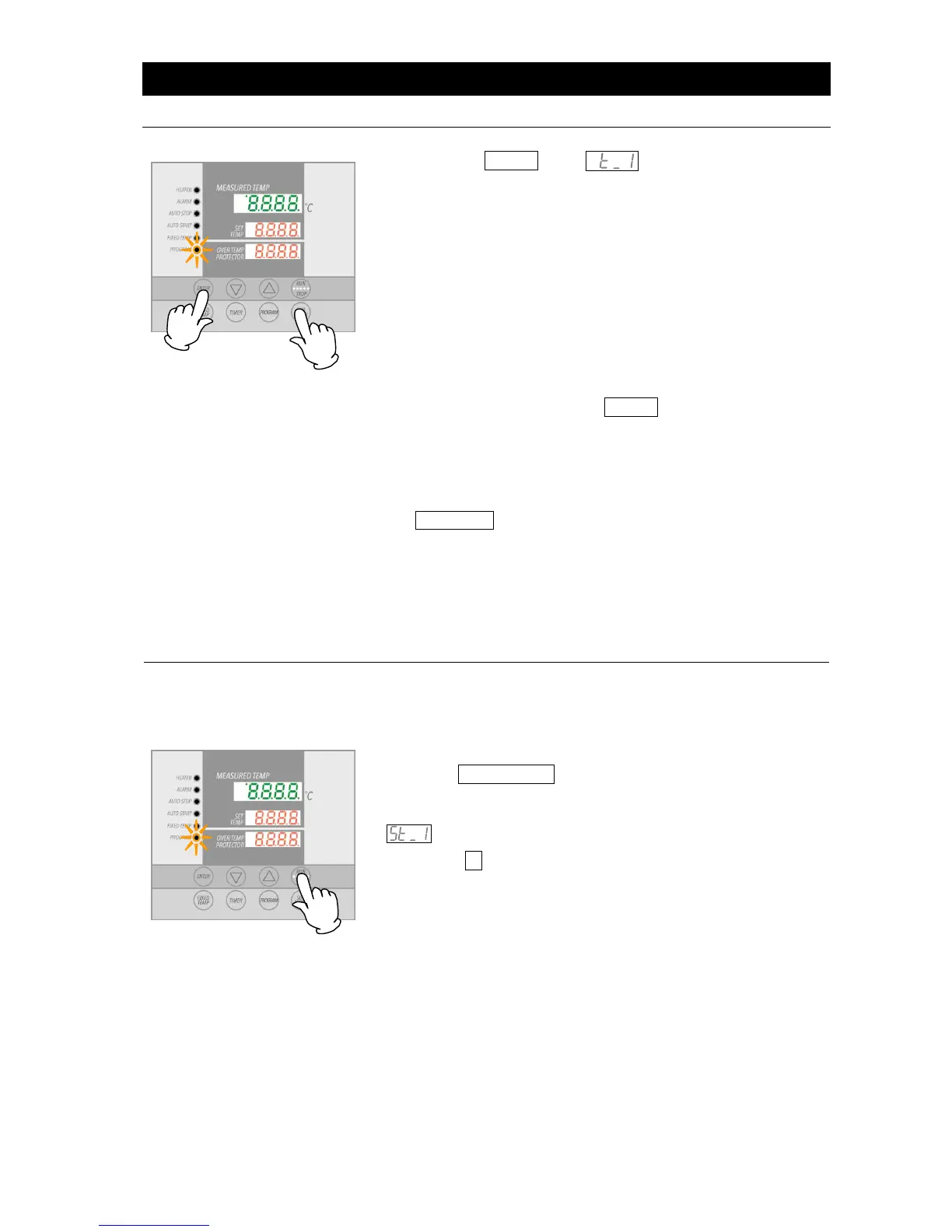
Press the ENTER key. , indicating timer setting for
step 1, will be shown in the top display. Current timer
setting will also be shown flashing in the center display.
Before setting the timer, be sure to confirm temperature unit
rise/fall capability.
For example, about 60 minutes is needed for a ±190C
increase from room temperature (20C) to 210C, on the
DKN602C model, which is approximately 1 minute for every
3C increase. Accordingly, it would take approximately 15
minutes to reach 50C at the same rate. This does not
include temperature stabilization time.
Maximum timer setting for each step is 999 hours and 50
minutes.
⑩ When timer is set, press the ENTER key. "Sv_2", indicating
temperature for step 2 can now be set, will be shown in
top display. Enter temperature and time using the same
procedure, decribed thus far, for all steps (use the program
planning worksheet on pages 32 & 33).
⑪ When the repeat function becomes necessary, press the
SUBMENU key after setting timer (step 7 in the above
example) in the step where repeat operation is to be used.
This brings up repeat function setting mode.
Follow Pattern Repeat Function (P.31) for program repeat
function entry procedure.
⑫ Screen returns to the initial settings screen, after setting
temperature and timer in the final step.
When possible, confirm temperatures and times in a newly entered
program by running program with unit unloaded once, before using
program on actual test samples.
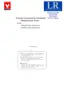
Press the START/STOP key for about one second. Program
will begin running.
PROGRAM lamp illuminates and the top display will show
, signifying that step 1 is currently under way.
Use the ▼ to monitor temperature and time (top display)
remaining in a currently running step.



 To Next Page