32
Run “MENU”
“STERILIZE & DRY” Procedure
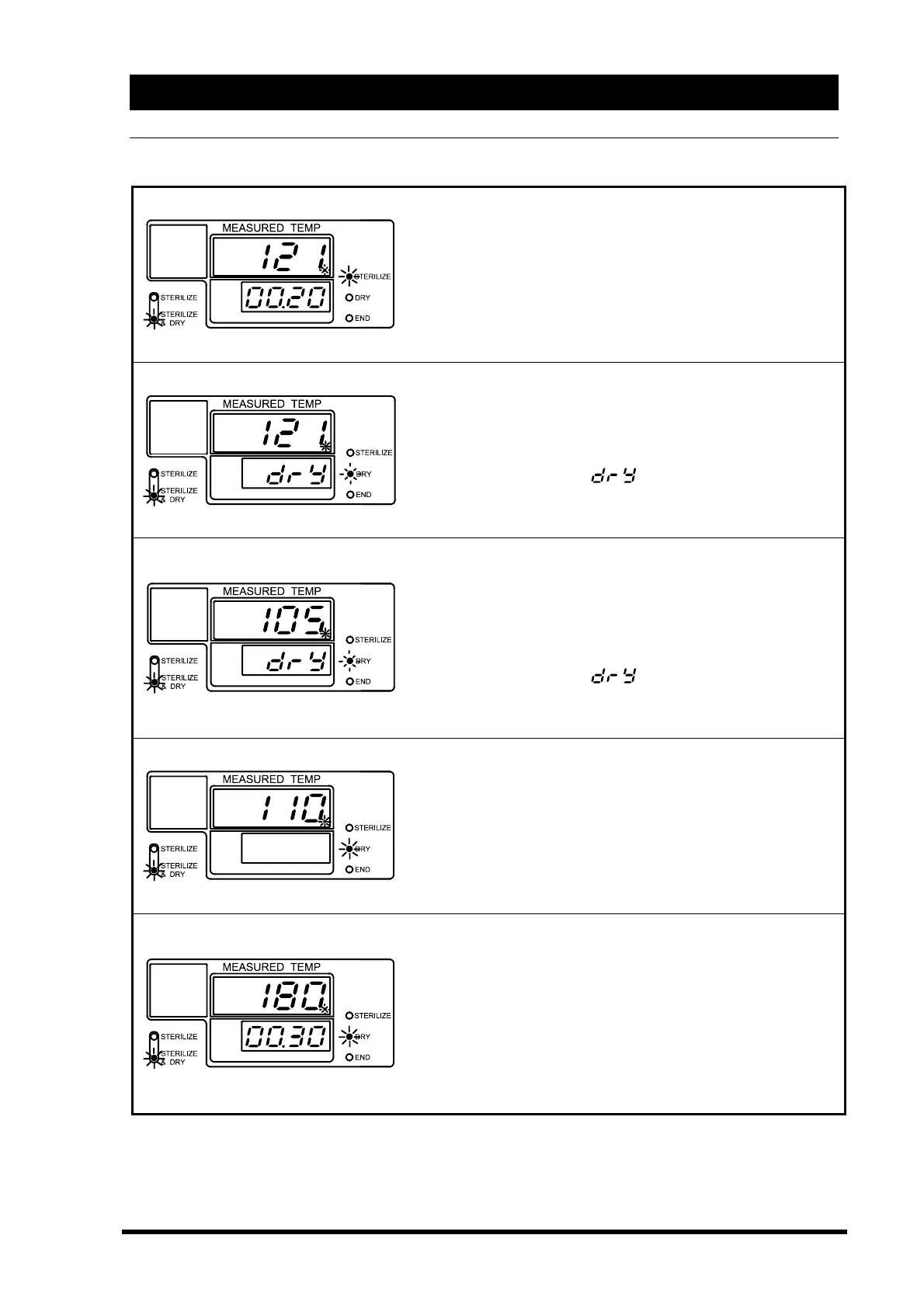
After chamber temperature reaches the set temperature,
sterilization process starts. The sub display shows the
sterilization time.
→The main display shows chamber temperature.
→The sub display shows the remaining sterilization time.
→Sterilize lamp blinks.
→Sterilize & Dry menu lamp is lit.
When the sterilization time is complete. The solenoid drain
valve opens and drains all water and the dry heater turns on.
→The main display shows chamber temperature.
→The sub display blinks
.
→Dry lamp blinks.
→Sterilize & Dry menu lamp is lit.
When forced drainage ends, the solenoid drain valve is
closed. The solenoid exhaust valve opens to exhaust air out
of the chamber.
→The main display shows chamber temperature.
→The sub display blinks
.
→Dry lamp blinks.
→Sterilize & Dry menu lamp is lit.
After the air exhausted out of the chamber the dry heater
raises the chamber temperature.
→The main display shows chamber temperature.
→The sub display goes off.
→Dry lamp is lit.
→Sterilize & Dry menu lamp is lit.
Drying process starts when the chamber temperature
reaches to temperature, which is less than 4 degrees C from
the set temperature.
→The main display shows chamber temperature.
→The sub display shows the remaining time.
→Dry lamp is lit.
→Sterilize & Dry menu lamp is lit.



 To Next Page