PRODUCT OVERVIEW
YM Series Operation Manual 21
12/05
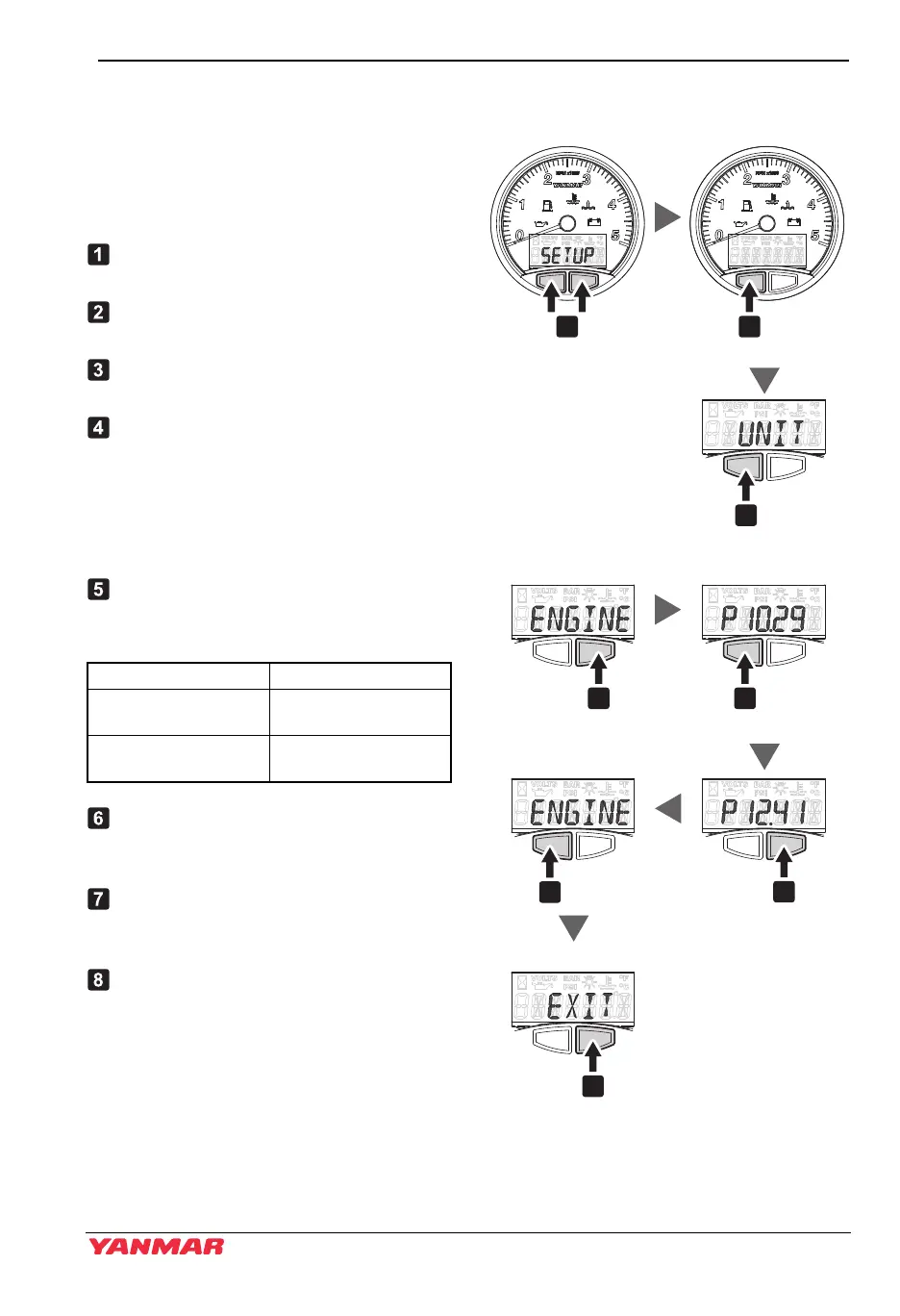
Setup Screen Access and Control
(Setting the engine speed pulse value for B20/C30 type panel)
Use the buttons on the bottom of the LCD
display to set the instrument panel.
Press the left button to switch between
displays.
Press and hold both buttons until “SET
UP” appears.
Press the left button and go to the
screen “UNIT”.
Press the left button and go to the next
screen “ENGINE”.
Confirm that the display says
“ENGINE”. Press the right button and
“P****” appears.
Note: The pre-set value of speed pulse
is indicated on the box of each
panel.
Next, press the left button and select
the speed pulse value for each engine
model.
After confirming the value is changed
correctly, press the right button to
return to the “ENGINE” screen.
Press the left button again to go from
the “ENGINE” screen to the “EXIT”
screen.
After confirming the display, press the
right button to re-start the panel and
return to the hourmeter display.
Figure 2
Figure 12
Engine model Speed pulse value
YM with HITACHI
alternator
10.29
YM with VALEO
alternator
12.41
043719-02EN02
1 2
3
4
7
8
5
6
Engine type select
Select
Exit setup
Scroll
Return to LCD control
Scroll
Select
YM OPM_EN.book 21 ページ 2013年6月7日 金曜日 午前11時11分



 To Next Page