EasyManua.ls Logo

YASKAWA L1000E - User Manual

YASKAWA L1000E
236 pages
Print Icon
To Next Page IconTo Next Page
Loading...
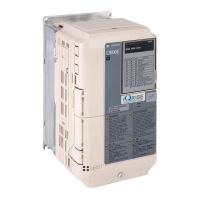
YASKAWA AC Drive-L1000E
AC Drive for Elevator Applications
Quick Start Guide
MANUAL NO. TOEP YAIL1E 01A
Models:
200 V Class: 3.7 to 110 kW (5 to 150 HP)
400 V Class: 4.0 to 132 kW (5 to 175 HP)
To properly use the product, read this manual thoroughly and retain
for easy reference, inspection, and maintenance. Ensure the end user
receives this manual.
Type: CIMR-LEA
Receiving
Mechanical Installation
Electrical Installation
Start-Up Programming &
Operation
Option Card Installation
Troubleshooting
Periodic Inspection &
Maintenance
Specifications
Parameter Table
Standards Compliance
1
2
3
4
6
5
7
A
B
C
P
W
R
L
E
DM
O
N
I
TO
R
J
V
O
P
-
1
8
4
R
U
N
D
S
1
D
S
2
R
U
N
D
S
1
D
S
2
S
T
A
T
U
S
R
E
ADY
R
U
N
A
L
A
R
M
(RU
N)
P
G
O
H
,
L
T
B
B
,
H
B
B
E
F
,
S
E
Ot
h
e
r
F
a
u
lt
O
V
,
U
V
OH
,OL
OC
,
G
F
,S
C
,
P
GO
C
PF,O
F
A
,O
F
B
,
O
F
C
:LIG
H
T
:
B
L
I
N
K
:
LI
G
H
TO
F
F

Questions and Answers

  • J
    Jennifer ThomasAug 12, 2025
    What to do if Ground Fault Circuit Interrupter (ELCB/GFCI) trips during run with YASKAWA L1000E?
    • L
      Lori SullivanAug 12, 2025
      If the Ground Fault Circuit Interrupter (ELCB/GFCI) trips during the run of your YASKAWA Controller, it may be due to excessive leakage current. Here are a few things you can try: * Increase the ELCB/GFCI sensitivity or use one with a higher threshold. * Lower the carrier frequency (C6-03). * Reduce the length of the cable between the drive and the motor. * Install a noise filter or reactor on the output side of the drive.
  • S
    Sean LongAug 16, 2025
    Why doesn't my YASKAWA L1000E Controller allow selection of the desired Auto-Tuning mode?
    • A
      anthonysalazarAug 16, 2025
      If your YASKAWA Controller does not allow selection of the desired Auto-Tuning mode, it is likely because the selected control mode does not support it. To resolve this, check if the desired tuning mode is available for the selected control mode, or change the motor control method by adjusting setting A1-02.
  • E
    Elizabeth WalkerAug 25, 2025
    How to reduce electrical noise from YASKAWA L1000E Controller?
    • D
      David HoAug 25, 2025
      If you are experiencing electrical noise from the YASKAWA Controller or its output lines during operation, it's likely due to PWM switching. Here are some potential solutions: * Lower the carrier frequency (C6-03). * Install a noise filter on the input and/or output side of the drive. * Use a metal conduit for wiring to shield it from switching noise. * Ensure the drive and motor are properly grounded. * Separate the main circuit wiring from the control lines. * Make sure wires and the motor have been properly grounded.
  • M
    martinezbrianAug 27, 2025
    Why does YASKAWA L1000E Controller motor rotate in opposite direction?
    • U
      uperryAug 27, 2025
      If the motor connected to your YASKAWA Controller rotates in the opposite direction from the Up/Down command, there could be two main reasons: * The phase wiring between the drive and motor is incorrect. Check the motor wiring. * The drive control circuit terminals for the Up and Down commands are switched. Check the control circuit wiring and correct any faulty wiring.
  • J
    Jocelyn AguilarSep 3, 2025
    How to fix 'Cannot Change Parameter Settings' on YASKAWA L1000E Controller?
    • M
      Matthew ChristensenSep 4, 2025
      If you cannot change parameter settings on your YASKAWA Controller, here are a few possible reasons and solutions: * The drive is running the motor. Stop the drive and switch to Programming Mode, as most parameters cannot be edited during run. * The Access Level is set to restrict access. Set the Access Level to allow editing (A1-01 = 2). * You are not in the Parameter Setup Mode. Switch to Programming Mode. * The wrong password was entered. Reset the password if needed by scrolling to A1-04, pressing STOP and at the same time. Then set a new password to parameter A1-05. * Undervoltage was detected. Check the drive main input voltage (U1-07) and all main circuit wiring.
  • R
    Rebecca CaldwellSep 7, 2025
    What to do if Encoder Offset (E5-11) Set During Auto-Tuning (Rotational or Stationary) Consistently Differs by 30 Degrees or More on YASKAWA L1000E Controller?
    • K
      Katie JenningsSep 7, 2025
      To address this issue with your YASKAWA Controller, perform Auto-Tuning of PG-E3 encoder characteristics (T2-01 = 12).
  • B
    Bryan ColemanNov 19, 2025
    Why is my YASKAWA Controller's motor too hot?
    • A
      Andrew RussellNov 19, 2025
      If your YASKAWA Controller's motor is overheating, several factors could be the cause: * The load might be too heavy. Try reducing the load or lowering the acceleration and deceleration ramps by increasing the acceleration and deceleration time. Also, check the values set for the motor protection (L1-01, L1-02) and the motor's rated current (E2-01), or increase motor capacity. * The air around the motor might be too hot. Check the ambient temperature and cool the area if necessary. * If operating in vector control mode, Auto-Tuning may not have been performed. Perform Auto-Tuning, calculate the motor value and reset the motor parameters, or change the motor control method to V/f Control (A1-02 = 0). * There might be insufficient voltage insulation between motor phases. Use a motor...
  • A
    Andrew FernandezDec 1, 2025
    What to do if YASKAWA L1000E motor does not rotate properly?
    • J
      Jose WiseDec 1, 2025
      If the motor doesn't rotate properly after pressing the RUN button or entering an external Up/Down command on your YASKAWA Controller, consider these potential causes: * The drive may not be in Drive Mode. Check if 'DRV' is displayed on the digital operator and enter Drive Mode if needed. * The button might be enabled (o2-01=1) and was pushed. Stop the drive and check the frequency reference source. Push the button, or set o2-01 to 0 to disable the button. * Auto-Tuning may have just completed. Use the digital operator to enter Drive Mode. * A Fast Stop may have been executed and not reset. Reset the Fast Stop command. * Settings may be incorrect for the source providing the Up/Down command. Check and adjust parameter b1-02. * There may be faulty wiring in the control circuit ...

YASKAWA L1000E Specifications

General IconGeneral
Frequency50/60 Hz
Protection LevelIP20
Cooling MethodFan Cooled
Control MethodV/f control
Communication OptionsEtherNet/IP
SafetySTO (Safe Torque Off)
Protection FeaturesOvercurrent, Overvoltage, Undervoltage, Short circuit
Operating Temperature-10°C to +50°C
Storage Temperature-20°C
Humidity5% to 95% (non-condensing)
Enclosure RatingIP20
Input Voltage200-240V, 380-480V
Voltage Class200V, 400V

Related product manuals