EasyManua.ls Logo

YASKAWA L1000A - User Manual

YASKAWA L1000A
247 pages
Print Icon
To Next Page IconTo Next Page
Loading...
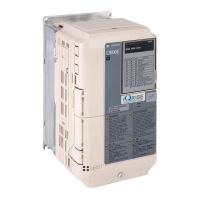
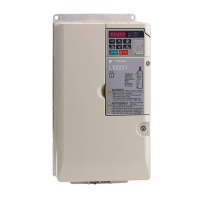
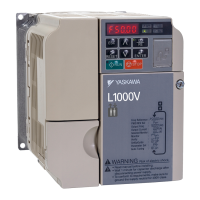
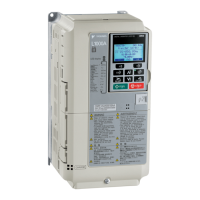
YASKAWA AC Drive-L1000A
AC Drive for Elevator Applications
Quick Start Guide
MANUAL NO. TOEP C710616 38H
Models:
200 V Class: 1.5 to 110 kW (2 to 150 HP)
400 V Class: 1.5 to 315 kW (2 to 500 HP)
600 V Class: 1.5 to 160 kW (2 to 250 HP)
To properly use the product, read this manual thoroughly and retain
for easy reference, inspection, and maintenance. Ensure the end user
receives this manual.
Type: CIMR-LUA
COSMOS(英文)新CI
Receiving
Mechanical Installation
Electrical Installation
Start-Up Programming &
Operation
Option Card Installation
Troubleshooting
Periodic Inspection &
Maintenance
Specifications
Parameter Table
Standards Compliance
1
2
3
4
6
5
7
A
B
C

Table of Contents

Other manuals for YASKAWA L1000A

Questions and Answers

  • H
    heather62Aug 14, 2025
    Why can't I select auto-tuning mode on YASKAWA Controller?
    • B
      brian49Aug 14, 2025
      If the YASKAWA Controller does not allow you to select the desired Auto-Tuning mode, it is because the desired Auto-Tuning mode is not available for the selected control mode. Check if the desired tuning mode is available for the selected control mode and change the motor control method by setting A1-02.
  • S
    Sara GallagherAug 17, 2025
    What to do if my YASKAWA Inverter Drive continues to operate after an EF0 fault?
    • R
      richardmillerAug 17, 2025
      If your YASKAWA Inverter Drive continues to operate when an EF0 fault is detected (when set to 3), take proper safety measures. For example, install an emergency stop switch.
  • K
    Kelly MarshallAug 21, 2025
    Why can't I change parameter settings on my YASKAWA L1000A?
    • K
      Kristy SmithAug 21, 2025
      There are several reasons why you might not be able to change parameter settings on your YASKAWA Controller: * The drive may be running the motor. Stop the drive and switch to Programming Mode, as most parameters cannot be edited during run. * The Access Level might be restricting access. Change the Access Level to allow editing (A1-01 = 2). * You may not be in Parameter Setup Mode. Verify the digital operator mode and switch to Programming Mode. * An incorrect password may have been entered. Reset the password by scrolling to A1-04, pressing STOP and simultaneously. Parameter A1-05 will appear, allowing you to set a new password. * Undervoltage may have been detected. Check the drive's main input voltage via the DC bus voltage (U1-07) and inspect all main circuit wiring.
  • M
    Mason BrownAug 25, 2025
    Why is my YASKAWA L1000A motor too hot?
    • M
      Mark WebsterAug 25, 2025
      If the load is too heavy for the motor, it may overheat because it exceeds its rated torque value for an extended period. Consider that the motor has a short-term overload rating. You can: 1. Reduce the load. 2. Lower the acceleration and deceleration ramps by increasing the acceleration and deceleration time. 3. Check the values set for the motor protection (L1-01, L1-02) and the motor rated current (E2-01). 4. Increase motor capacity.
  • B
    barbara51Aug 27, 2025
    How to reduce electrical noise from YASKAWA L1000A Controller?
    • A
      Amy RyanAug 27, 2025
      Electrical noise from the YASKAWA Controller or output lines during operation can be due to excessive PWM switching noise. Try these solutions: * Lower the carrier frequency (C6-03). * Install a noise filter on the input side of the drive input power. * Install a noise filter on the output side of the drive. * Place the wiring inside a metal conduit to shield it from switching noise. * Ground the drive and motor properly. * Separate the main circuit wiring and the control lines. * Ensure wires and the motor have been properly grounded.
  • T
    tina36Aug 30, 2025
    What to do if YASKAWA L1000A motor rotates in opposite direction?
    • R
      renee81Aug 31, 2025
      If the YASKAWA Controller motor rotates in the opposite direction from the Up/Down command, it could be due to: * Incorrect phase wiring between the drive and motor. Check the motor wiring. * Drive control circuit terminals for the Up and Down commands are switched. Check the control circuit wiring and correct any fault wiring.
  • J
    Jonathan DuranSep 3, 2025
    How to unlock parameter settings on YASKAWA Controller?
    • W
      William AlvaradoSep 3, 2025
      If the YASKAWA Controller does not allow changing parameter settings, it might be due to: * The drive is running the motor. Stop the drive and switch to the Programming Mode, as most parameters cannot be edited during run. * The Access Level is set to restrict access. Change the Access Level to allow parameters to be edited (A1-01 = 2). * The operator is not in the Parameter Setup Mode. Switch to the Programming Mode. * The wrong password was entered. Reset the password. If the password is unknown, scroll to A1-04, press STOP and press at the same time. Parameter A1-05 will appear and set a new password to parameter A1-05. * Undervoltage was detected. Check the drive main input voltage by looking at the DC bus voltage (U1-07) and check all main circuit wiring.
  • M
    Mary WilkinsSep 10, 2025
    What does encoder offset error mean on YASKAWA L1000A?
    • B
      Brittany HughesSep 12, 2025
      If the encoder offset (E5-11) set during Auto-Tuning (Rotational or Stationary) consistently differs by 30 degrees or more on your YASKAWA Controller, it indicates that the PG-E3 option detected excess position error with the ERN1387 encoder. Perform Auto-Tuning of PG-E3 encoder characteristics (T2-01 = 12).

Summary

Receiving

Model Number and Nameplate Check

Verifies the correct model received by checking the information on the nameplate.

Mechanical Installation

Installation Orientation and Spacing

Details the correct installation orientation and spacing required for sufficient airflow and wiring.

Installation Environment

Specifies the environmental conditions required for proper installation and optimal drive performance.

Electrical Installation

Standard Connection Diagram

Shows how to connect the drive and peripheral devices, including digital I/O wiring.

Main Circuit Wiring

Outlines procedures and precautions for safely and properly wiring the main circuit terminals.

Wiring the Control Circuit Terminal

Describes the proper procedures and preparations for wiring the control terminals.

Start-Up Programming & Operation

Using the Digital Operator

Explains how to use the digital operator for Run/Stop commands, parameter editing, and data display.

Auto-Tuning

Covers Auto-Tuning procedures for induction motors and PM motors, including types and flowcharts.

Setup Procedure for Elevator Applications

Details elevator application setup, including Up/Down commands and speed reference selection.

Rescue Operation

Explains how Rescue Operation allows the elevator to travel to the nearest floor during a power outage.

Setup Troubleshooting and Possible Solutions

Describes troubleshooting for problems that do not trip an alarm or fault.

Troubleshooting

Fault Detection

Lists detailed fault displays, their causes, and possible solutions for drive protection.

Alarm Detection

Details alarm codes, their causes, and possible solutions for non-critical events.

Auto-Tuning Fault Detection

Lists Auto-Tuning faults, their causes, and possible solutions when calculations have discrepancies.

Operator Programming Errors

Explains Operator Programming Errors (oPE) that occur due to contradictory parameter settings.

Periodic Inspection & Maintenance

Inspection

Highlights the importance of preventive maintenance and periodic inspection for power electronics.

Periodic Maintenance

Describes the drive's Maintenance Monitors that track component wear and provide advance warnings.

Drive Replacement

Provides instructions for replacing the drive, including serviceable parts and terminal board transfer.

Option Card Installation

Prior to Installing the Option

Lists necessary preparations before installing option cards, including wiring and drive function verification.

Installing the Option

Details the procedure for installing option cards into the drive connectors and securing them.

Connecting PG-B3 Option

Explains parameter settings and connections for PG-B3 option with different encoder types.

Specifications

Three-Phase 200 V Class Drives

Lists power ratings and specifications for Yaskawa L1000 AC drives in the 200 V class.

Three-Phase 400 V Class Drives

Lists power ratings and specifications for Yaskawa L1000 AC drives in the 400 V class.

Three-Phase 600 V Class Drives

Lists power ratings and specifications for Yaskawa L1000 AC drives in the 600 V class.

Drive Specifications

Details general drive specifications including control methods and protection functions.

Parameter Table

A: Initialization Parameters

Covers parameters for setting up the drive's operating environment, access level, and control method.

C1: Acceleration and Deceleration Ramps

Details parameters for adjusting acceleration and deceleration ramps, and jerk settings.

E5: PM Motor Settings

Lists parameters specific to PM motor setup, including rated values and auto-tuning configurations.

H1: Multi-Function Digital Inputs

Defines functions assignable to digital input terminals S3 through S8.

L1: Motor Protection

Describes parameters for motor overload and overheat protection functions.

S1: Brake Sequence

Details parameters for configuring the brake sequence, including delay times and control.

T1: Induction Motor Auto-Tuning

Lists parameters for performing Auto-Tuning for induction motors, including mode selection and motor data.

U1: Operation Status Monitors

Describes parameters for monitoring drive status, including speed, current, and voltage.

Standards Compliance

EMC Guidelines Compliance

Provides guidelines for EMC filter installation and compliance with European standards.

UL and CSA Standards

Outlines UL and CSA certifications and compliance requirements for the drive.

Safe Disable Input Function

Explains the Safe Disable function for stop compliance with "Safe Torque Off" as per IEC/EN standards.

EN81-1;20 Conform Circuit with one Motor Contactor

Details the EN81-1/20 conform circuit requirements for elevator systems using one motor contactor.

YASKAWA L1000A Specifications

General IconGeneral
ModelL1000A
CategoryController
Enclosure RatingIP20
Input Voltage200-240V, 380-480V
Control MethodV/f Control, Open Loop Vector Control
ApplicationElevators
Voltage Class200V, 400V
SafetySafe Torque Off (STO)
CommunicationCANopen, Modbus
Output Voltage0 to Input Voltage
Protection FeaturesOvercurrent, Overvoltage, Undervoltage, Overheat
Operating Temperature-10 to 50°C
Storage Temperature-20 to 60°C
Humidity5% to 95% (non-condensing)
Current RangeVaries by model (refer to datasheet)
Power RatingVaries by model (refer to datasheet)

Related product manuals