EasyManua.ls Logo

YASKAWA L1000H - User Manual

YASKAWA L1000H
54 pages
Print Icon
To Next Page IconTo Next Page
Loading...
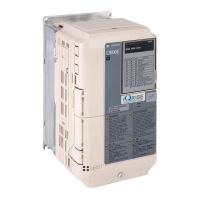
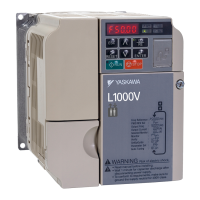
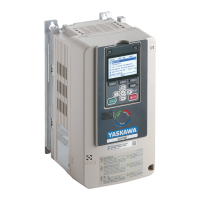
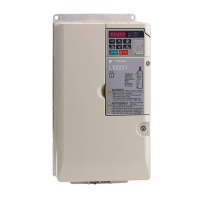
YASKAWA AC Drive L1000H
AC Drive for Elevator Applications
Quick Start Guide
MANUAL NO. TOEP C710616 92D
Models:
200 V Class: 1.5 to 110 kW
400 V Class: 1.5 to 110 kW
To properly use the product, read this manual thoroughly and retain
for easy reference, inspection, and maintenance. Ensure the end user
receives this manual.
Type: CIMR-LC A -9110
CIMR-LC F -9120

Questions and Answers

  • C
    Christian RobinsonAug 18, 2025
    What causes Control Fault (CF) in YASKAWA DC Drives and how to resolve it?
    • N
      Nicole JacksonAug 18, 2025
      The Control Fault (CF) error in YASKAWA DC Drives occurs when the torque limit is reached during deceleration for longer than 3 seconds, and the load inertia is too big, the torque limit is too low, or the motor parameters are set incorrectly. To resolve this: * Check the load. * Set the torque limit to the most appropriate setting (L7-01 through L7-04). * Check the motor parameters settings.
  • D
    Deanna McdowellAug 20, 2025
    How to troubleshoot Heatsink Overheat (oH) error in YASKAWA DC Drives?
    • C
      Catherine McdonaldAug 20, 2025
      If your YASKAWA DC Drives are showing a Heatsink Overheat (oH) or (oH1) error, it means the surrounding temperature is too high, the cooling fan has stopped, the heatsink is dirty, or the airflow to the heatsink is restricted. You should: * Check the surrounding temperature and install cooling devices if necessary. * Check the drive cooling fan. * Clean the heatsink. * Check the airflow around the heatsink.
  • T
    Timothy ElliottAug 22, 2025
    What does IGBT Short Circuit (SC) mean on YASKAWA DC Drives and how can I fix it?
    • R
      Rhonda JamesAug 23, 2025
      If you're seeing an IGBT Short Circuit (SC) error on your YASKAWA DC Drives, it could be due to motor damage from overheating or insulation failure, a shorted or grounded motor cable, or damage to the drive itself. To troubleshoot: * Check the insulation resistance. * Inspect the motor wiring. Turn the power supply off and then on again to check operation. * Check the drive output side short circuit for broken output transistor. Contact your YASKAWA representative or nearest YASKAWA sales office.
  • P
    pharveyAug 26, 2025
    How to troubleshoot Output Phase Loss (LF) error on YASKAWA DC Drives?
    • B
      Brandi SilvaAug 26, 2025
      If your YASKAWA DC Drives display an Output Phase Loss (LF) error, it may be due to a disconnected output cable, damaged motor winding, loose drive output wires, or a motor that is too small (less than 5% of drive current). To fix it: * Check the power supply. * Make sure that all cables are properly connected to the correct terminals.
  • T
    Tony FrazierAug 28, 2025
    How to resolve oPE01 error on YASKAWA DC Drives?
    • J
      joseph02Aug 28, 2025
      Set to o2-04 to the correct value.
  • H
    hickspatriciaAug 30, 2025
    How to resolve oPE02 error on YASKAWA DC Drives?
    • L
      lsheltonAug 30, 2025
      Set parameters to the proper values.
  • H
    huffjonathanSep 1, 2025
    How to resolve SEQF error on YASKAWA DC Drives?
    • K
      Karen JohnsonSep 2, 2025
      Correct I/O sequence.
  • A
    ambermendozaSep 4, 2025
    How to resolve NEGTEMP error on YASKAWA DC Drives?
    • C
      Christopher NewtonSep 4, 2025
      Check temperature sensor connection. Check H3 and H4 and repeat teaching function.
  • V
    Vincent JohnsonSep 7, 2025
    How to resolve TEACH error on YASKAWA DC Drives?
    • Z
      zlinSep 7, 2025
      Perform empty car teach run or cancel it by setting P4-01 to 0.
  • B
    Brett MartinSep 9, 2025
    How to resolve SAVE error on YASKAWA DC Drives?
    • A
      Amber DiazSep 9, 2025
      Set P4-01 to 3 to save teaching results.

YASKAWA L1000H Specifications

General IconGeneral
TypeAC Drive
Overload Capacity150% for 60 seconds
Protection Class / Enclosure RatingIP20
Input Voltage200-240V AC, 380-480V AC
Frequency Range0.01 to 400 Hz
Control MethodV/f Control, Open Loop Vector Control, Closed Loop Vector Control
SafetySTO (Safe Torque Off)
Braking TransistorBuilt-in
Communication OptionsModbus
Protection FeaturesOvercurrent, Overvoltage, Undervoltage
Ambient Operating Temperature-10°C to +50°C
Storage Temperature-20°C to +60°C
Cooling MethodForced Air

Related product manuals