User Guide for SIP-T58V/A Smart Media Phone
42
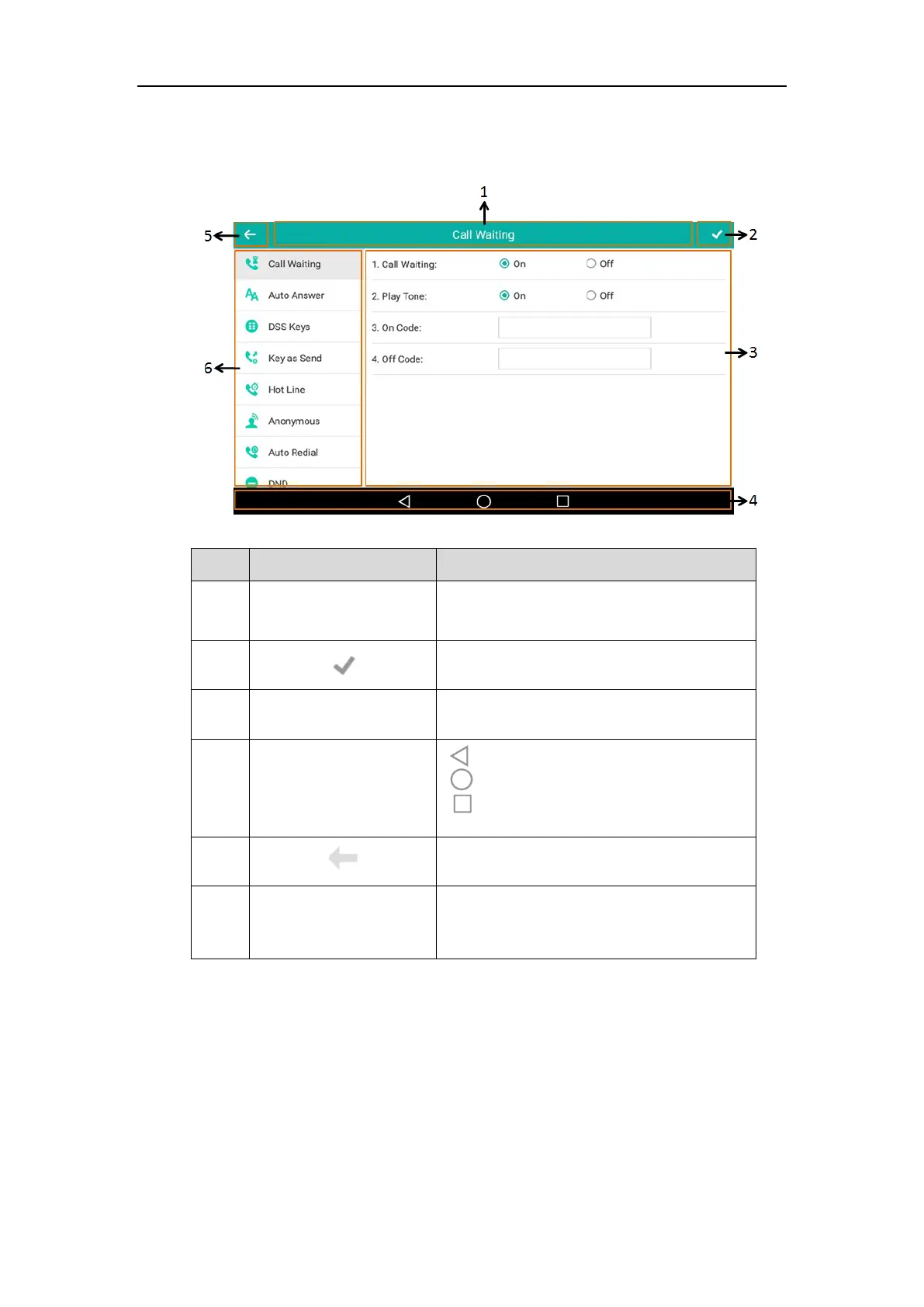
Configuration Screen Display
Displays the title of the current menu screen.
Tap to accept the settings.
Displays configuration items of the highlighted
menu item in the menu tree area.
: tap to go back to the previous screen.
: tap to return to the idle screen.
: tap to view and manage the list of recently
used applications.
Tap to go back to previous screen.
• Displays menu items.
• Tap the desired menu item to enter the
corresponding configuration screen.



 To Next Page
 Loading...












