24
Chapter 5:
YJACK VIEW® App Integration
Overview:
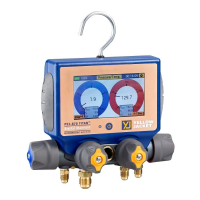
The P51-870 TITAN® features a Bluetooth® low energy radio and is fully compatible with both the
iOS and Android YJACK VIEW® Apps V3.0 or later. The YJACK VIEW® app in conjunction with the
P51-870 TITAN® can be used to remotely monitor system pressure, temperature, vacuum, and
perform target superheat and subcool calculations. Additionally, the YJACK VIEW® app can
generate its own datalog files and job reports.
Operation of the YJACK VIEW® App with the P51-870 TITAN®:
Before the P51-870 TITAN® can be used with the YJACK VIEW® App, the
YJACK VIEW® App must be installed and updated to newest version on the
desired mobile device. Before using the YJACK VIEW® App, ensure that the
manifold is paired to the desired mobile device.
Navigate to the YJACK VIEW® App and make sure the manifold is powered
on. The P51-870 TITAN® should appear in the available devices menu as
the name of the device followed by the serial number (Ex. YJP51-2301-
9993) as seen in Figure 34. Select the appropriate device and it should
appear in the paired devices menu.
The P51-870 TITAN® will be available to connect through the YJACK VIEW®
App if the device is powered on and the YJACK VIEW® App is updated.
NOTE: These Instructions do not cover operating the YJACK VIEW® App,
selecting or adjusting settings, retrieving datalog files, generating job
reports, and all other features of the YJACK VIEW® App. For instructions
on use of the YJACK VIEW® app, please visit:
https://yellowjacket.com/product/p51-titan-digital-manifold/.
The YJACK® manual instructions are under the Documents tab.
When the P51-870 TITAN® is connected to a mobile device via Bluetooth®, the LED will flash violet
every second.
Figure 34: Pairing a P51-870 TITAN™


 To Next Page