EasyManua.ls Logo

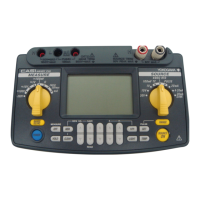
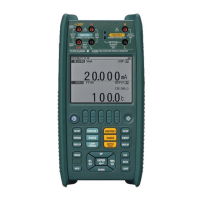
YOKOGAWA CA550 - User Manual

YOKOGAWA CA550
125 pages
Print Icon
To Next Page IconTo Next Page
Loading...
Users
Manual
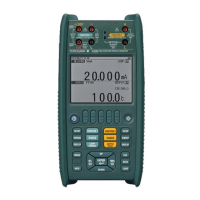
CA500, CA550
Multifunction Process
Calibrator
IM CA500-01EN
1st Edition

Table of Contents

Other manuals for YOKOGAWA CA550

Questions and Answers

  • M
    Mark SalasAug 18, 2025
    What to do if the measured or source value is odd on my YOKOGAWA CA550?
    • C
      Carl GreenAug 18, 2025
      If you are getting unusual readings, try the following: * Check the battery level. * Ensure that your power supply can provide at least 500 mA of current. * Verify all connections are correct. * Make sure the ambient temperature and humidity are within the specified ranges. * If you're using the binding post for thermocouple thermoelectromotive force, ensure the short bar is removed.
  • G
    gmarshallAug 20, 2025
    What to do if my YOKOGAWA CA550 Test Equipment does not turn on?
    • P
      pallisonAug 21, 2025
      If your device isn't powering on, please check the battery level and ensure the batteries are correctly inserted. If you're using a USB power supply, verify it's properly connected.
  • D
    Dustin RoseAug 23, 2025
    Why does my YOKOGAWA CA550 Test Equipment power off?
    • A
      Alexander PetersAug 23, 2025
      If your device is turning off unexpectedly, check the battery level. Also, verify that the power supply you are using can supply a current of 500 mA or more.
  • L
    Lorraine DavisAug 26, 2025
    What does it mean if a self-test error appears at power-on in my YOKOGAWA Test Equipment?
    • A
      Andrea WillisAug 26, 2025
      A self-test error at power-on indicates that the settings have been initialized due to an error in the setting information stored in the instrument or that there is an error in the calibration data stored in the instrument. If the error appears every time at power-on, repair is necessary.
  • J
    Jessica SnyderAug 28, 2025
    What to do if I get communication errors on my YOKOGAWA Test Equipment?
    • T
      Theresa GomezAug 28, 2025
      There are several reasons for communication errors. Here are a few things to check: * If the device received an undefined command, send a correct command. * If the command parameter is incorrect, specify the parameter correctly. * If the device received a command that cannot be executed in the instrument’s current condition, check the instrument condition, and send the command again.
  • J
    Justin PhelpsAug 30, 2025
    What to do if my YOKOGAWA Test Equipment screen is dark?
    • E
      Ellen DavisAug 30, 2025
      If the screen is dark, try increasing the display light setting.
  • R
    rodriguezlindseySep 2, 2025
    What to do if my YOKOGAWA CA550 Test Equipment screen turns off?
    • C
      Clinton RodriguezSep 2, 2025
      If the screen turns off, set auto power-off to OFF.
  • S
    Samuel WilliamsonSep 5, 2025
    What does 'Low power error' mean on YOKOGAWA Test Equipment?
    • K
      Kyle MaddoxSep 5, 2025
      A 'Low power error' indicates a low battery level or low USB power. Replace the batteries, or switch to a USB power supply that meets the power supply specifications.
  • P
    Peter MoralesSep 7, 2025
    What does 'Memory error' mean on YOKOGAWA CA550?
    • D
      Diana FosterSep 7, 2025
      A memory error can occur for several reasons: * If there is insufficient free internal memory space, delete unneeded data. * If the measurement adjustment data saved in EEPROM is inappropriate, servicing is required. * If the source adjustment data saved in EEPROM is inappropriate, servicing is required.
  • H
    Hannah SmithSep 9, 2025
    Why is the display odd on my YOKOGAWA CA550?
    • K
      kellymendozaSep 10, 2025
      If the display appears odd, confirm that the ambient temperature and humidity are within their specified ranges and that the display is not being affected by noise. You can also try restarting the instrument.

Summary

Chapter 1 Features

1.2 Source Function

Explanation of the various DC voltage, current, resistance, and other signal sourcing capabilities.

1.3 Sweep function

Details on linear, step, and program sweep modes for varying source values over time.

1.4 Measurement Function

Covers DC voltage, current, resistance, temperature, and pulse signal measurement capabilities.

1.5 Calibration Function for Field Instruments

Describes functions for calibrating field instruments using program sweep and error judgment.

Chapter 2 Source

2.1 DC Voltage Source

Details on generating DC voltage outputs, including ranges and specific values.

2.2 DC Current Source

Information on generating DC current outputs, including ranges and specific values.

2.3 Resistance Source

How to generate resistance outputs and wiring systems for measurement.

2.4 Voltage Source Corresponding to TC Thermoelectromotive Force

Generating voltage outputs simulating thermocouple electromotive force.

2.5 Resistance Source Corresponding to the RTD Temperature

Generating resistance outputs simulating RTD temperatures.

Chapter 3 Measurement

3.1 DC Voltage Measurement

Procedures for measuring DC voltage across different ranges.

3.2 DC Current Measurement

How to perform DC current measurements and use loop power.

3.4 Temperature Measurement Using Thermocouples

Measuring temperature using various thermocouple types and terminals.

3.5 Temperature Measurement Using RTDs

How to measure temperature using different RTD types and wiring systems.

Chapter 4 Calibrating Field Instruments (CA550)

4.1 Calibration Procedure

Workflow for calibrating field instruments using program sweep.

4.2 Setting Calibration Conditions

Setting up source, measurement, sweep, and tolerance for calibration.

Chapter 5 Saving Data

Chapter 7 USB Function

YOKOGAWA CA550 Specifications

General IconGeneral
BrandYOKOGAWA
ModelCA550
CategoryTest Equipment
LanguageEnglish

Related product manuals