19
• It moves to time mode when the transmission ends.
1-3-7.Time set mode
If surface time is less than 10 minutes, it cannot enter this mode.
・The gray square shows a blinking part.
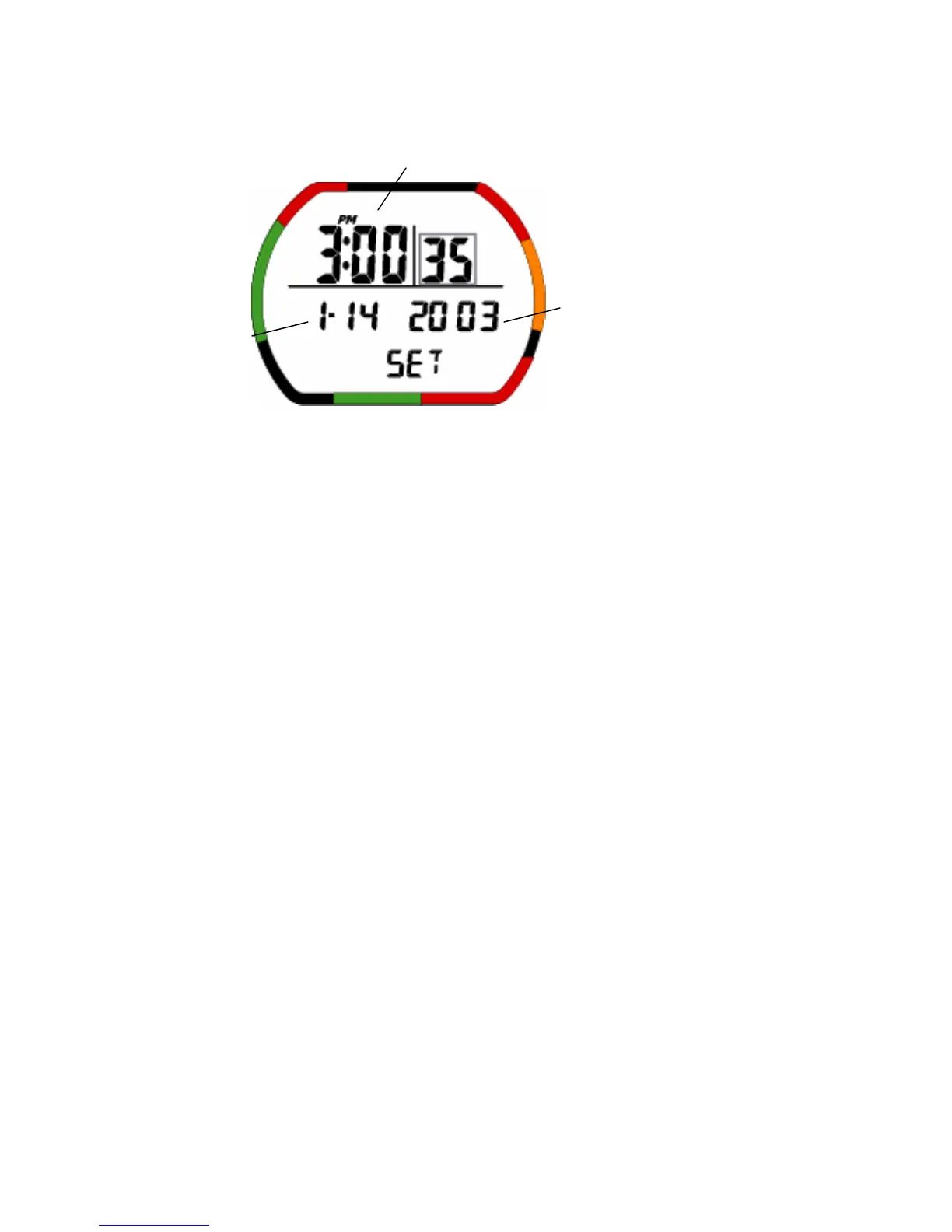
(1)Description of Functions
It is the mode to set 12/24 tense, current time, date and year.
• Current time: This is the current time.
• AM/PM Icon: It displays in case of 12 tense.
• Current date: This shows the current year, month, and day.
The setting range: From January 1st, 2003 to December 31st, 2050.
• Battery indicator Icon: This displays the current battery voltage.
• Mode display: This shows Time set mode.
(2)Operation of switches
• A: Press this switch to select mode.
second→minute→hour→year→month→day→12/24 tense→second→…
• B: Press this switch to move to time mode.
• C: Press this switch to change setting the contents.
• C: Press and hold this switch to change setting the contents fast scrolling.
• D: When water is detected, the mode moves to dive mode.
• Auto return: The display automatically returns to surface mode when no switches are used for 2 to 3
minutes.
• B: Press and hold this switch for 1-2 seconds to move to surface mode.
Current time
Yea r
Current date


 To Next Page