17
1-3-5.Dive profile mode
<No data>
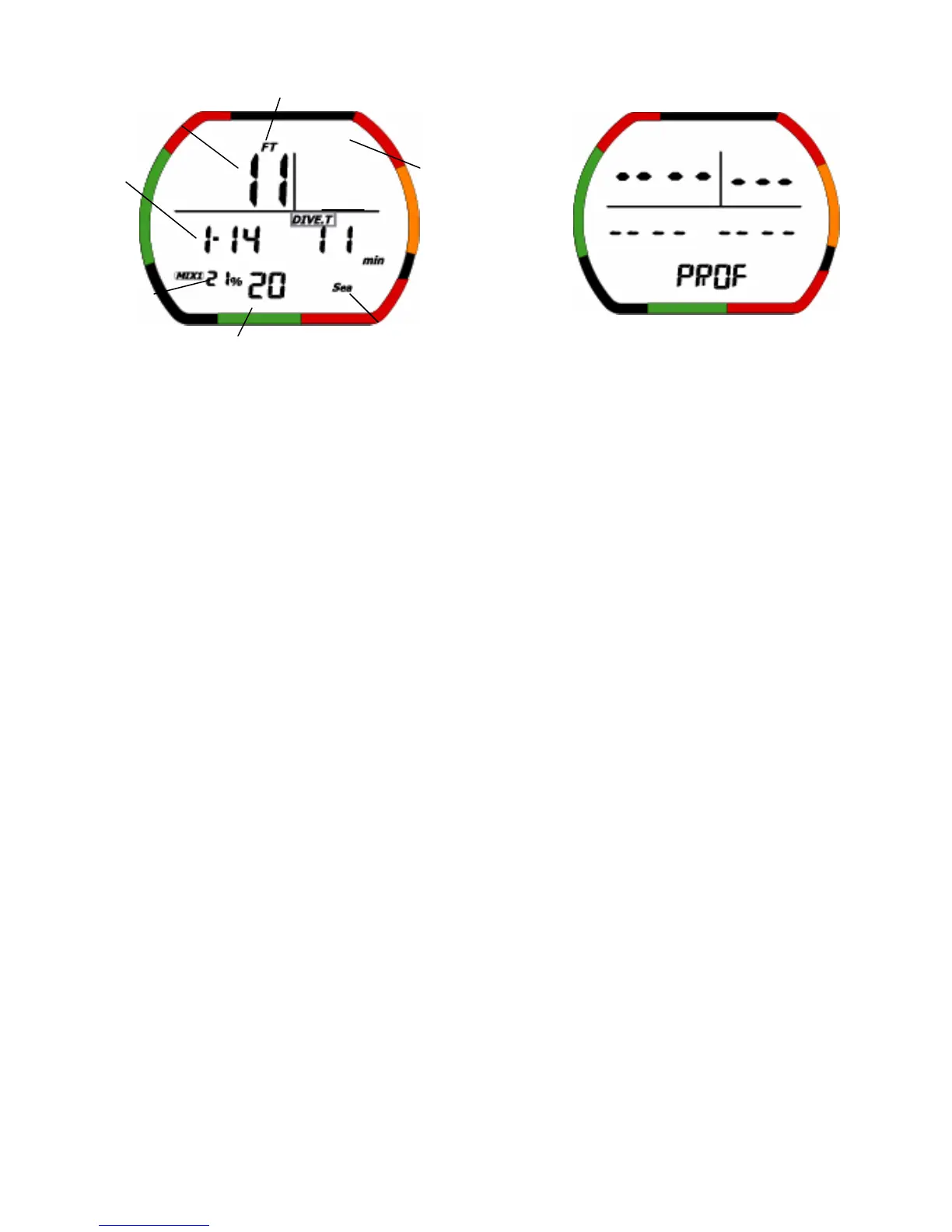
・The gray square shows a blinking part.
(1)Description of Functions
Dive log mode provides functions for recording various data during a dive when the dive depth is at
least 1.5 meters (5 feet) and the dive time is at least 3 minutes. Data is recorded during each successive
dive, and the log data storage capacity is about 30 hours of dive time (when the profile's sampling time
is set at 30 seconds), or up to 60 log data entries. If the logged dive time exceeds 30 hours or the
number of log data entries exceeds 60, the oldest data is automatically deleted. (See the section
describing profile mode for further description of log data and profile data.) The logged data is described
below.
• Dive date: Dive date is the date of the dive.
• Dive time: This is the dive time.
• Log number: This indicates the number of the currently displayed profile data among all of the
currently recorded data entries.
• Fraction of oxygen: Mix value was used while diving.
• Sea/FreshIcon: This indicates the water setting (sea water/fresh water).
• Gage mode Icon: In gage mode, the Icon is on.
• Mode display: This shows Dive profile mode.
• Battery indicator Icon: This displays the current battery voltage.
• Profile depth: This indicates a maximum water depth value every sampling time. If depth is over
99.9m(328ft), this display is ‘---’. In Gage mode,if depth is over 199.9m(656ft), this display is ‘---’.
• Nitrox Icon: This Icon is ON when NITROX has been set for MIX1 or MIX2 which was used while
diving.It blinks if the MIX1 and MIX2 setting is the default setting.
(2)Operation of switches
• Auto count up dive time: The display automatically goes ahead dive time.
Dive date
Profile depth
Fraction of oxygen
Log number Sea/Fresh Icon
Dive time
Gage Icon
NITROX Icon
Mode


 To Next Page