28
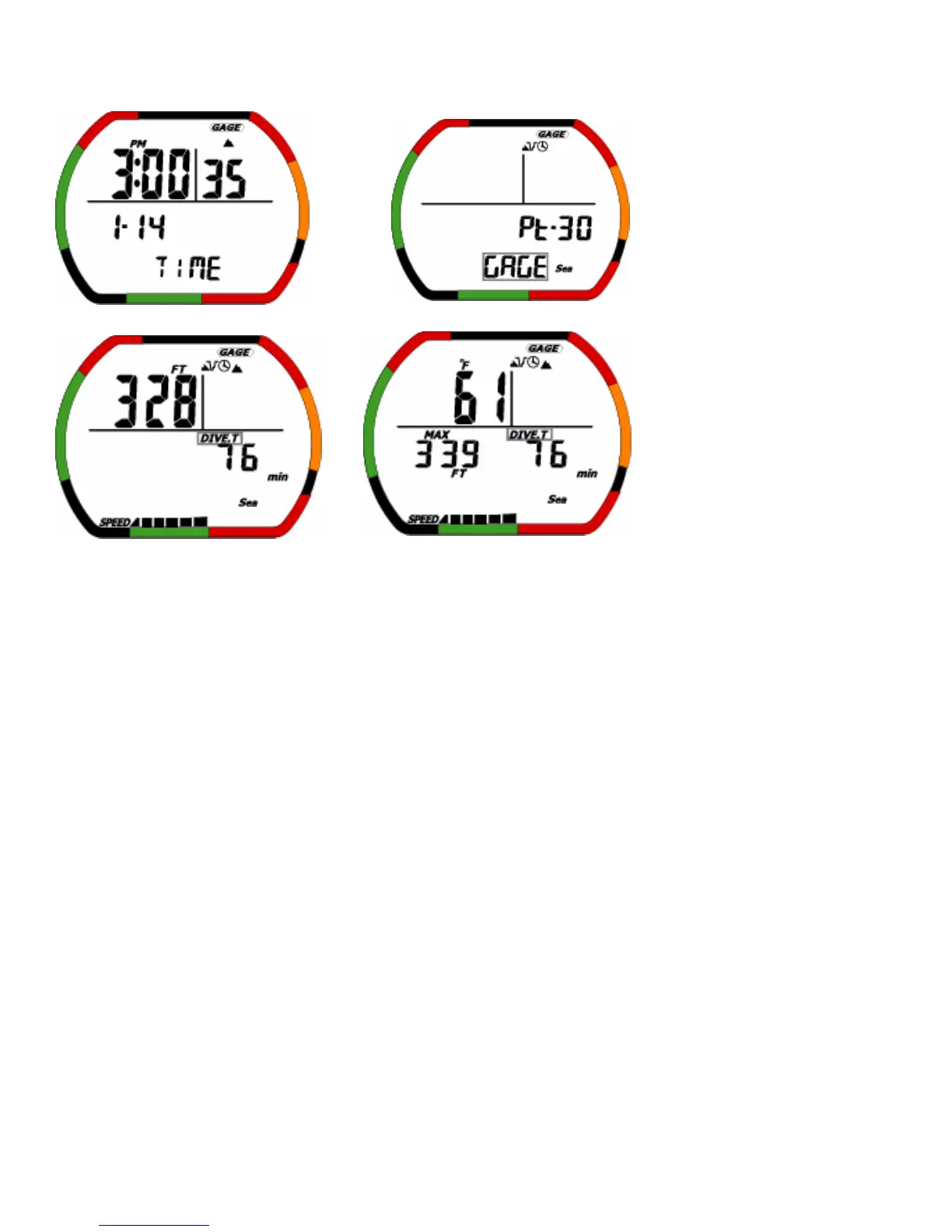
(1)Display
<Time Mode> <Dive set Mode>
<Dive Mode> <Hold switch C>
When diving by the gage mode, GAGE Icon is displayed in dive log mode.
PC transfer mode, time set mode are same as usual mode.
(2)Operation of switches
The mode which it is possible to move is except the plan mode.
B: This switch is mode select switch.
Time mode→Dive set mode→Dive log mode→Dive profile mode→PC transfer mode→Time set mode→Time
mode→……
• It is different from usual mode.
Gage dive set mode
GAGE SELECT→Profile time→Sea/Fresh→MAX DEPTH SET→MAX DEPTH ALARM ON/OFF→DIVE TIME
SET→DIVE TIME ALARM ON/OFF→GAGE SELECT→………
<Caution> In the surface time count, it can not be moveed to GAGE select.


 To Next Page