ZEISS Start-Up and Operation Primovert
20 415510-7244-001 12/2014
3.1.9 Transmitted-Light Illuminator: Inserting the LED
The microscope is delivered with the transmitted-light illuminator with halogen bulb 6 V 30 W/LED 3 W
already mounted.
If the transmitted-light illuminator with LED (halogen bulb) is to be additionally employed, it must be
inserted into the stand instead of the transmitted-light illuminator with halogen bulb (LED)
(see Section 3.9.1).
3.1.10 Connecting the Stand with
Binocular Tube or Phototube to the
Power Supply System
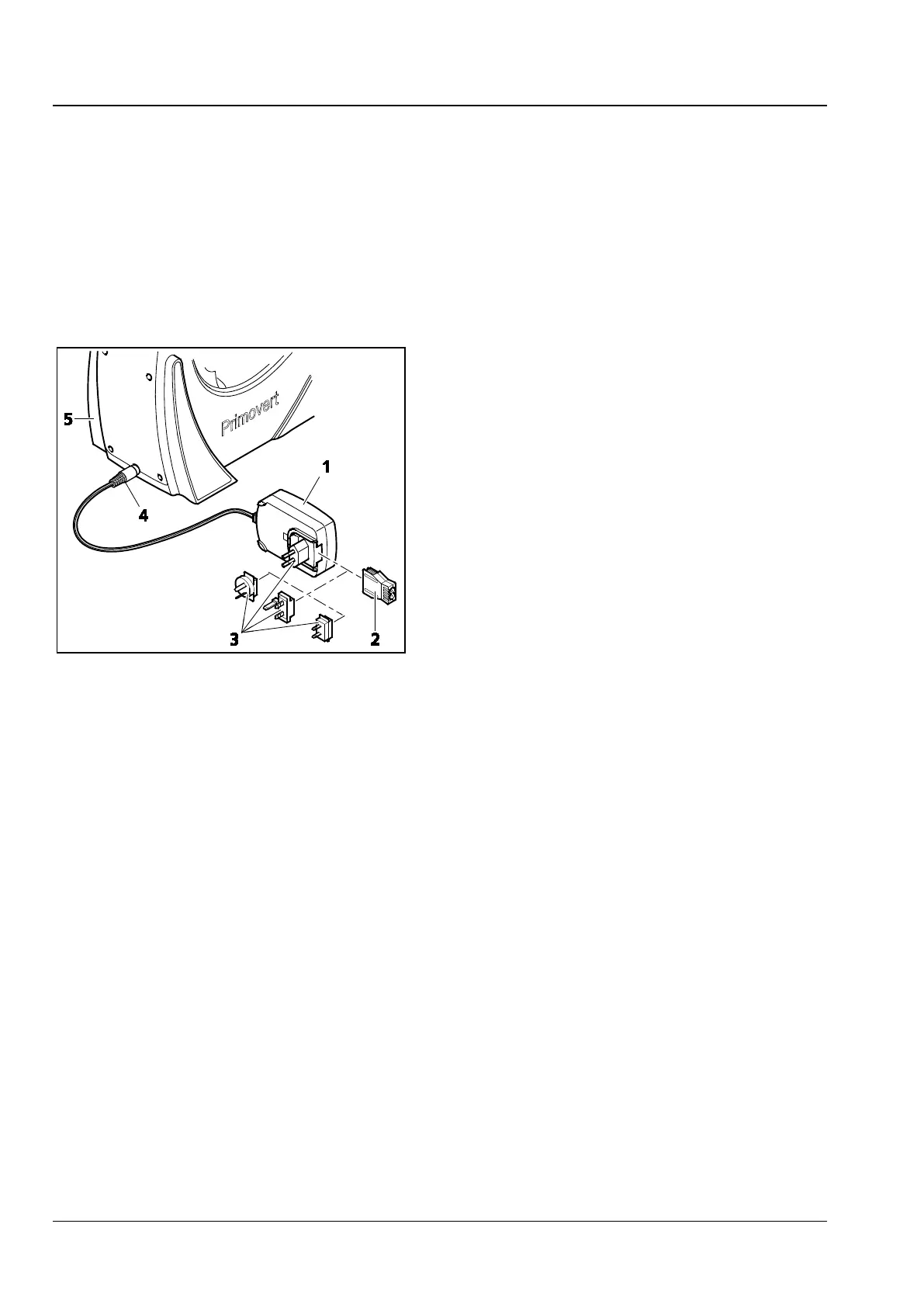
• If necessary, replace the power supply adapter
attached to the plug-in power unit (Fig. 10/1)
by one of the country-specific adapters supplied
(Fig. 10/3), pulling off the existing adapter and
inserting the desired one.
• Insert the plug (Fig. 10/4) of the plug-in power
unit into the connection socket located on the
rear of the stand (Fig. 10/5).
• Connect the plug-in power unit (Fig. 10/1) with
a power outlet.
• If the plug-in power unit cannot be plugged
into the chosen power outlet because of limited
space, replace the power outlet adapter by the
supplied IEC adapter (Fig. 10/2). This allows the
plug-in power unit to be put flat onto the
tabletop and connected to the power outlet
through a country-specific appliance cable.
Fig. 10 Connecting the plug-in power unit











 To Next Page