Primovert Start-Up and Operation ZEISS
12/2014 415510-7244-001 27
3.3 Primovert HDcam
3.3.1 Control and Functional Elements of the Integrated Camera
Do not operate the camera in a
potentially explosive environment!
Operation of the camera in a potentially
explosive environment, in the presence
of volatile anesthetics or flammable
solvents such as alcohol, benzene or
similar may result in explosions or
deflagrations.
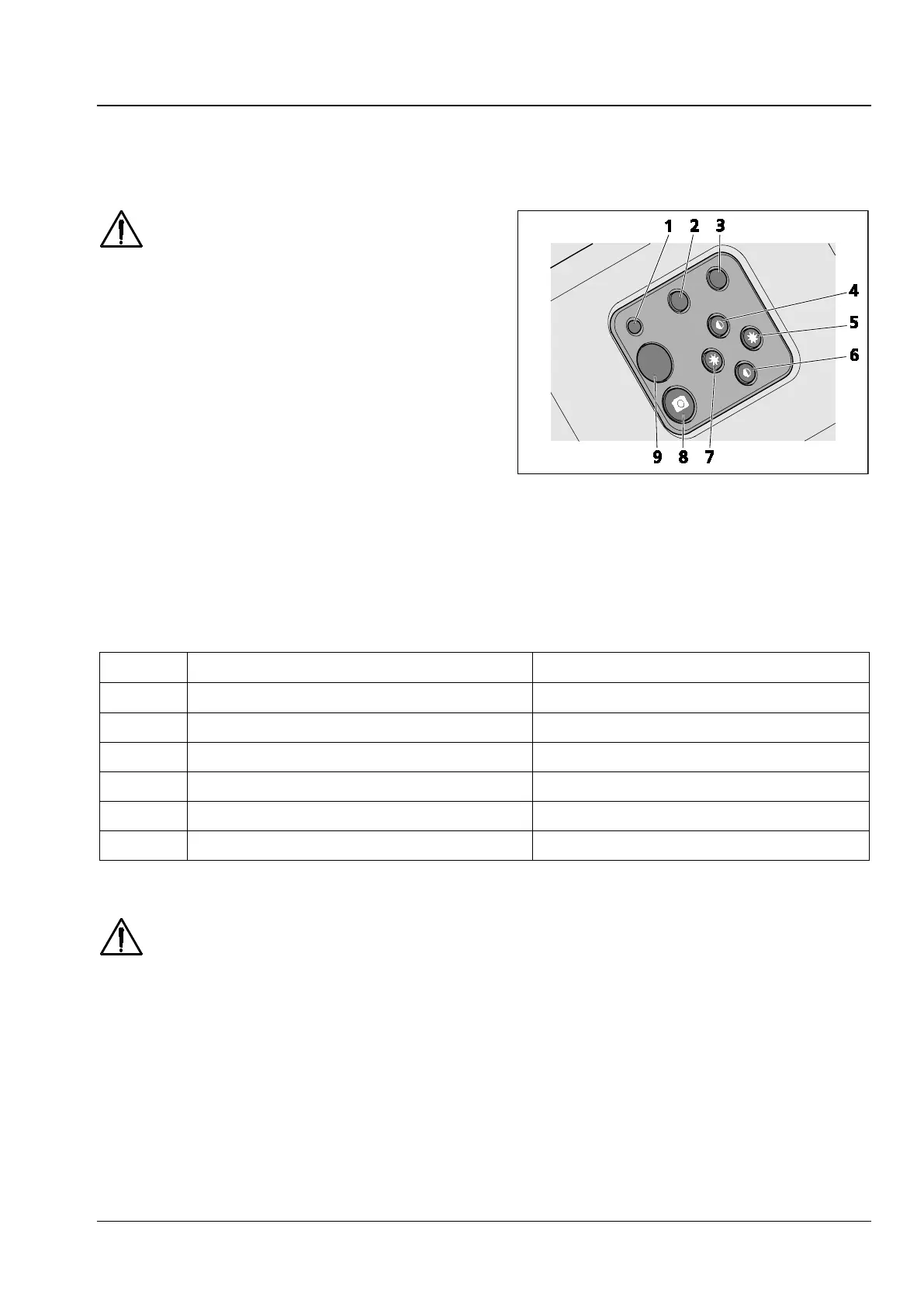
• Briefly press the snap button (Fig. 15/8) to
trigger an exposure.
• Press the snap button for longer to start a
video recording.
• During a video recording briefly press the snap
button to stop recording.
• Press the menu button (Fig. 15/2) to open the
On Screen Display (OSD) menu.
Pos. No. Standard function Function in OSD menu
2 Activate menu Exit menu
3 AWB (trigger automatic white balance) OK (apply value)
4 Increase contrast Up / increase value
5 Increase brightness Right
6 Reduce contrast Down / reduce value
7 Reduce brightness Left
Table 1 Key assignment standard function / function in OSD menu
The visualized images of the integrated camera may only be used for training and research.
Direct generation of diagnostic results from these images is not proposed.
1 LED display
2-7 Function buttons, explanation see
Table 1
8 Snap button
9 Infrared sensor for remote control
Fig. 15 Control elements of the integrated











 To Next Page