ZEISS Start-Up and Operation Primovert
38 415510-7244-001 12/2014
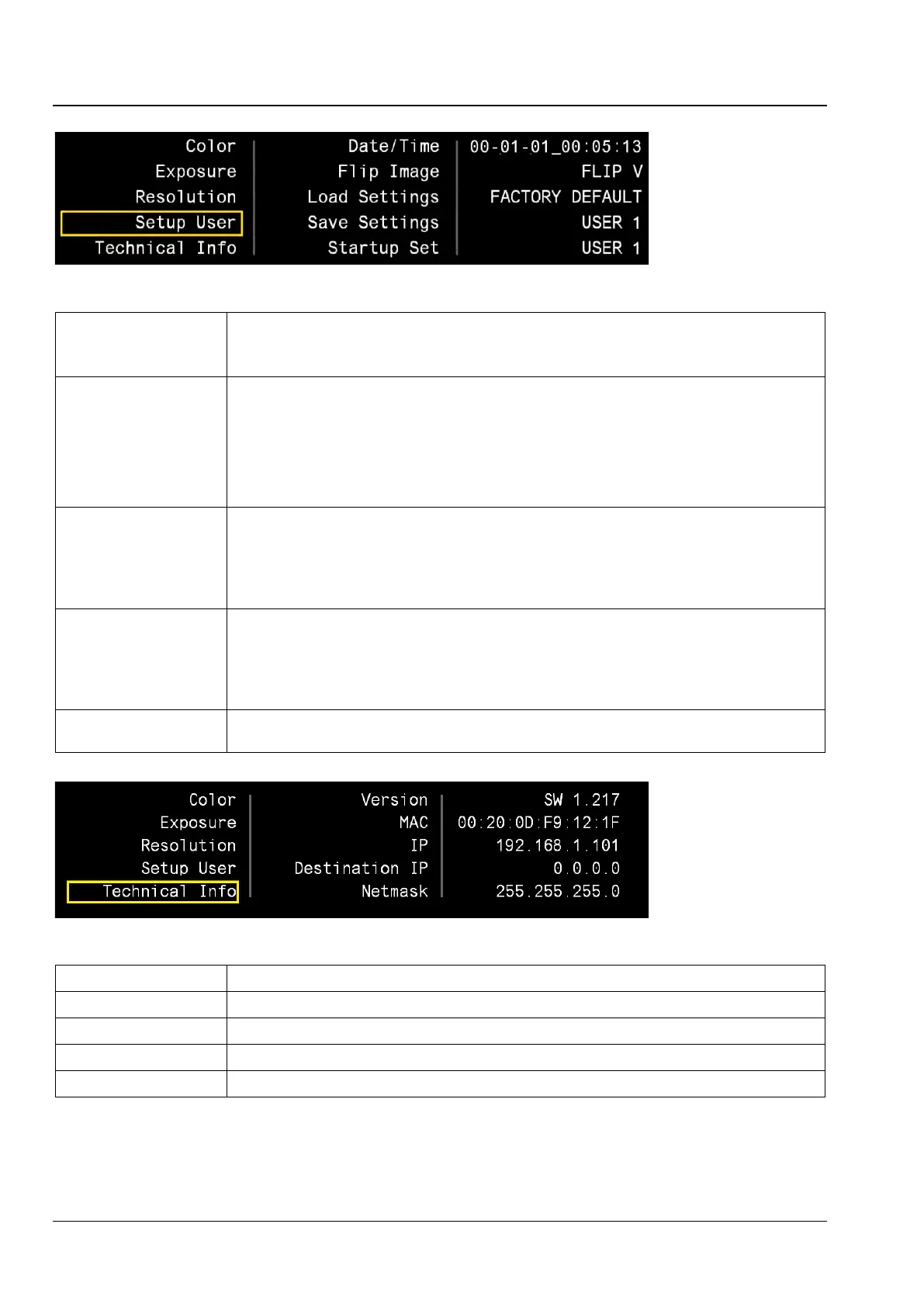
Date / Time Date and time in year-month-day / hour-minute-second format.
Each element can be adjusted using the up / down buttons. The new time can be set by pressing
the OK button. Date and time are integrated into the folder and file names on the SD card.
Flip image The following modes are available for image mirroring:
FLIP H+V:
horizontal and vertical mirroring
FLIP V:
only vertical mirroring
FLIP H:
only horizontal mirroring
OFF:
no mirroring
Default setting: the image position on the monitor or iPad corresponds to that in the eyepiece.
Load Settings The previously saved user settings (USER 1-4) can be loaded in this menu.
Selecting FACTORY DEFAULT reinstates the default camera settings. After confirmation with OK
the camera will be restarted. This may take several seconds.
If the OSD menu is not available, the factory settings can be reinstated using the short-cut Snap
+ AWB / OK (keep depressed for two seconds).
Save Settings The current settings can be saved in a user storage location (USER 1-4).
They can be automatically loaded in the Load Settings (see above) or Startup Set menus (see
below) at a later point in time or each time the camera is switched on
Please observe the following: If the settings are saved, Startup Set is automatically set to this
storage location.
Startup Set This setting determines which user storage location (USER 1-
4) is to be loaded each time the
camera is switched on.
Version Current firmware version
MAC MAC address of the built-in camera
IP Currently used IP address
Destination IP Currently used multicast target address
Netmask Currently used netmask
Fig. 27 Technical Info menu











 To Next Page