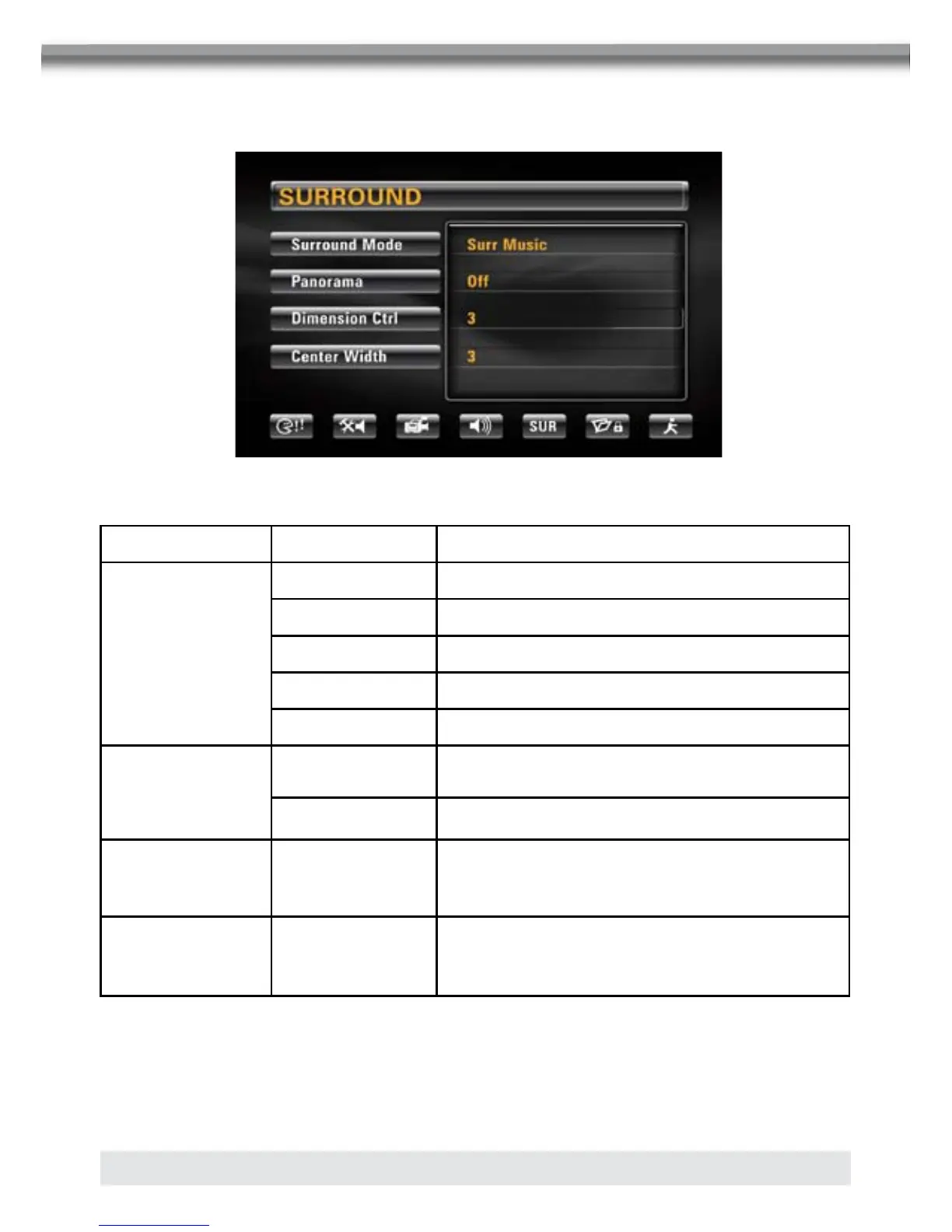
SURROUND MENU
SUR Menu Features
Setting Options Function
Surround
Mode
Off Play original audio format.
Surround 1
SURR Matrix Play mono output with surround effect.
SURR Movie Enhance movie surround effects.
SURR Music Play surround music effects.
Panorama
On
Extend the sound from the front to the rear to
achieve a better surround effect.
Off Panorama is turned off.
Dimension 0 to 6
Shift audio output between front and rear
speakers.
Center Width 0 to 6
Shift audio output between front and center
channel speakers.



 To Next Page