TFT MONITOR OPERATION
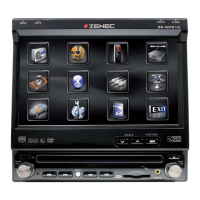
OPEN/CLOSE TFT MONITOR
Press the
[
`
] button on the front zone remote control or press the e button on the front
panel to open/close the monitor.
TFT MONITOR AUTO OPEN
■ If “TFT Auto Open” is “On”, when the unit is turned on, the monitor automatically opens
to the last viewing position.
■ If “TFT Auto Open” is ”Off” , when the unit is turned on, press the
e button on the
remote control or press the
e button on the front panel to open the monitor into the
desired viewing position.
■ If “TFT Auto Open” is ”Manual”, when the unit is turned on or turned off, the monitor has
no movement.
■ See “General setting” for more instructions.
MONITOR TILT ANGLE ADJUSTMENT
The monitor angle can be adjusted for optimum viewing using by one of the following methods:
■ Press the e button on the front panel to adjust the tilt angle of the screen one step at
a time.
■ Press and hold the e button to continuously adjust the tilt angle.
■ Adjust the “Screen Tilt” in the “Screen setting” to adjust the tilt of the screen to the
desired degree.
You just have to connect the “Reverse” cable.
REAR CAMERA MODE
■ When the vehicle is placed in “Reverse” gear and an optional rear camera is connected
to the unit, the TFT monitor will automatically switch to the camera input source.



 To Next Page