OPERATION ] PAGE 19
A quickListof aLLthe buttonson yourremotecontrolandwhatthey do.
Remote Control Operation
I I
SelectVCRNode, SelectCBL(DBS)Mode,
aimat VCR aimat cableboxorDBS
SelectTVMode,
aimat TV
CBL
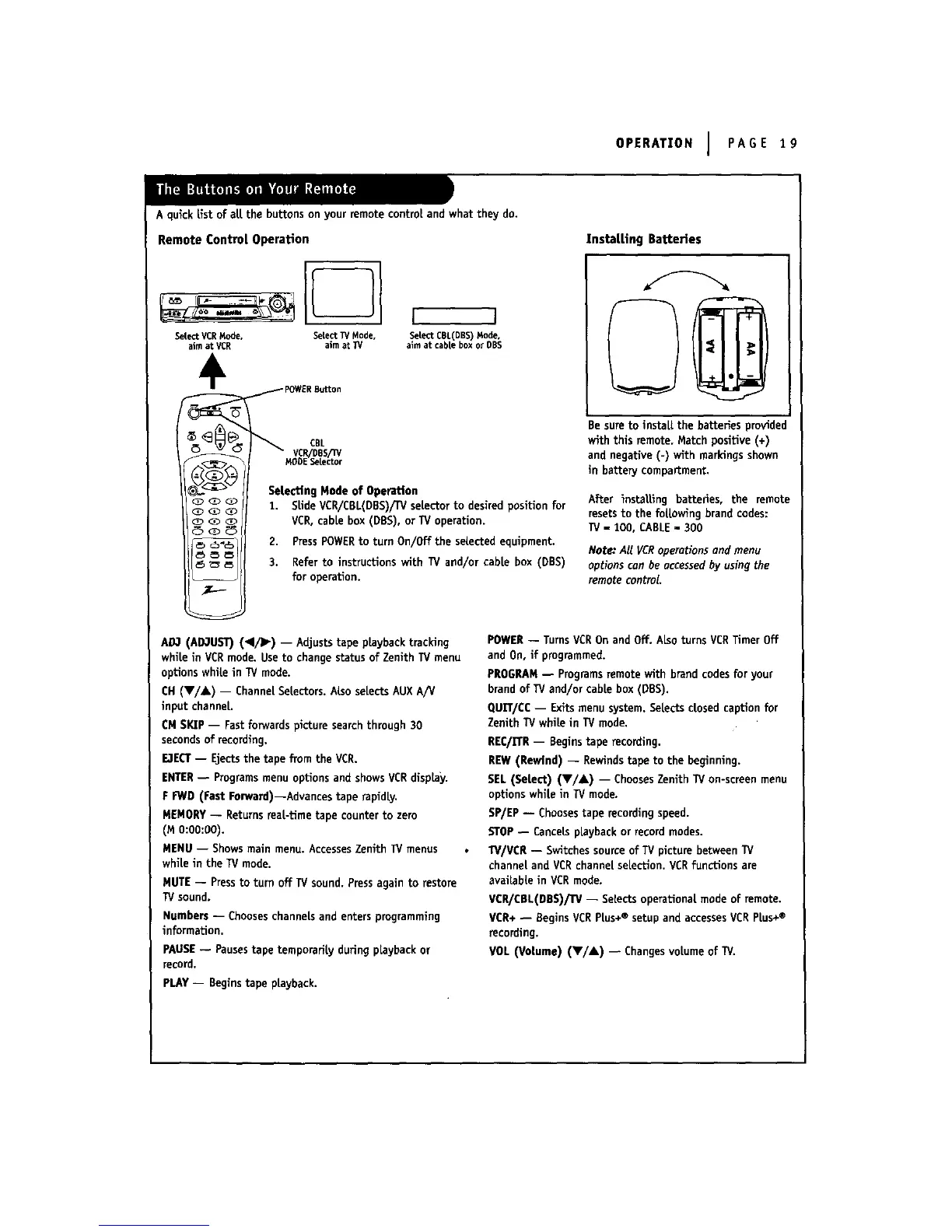
SeLecting Mode of Operation
1. SLideVCR/CBL(DBS)/IV selector to desired posiUon for
VCR, cabLebox (DBS), or TV operaUon.
2. PressPOWERto turn On/Off the seLectedequipment.
3. Refer to instructions with TV and/or cabLe box (DBS)
for operation.
AO3 (AD3UST) (I/]_) -- Adjusts tape pLaybacktracking
whiLein VCR mode. Use to change status of Zenith TV menu
options white in TV mode.
CH (V/A) -- ChanneLSetectors. ALSoseLectsAUX A/V
input channeL.
CM SKIP -- Fast forwards pLcturesearch through 30
seconds of recording.
E,1ECT-- Ejects the tape from the VCR.
ENTER-- Programs menu options and showsVCRdisplay.
F FWD (Fast Forward)--Advances tape rapidLy.
MEMORY -- Returns reaL-time tape counter to zero
(MO:OO:O0).
MENU -- Shows main menu. AccessesZenith IV menus
white in the TV mode.
MUTE -- Pressto turn off TVsound. Pressagain to restore
TV sound,
Numbers -- Chooseschannels and enters programming
information.
PAUSE-- Pausestape temporariLy during playback or
record,
PLAY -- Begins tape pLayback.
Instal, Ling Batteries
Be sure to instaLI.the batteries provided
with this remote, Match positive (+)
and negative (-) with markings shown
in battery compartment.
After installing batteries, the remote
resets to the foLLowingbrand codes:
IV - 100, CABLE- 300
Note,"All VCRoperationsond menu
options con be occessedby usingthe
remote control.
POWER -- Turns VCROn and Off. ALsoturns VCRTimer Off
and On, if programmed.
PROGRAM-- Programsremote with brand codesfor your
brand of IV and/or cable box (DBS).
QUET/CC-- Exits menusystem. SeLectsclosed caption for
Zenith TV white in TV mode,
REC/n'R -- Begins tape recording.
REW (Rewind) -- Rewinds tape to the beginning.
SEL (SeLect) (V/A) -- ChoosesZenith TV on-screen menu
options whiLein TV mode.
BP/EP -- Choosestape recording speed.
STOP-- Cancels playback or record modes.
TV/VCR -- Switches sourceof IV picture between IV
channel and VCR channeLselection. VCRfunctions are
availabLe in VCRmode.
VCR/CBL(nBS)/IV -- SeLectsoperational, mode of remote.
VCR+ -- Begins VCRPLus+® setup and accessesVCR PLus+®
recording.
VOL (VoLume) (Y/A) -- Changes voLumeof IV.



 To Next Page