PAGE 22 I OPERATION
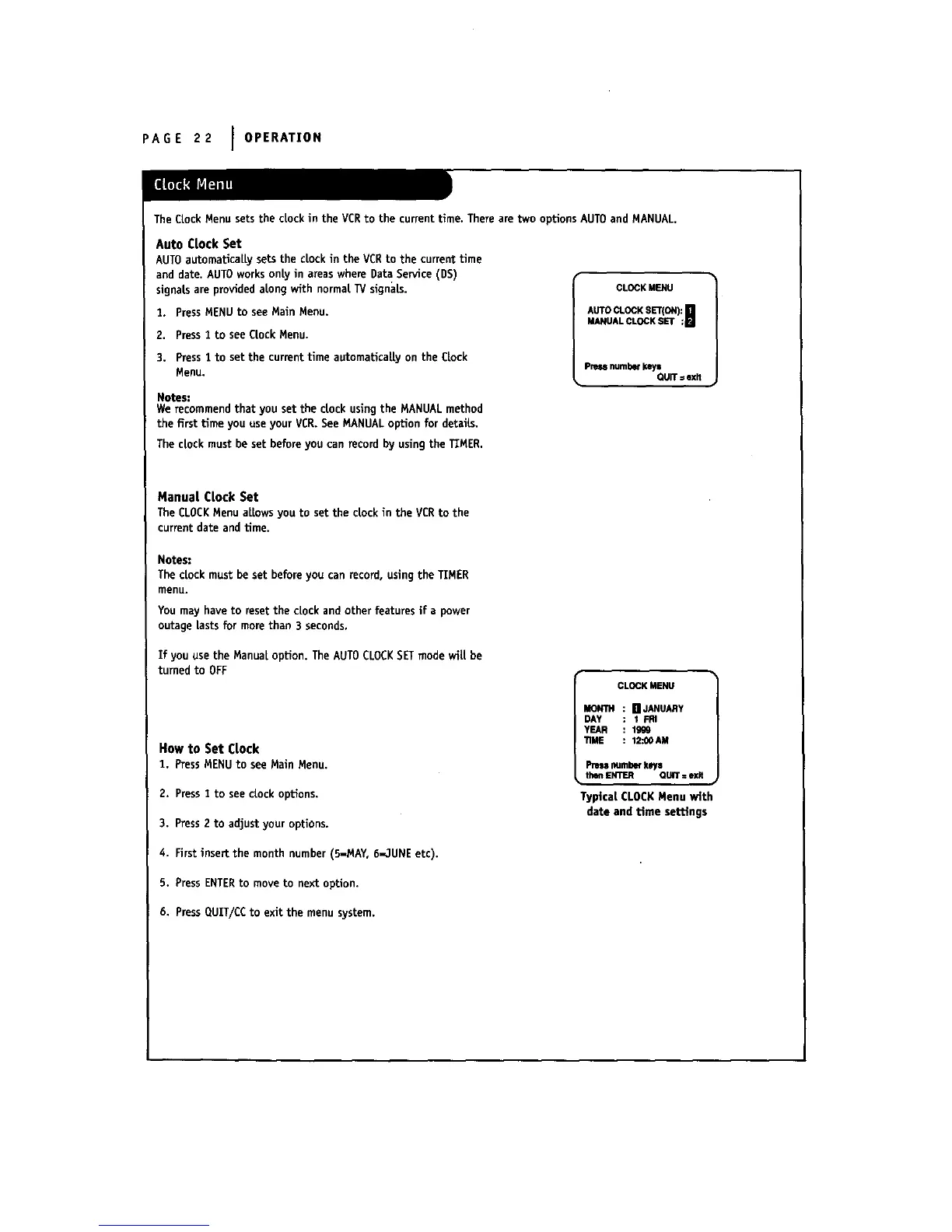
The Clock Menu setsthe clock in the VCRto the current time. There are two options AUTOand MANUAL,
Auto Clock Set
AUTOautomaticallysetsthe clockin the VCRto the currenttime
anddate.AUTOworksonlyin areaswhereDataService(DS)
signalsareprovidedalongwith normalTVsignals.
1. PressMENU to see Main Menu.
2. Press1 to see Clock Menu.
3. Press 1 to set the current time automatically on the Clock
Menu.
Notes:
We recommend that you set the clock using the MANUAL method
the first time you use your VCR. See MANUALoption for details.
The clock must be set before you can record by using the TIMER.
CL_KM_U
A_O_KS_ON):_
_NUAL_KS_ ;m
Pressnumber_ys
QUIT=exit
Manual Clock Set
TheCLOCKMenuallowsyouto set the dock in the VCRto the
currentdate andtime.
Notes:
The clock must be set before you can record, using the TIMER
menu.
You may haveto resetthe clockand otherfeaturesifa power
outagelastsformore than 3 seconds.
Ifyou use the Manual option.The AUTO CLOCK SET mode wil[be
turnedto OFF
How to Set Clock
I. PressMENU to see Main Menu.
2. Press2 to see dock options.
3. Press2 to adjustyour options.
4. Firstinsertthe month number (5-MAY,6-,IUNEetc).
5. PressENTER to move to nextoption.
CL_K MENU
MONTH [] JANUARY
DAY I FRI
YEAR lg_19
TIME 12,_0AM
I_ numberkeys
thenENTER QUiT=exit
Typical CLOCKMenu with
date and Ume settings
6. Press QUIT/CCto exit the menu system.



 To Next Page