PAGE 36 I TROUBLESHOOTING
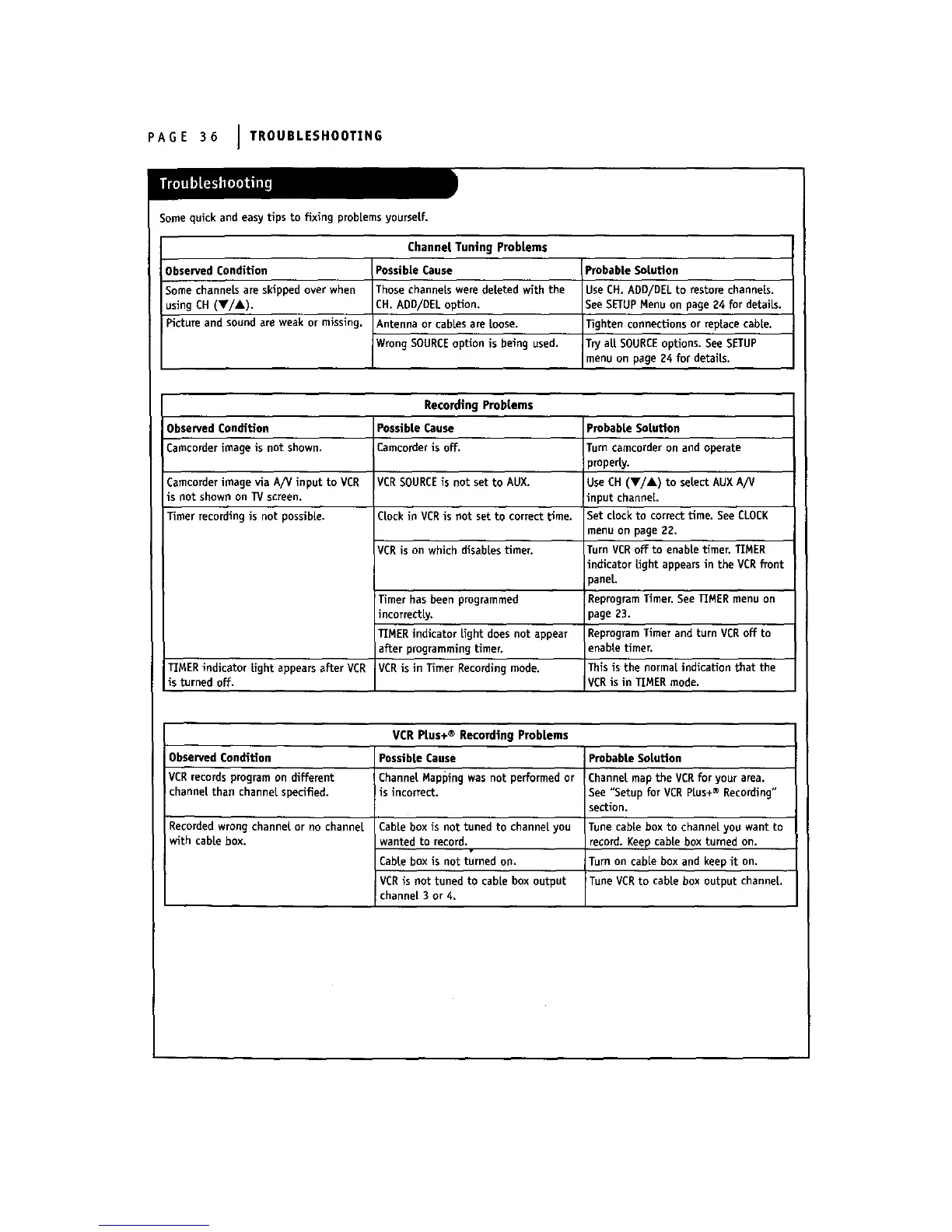
Some quick and easy tips to fixing problems yourseLf.
Observed Condition
Some channek are skipped over when
usingCH (V/A).
Pictureand sound areweak ormissing.
Channel Tuning Problems
Possible Cause
Those channeLswere deleted with the
CH. ADD/DEL option.
Antenna orcablesareLoose.
Wrong SOURCE optionisbeingused.
Probable Solution
Use CH. ADD/DELto restore channels.
See SETUPMenu on page 24 for details.
Tighten connections or replace cable.
Try aLLSOURCEoptions. See SETUP
menu on page g4 for details.
RecordingProblems
Observed Condition
Cameorder image is not shown.
Camcorderimage viaA/V input to VCR
isnot shown on TV screen.
Timer recordingisnot possible.
Possible Cause
Camcorder is off.
VCRSOURCEis not set to AUX.
CLockin VCRis not set to correct time.
VCR is on which disablestimer.
Timer has been programmed
mcorrectLy.
TIMER indicatorLightdoesnot appear
afterprogrammingtimer.
VCR isinTimer Recordingmode.TIMER indicatorLightappearsafterVCR
isturnedoff.
VCR Plus+ ® Recording Problems
Observed Condition Possible Cause Probable Solution
VCR records program on different Channel Mapping was not performed or Channel map the VCR for your area.
channel than channel specified, is incorrect. See "Setup for VCR PLus+® Recording"
section.
Probable Solution
Turn camcorder on and operate
property.
Use CH (Y/&) to selectAUX A/V
inputchannel
Set cLockto correcttime.See CLOCK
menu on page 22.
TurnVCR offto enabietimer.TIMER
indicatorLightappearsinthe VCR front
paneL.
ReprograrnTimer.See TIMER menu on
}ageg3.
ReprogramTimer and turnVCR offto
enabLetimer,
Thisisthe normalindicationthatthe
VCR isinTIMER mode.
Recorded wrong channeL or no channeL
with cabLebox.
Cablebox isnottunedto channelyou
wanted to record.
CabLebox isnot turnedon,
VCR isnot tuned to cabiebox output
channel3 or 4.
Tune cable box to channel you want to
record. Keep cabLebox turned on.
Turn on cable box and keep it on.
Tune VCR to cablebox outputchanneL.



 To Next Page