PAGE 32 I OPERATION
Recording one showwhile watching another.
Note:
If you have a cable box connected to your VCR,you cannot
record one show and watch another.
Choosethe showyou wish to record using the VER'schannel
selector. Choose the show you wish to watch using the TV's
channeLseLector.
TurnWand VCRon.
PLaceVCRin VCR mode by pressingthe TV/VCR
button on the remote repeatedly until the VCR
indicator Light appears in the VCRfront pane[.
SeLectchannel 3 or 4 at the TV. If you have
connected your VCRto the TV's A/V input jacks,
select the A/V source at the TV for a better
picture.
SeLectthe channelto be watchedandrecorded
at the VCR,If you havea cable box,selectthe
cableboxoutputchannel(usuaLLy3 or 4) at the
VCR.SeLectcableboxchannelsat the cablebox.
Insert a VHS cassette tape into the VCR.
m
Press SP/EP to select recording speed, if desired.
Recording speed is always SP,unless you select
EP.
PressREC/ZTRuntil recording begins. REC
indicator Lightappears in the VCRfront paneL.
RecordingconUnues until you reach the end of
the tape, or unU| you press STOPto stop
recording.
PLaceVCRin TVmode by pressingthe TV/VCR
button on remote to turn off VCRindicator Light
in the VCRfront paneL.
SeLectthe showyou wish to watch using the
TV'schannel selector.
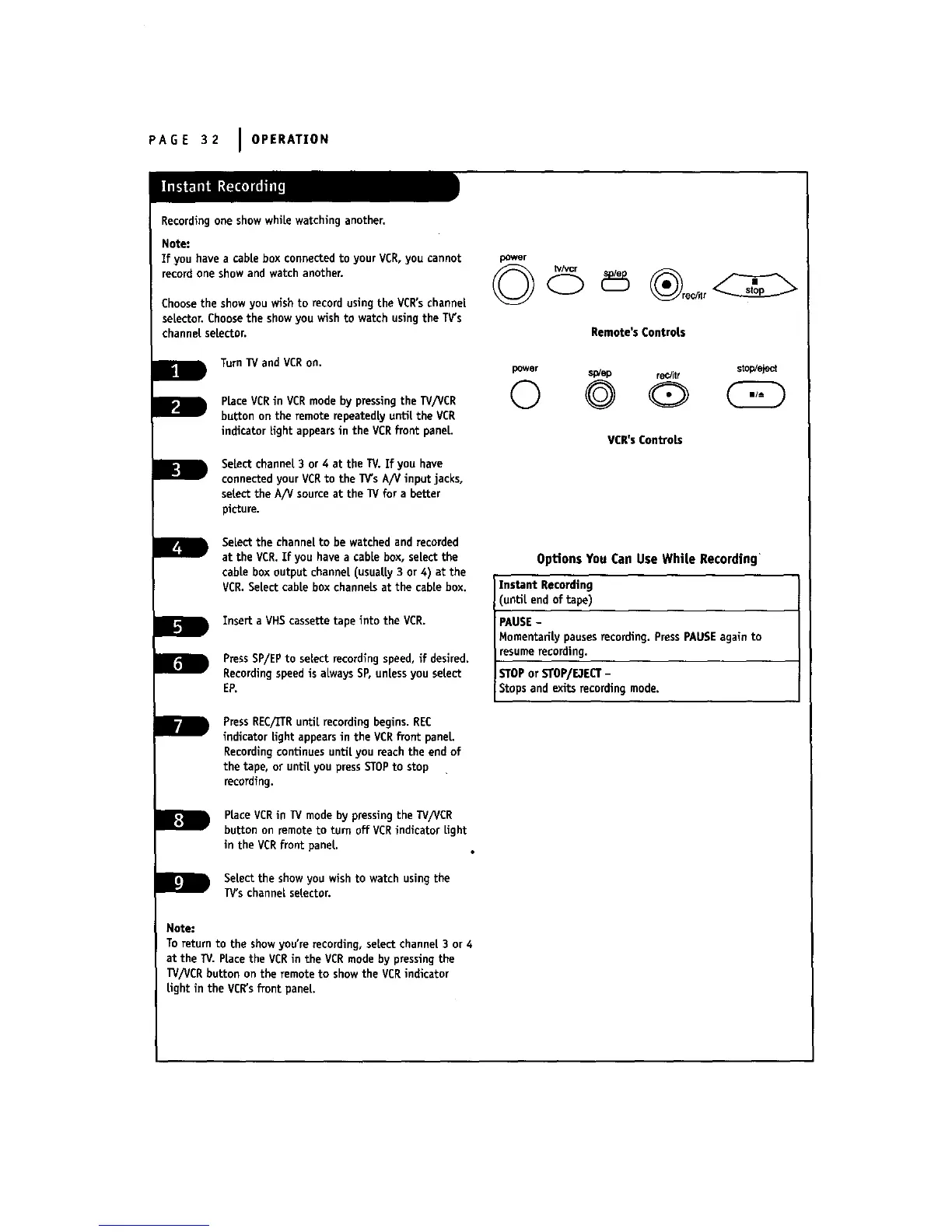
power
Rernote's Controls
power spiep recJitr stop!eject
© @ Q
VCR'sCon_ob
Options You Can Use While Recording
Instant Recording
until end of tape)
PAUSE-
MomentariLy pausesrecording. PressPAUSEagain to
resumerecording.
STOPor STOP/E3ECT-
Stops and exits recording mode.
Note:
To return to the showyou're recording, select channel 3 or 4
at the TV. PLacethe VCRin the VCR mode by pressing the
TV/VCR button on the remote to showthe VCRindicator
Light in the VCR'sfront paneL.



 To Next Page