PAGE 28 I OPERATION
Thispage explainsthe basicsof playingtapesinyour VCR.
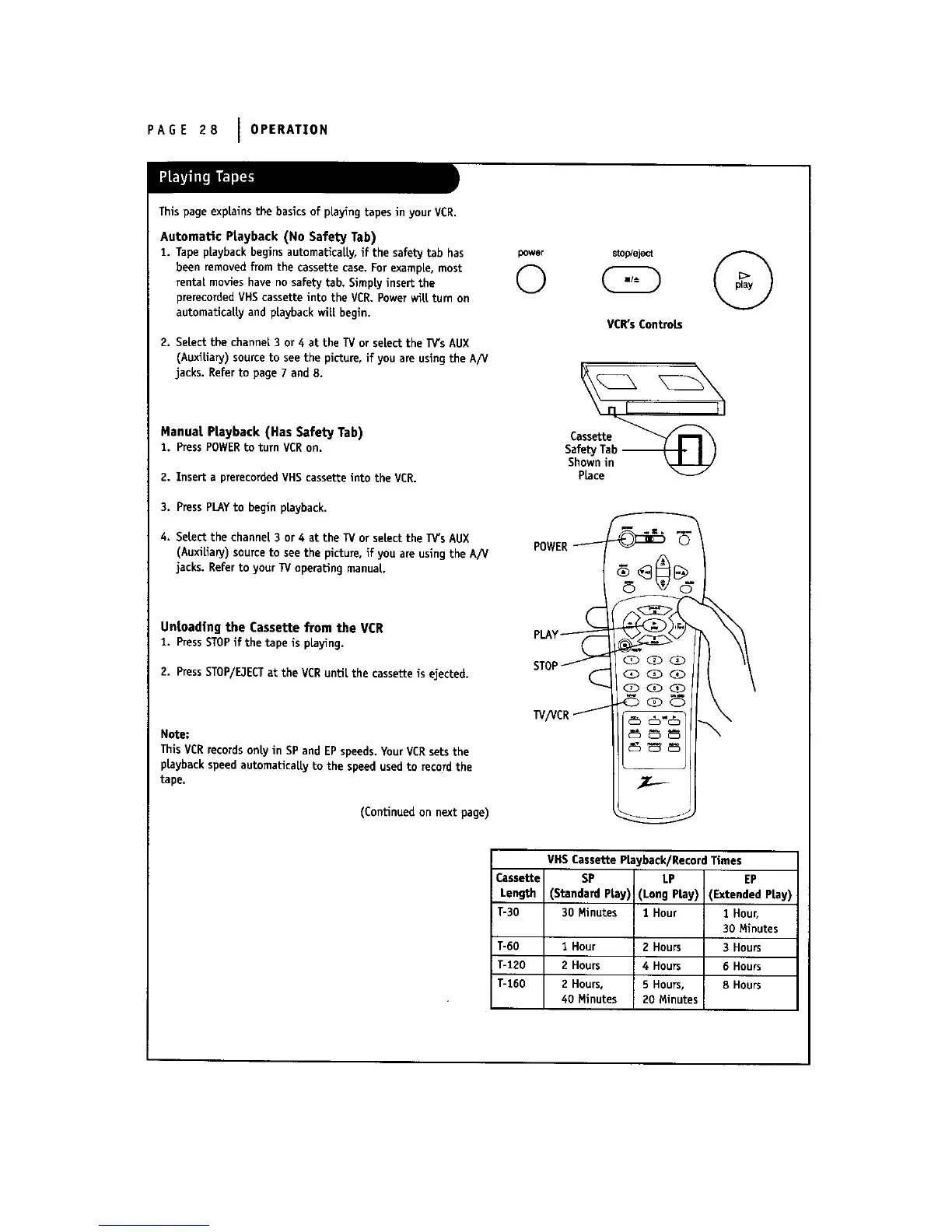
Automatic Playback (No Safety Tab)
1. Tape playback begins automatically, if the safety tab has
been removed from the cassette case, For example, most
rental movies have no safety tab. Simp|y insert the
prerecorded VHS cassette into the VCR. Powerwitt turn on
automaticatty and playback wilt begin.
2. Select the channel 3 or 4 at the TV or select the TV'sAUX
(Auxiliary) sourceto see the picture, if you are usingthe A/V
jacks. Referto page 7 and 8.
Manual Playback (Has Safety Tab)
2. Press POWERto turn VCRon.
2. Insert a prerecorded VHS cassette into the VCR.
3. PressPLAYto begin playback.
4. Setect the channel 3 or 4 at the TV or select the IV's AUX
(AuxiUary) sourceto see the picture, if you are using the A/V
jacks. Refer to your TV operating manual.
Unloading the Cassette from the VCR
1. PressSTOPif the tape is playing.
2. PressSTOP/ElECTat theVCR untilthe cassetteisejected.
Note:
This VCRrecords only in SP and EPspeeds. YourVCR setsthe
playback speed automatically to the speed used to record the
tape.
(Continuedon nextpage)
powor
©
VCR's Controls
Cassette_
Saf_tyTab_ I J
Shownin ',_Jl_J-7/
Place
VHS Cassette Playback/Record Times
Cassette SP LP EP
Length (Standard Play) (Long Play) (Extended Play)
T-30 30 Minutes I Hour 1 Hour,
30 Minutes
T-60 1 Hour 2 Hours 3 Hours
T-120 2 Hours 4 Hours 6 Hours
T-160 2 Hours, 5 Hours, 8 Hours
40 Minutes 20 Minutes



 To Next Page