PAGE 30 IOPERATION
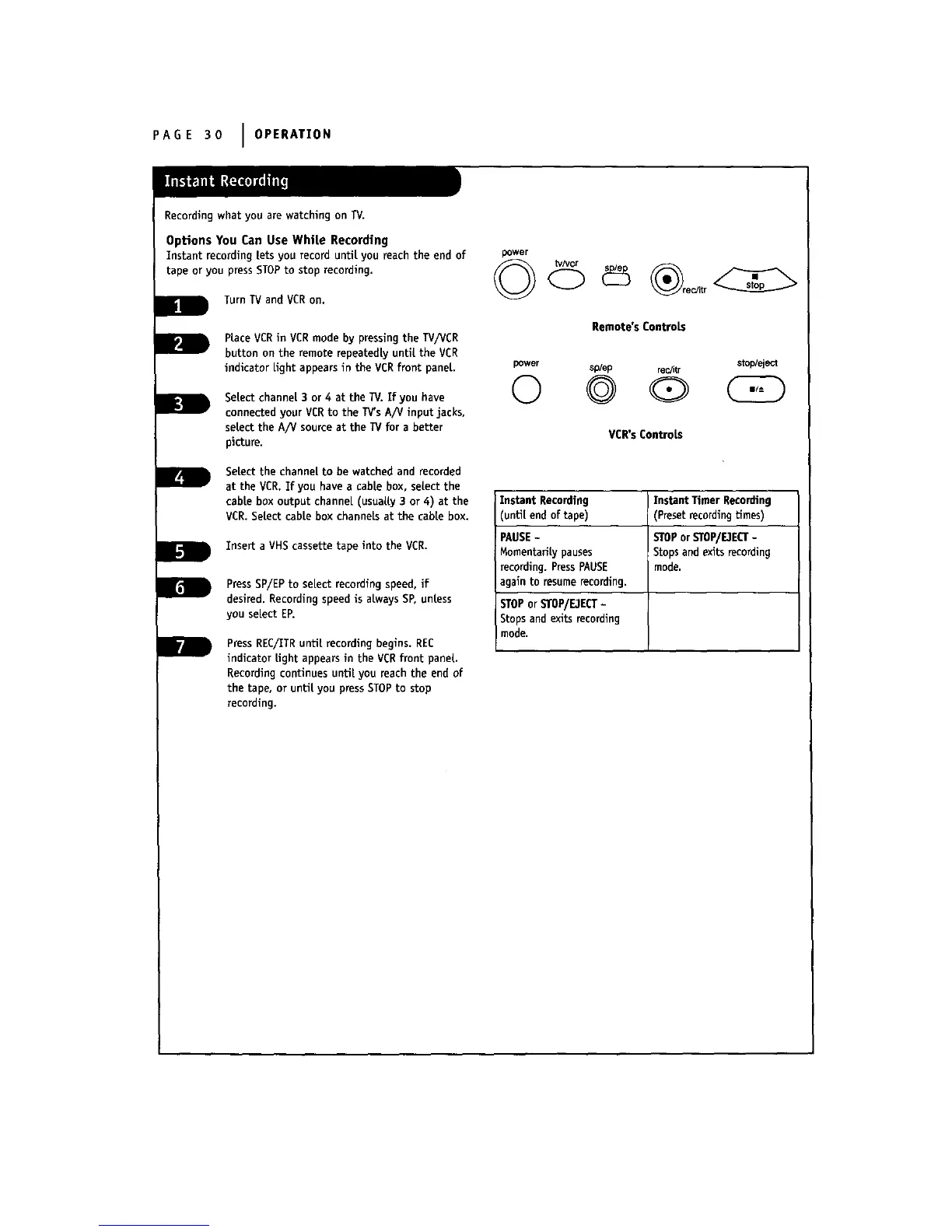
Recording what you are watching on TV.
Options You Can Use White Recording
Instant recording lets you record until you reach the end of
tape or you press STOPto stop recording.
Turn TV and VCR on.
Place VCRin VCRmode by pressing the TV/VCR
button on the remote repeatedly until the VCg
indicator light appears in the VCRfront panel.
Select channel 3 or 4 at the l_/. If you have
connected your VCRto the TV'sA/V input jacks,
se|ect the A/V source at the TV for a better
picture.
Select the channel to be watched and recorded
at the VCR.If you have a cable box, select the
cable box output channel (usually 3 or 4) at the
VCR.Select cable box channels at the cable box.
Insert a VHS cassette tape into the VCR.
PressSP/EP to select recording speed, if
desired. Recording speed is aLways SP, unless
you select EP.
PressREC/ITRuntilrecordingbegins.REC
indicatorLightappearsin the VCR frontpanel
Recordingcontinuesuntilyou reachthe end of
the tape,or untilyou pressSTOP to stop
recording.
power
Remote's ControLs
power sp/ep rec/itr stop/eject
© © Q
VCR's ControLs
Instant Recording I Instant Timer Recording
unti[ end of tape) (Preset recordingtimes)
PAUSE- STOPorSTOP/E3ECT-
Momentarily pauses Stops and exits record ng
recording. PressPAUSE mode.
again to resumerecording.
STOPor STOP/DECT-
Stops and exits recording
mode.



 To Next Page