OPERATION ] PAGE 31
Recording using preset time periods.
Preset Time Periods for ITR Recording,
Note:
Preset recording time counts down until the recording time
is over,
Instant (attended) Timer Recording (ITR) Letsyou recordfor
a specific preset time period, instead of recording until the
end of tape is reached. For exampLe, you can record a
30-minute show using the preset time period.
Turn lVand VCR on.
Place VCRin VCRmode by pressingthe IV/VCR
button on the remote repeatedly until the VCR
indicator light appears in the VCRfront pane|.
Select channel 3 or 4 at the TV. If you have
connected your VCRto the TV's A/V input jacks,
select the A/V source at the TV for a better
picture.
SeLect the channel to be watched and recorded
at the VCR. If you have a cable box, setect the
cable box output channel (usuaLly3 or 4) at the
VCR. Setect cable box channels at the cable box.
Inserta VHS cassettetapeintothe VCR.
B
Press SP/EP to select recording speed, if desired.
Recording speed is always SP, unlessyou select
EP.
Note: The SP mode determines how much tape is
left and switches speed from SPto EP,if
necessary, to complete recording the program.
There will be some picture and sound distortion
at the point of the speed change.
PressREC/ITRuntilrecordingbegins.The REC
indicatortightappearsinthe VCR frontpanel. ,
Recordingcontinuesunti[you reachthe end of
thetape,oruntl[you pressSTOP to stop
recording.
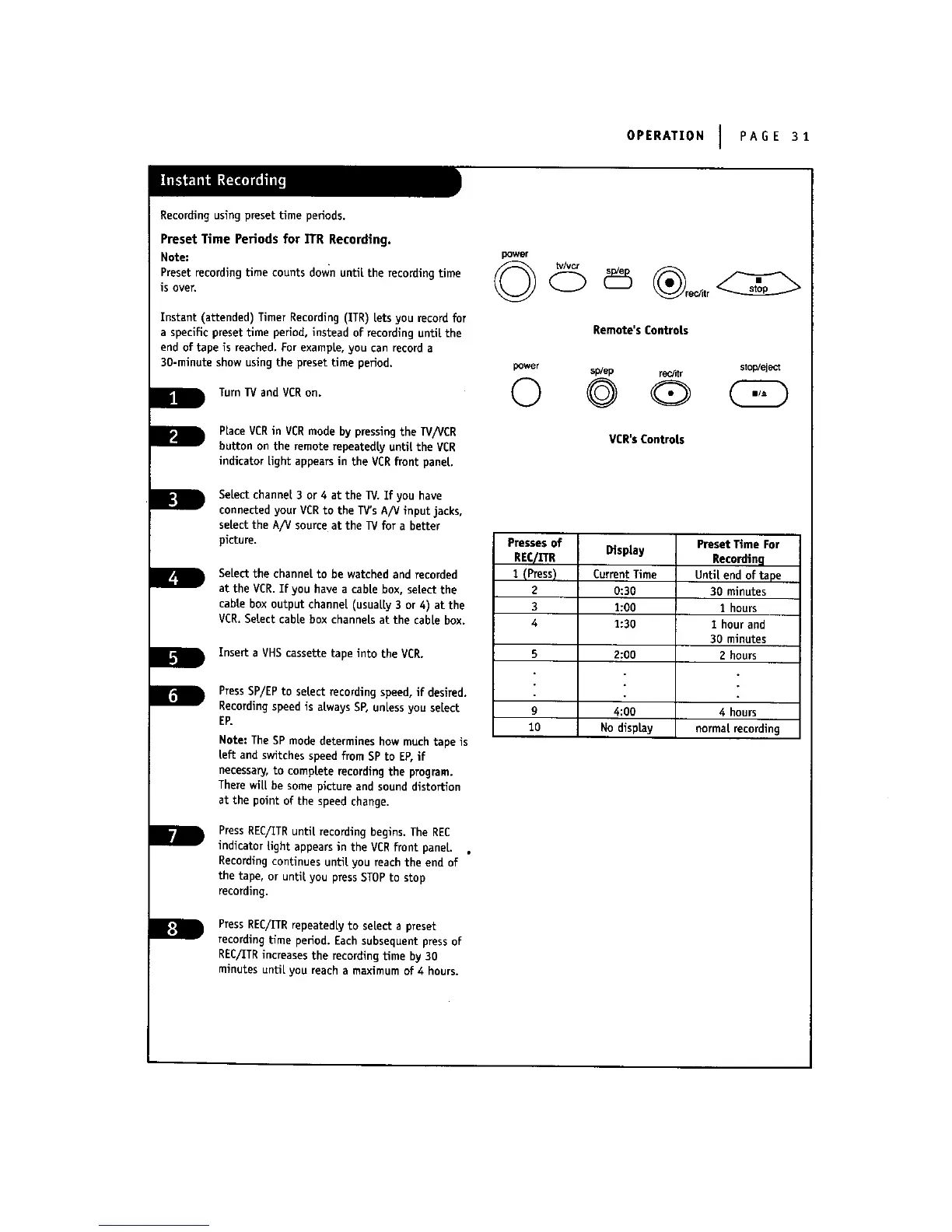
PressREC/ITRrepeatedlyto selecta preset
recordingtimeperiod.Each subsequentpressof
REC/ITRincreasesthe recordingtime by 30
minutesunti[you reacha maximum of4 hours.
pGwer
Remote's Controls
power sp/ep r_r stop/eject
© ©
VCR'sControls
Presses of
REqII"R
I (Press)
2
3
4
DispLay
Current Time
0:30
1:00
1:30
Preset Time For
Recording
Until end of tape
30 minutes
1 hours
1 hour and
30 minutes
2 hours5 2:00
g 4:00 4 hours
10 No display normatrecording



 To Next Page