OPERATION I PAGE 29
This page explains how to use the remote to play tapes on your VCR.
Auto/Manua[ Tracking Adjustment
Your VCRadjusts tracking automatically when you play a tape. If
the tape was recordedon a different VER, streaks (video noise)
may appear. White the tape is playing, press ADJ (,11/11-)to
adjust the tracking manuaLLy.
ReaL-Time Tape Counter
PressENTERtwice to keep the tape counter on the TV screen.
PressENTERrepeatedly to removealLdisplays. The counter
resets to 0:00:00 when you insert a cassette or when a tape is
rewoundto its beginning.
Pause/Forward/Reverse Stow-Motion Video
(WhiLein play mode) PressPAUSEfor stiLLvideo. PressPAUSE
again, and FOLLowon-screen instructions for Forward or Reverse
slow motion. PressF FWDor REWto controLstowspeed duffng
stow motion. PressPLAYto resume normal tape playing.
Note: When the reverse stowmode continues for mine than 30
seconds, the VCRwilt automaticaffy change to play mode.
Tape Rewind and Fast Forward
(WhiLein Stop mode) Press and release REWor F FWD(Fast
Forward), as desired. PressSTOPwhen tape reaches desired
Location.
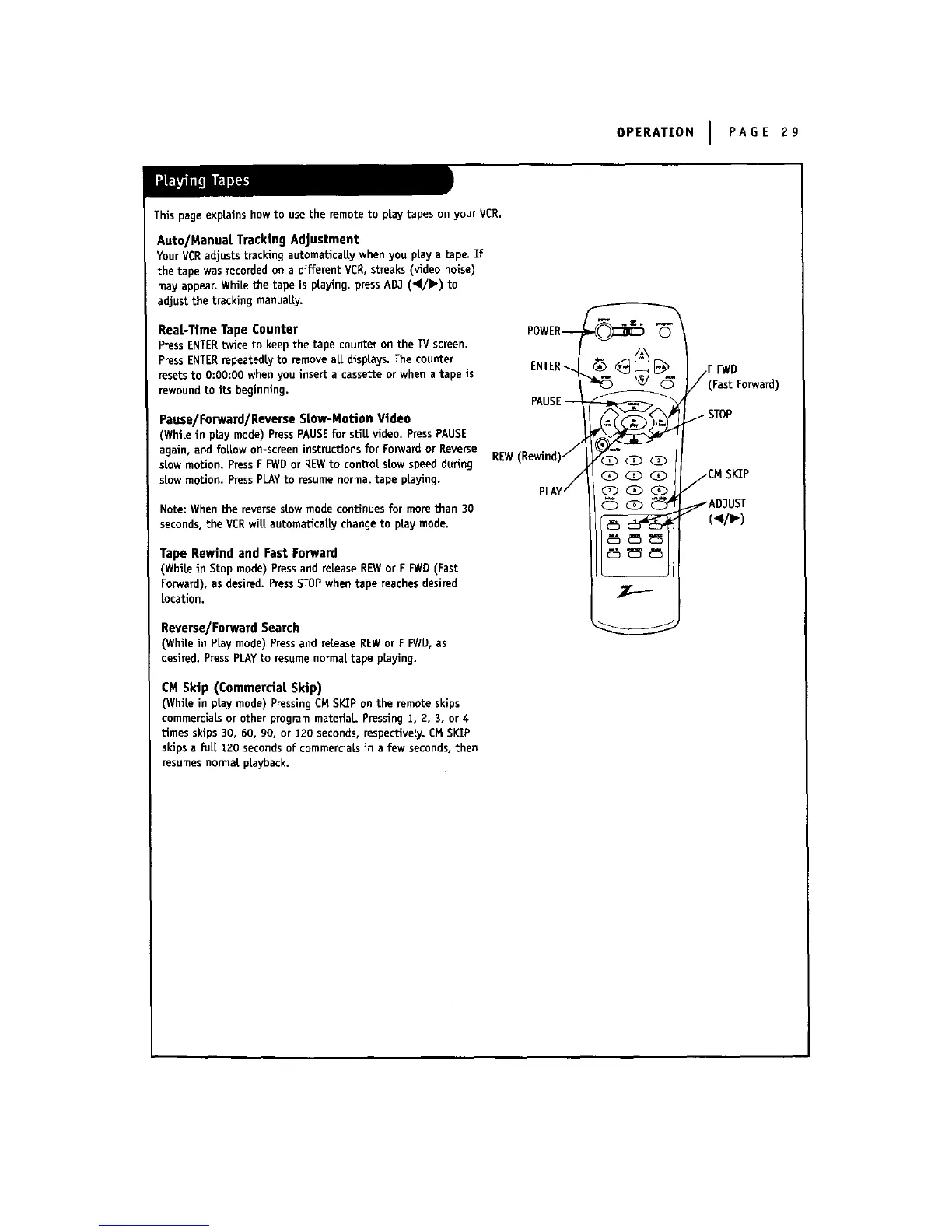
POWER_
REW(Rewind)/
pLAY (_ <_ (_.,
Reverse/Forward Search
(White in PLay mode) Press and release REWor F FWD,as
desired. PressPLAyto resumenormal tape playing.
CM Skip (Commercial Skip)
(WhiLein playmode)PressingCMSKIPonthe remoteskips
commercialsorotherprogrammateriaL.Pressing1, 2, 3, or4
Umesskips30, 60, 90, or 120 seconds,respectively.EMSI_P
skipsa fuLl120 secondsof commercialsin a few seconds,then
resumesnormalplayback.
F FWD
(Fast Forward)
. STOP
/CM SKIP
_AD,1UST
(_p,-)



 To Next Page