OPERATION I PAGE 27
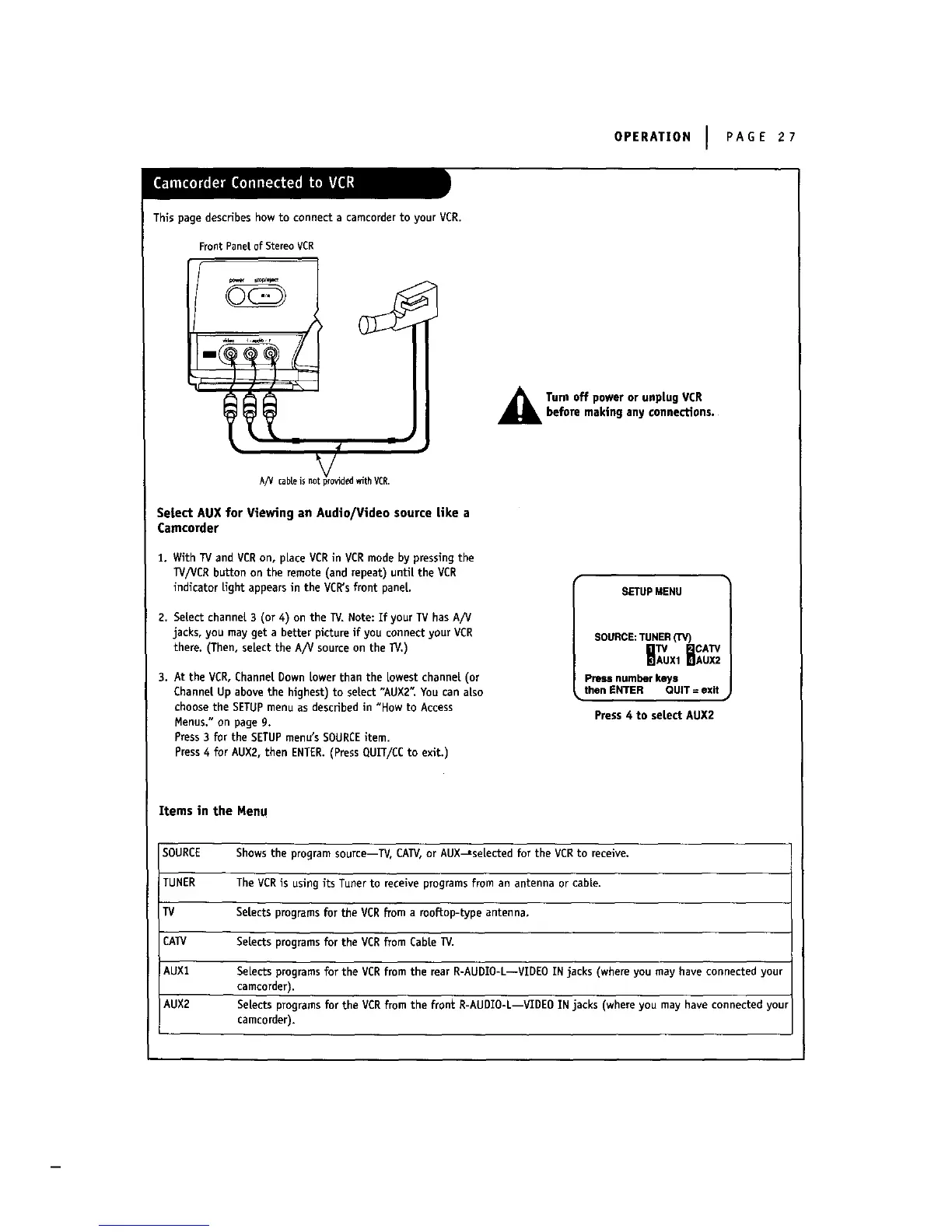
This page describes how to connect a camcorderto your VCR.
FrontPaneLof StereoVCR
A/V cabals m tp_ided with VCR.
Setect AUX for Viewing an Audio/Video source like a
Camcorder
1. With TVand VCRon, pLaceVCRin VCR mode by pressingthe
TV/VCR button on the remote (and repeat) untiLthe VCR
indicator Lightappears in the VCR'sfront panel
2. SeLectchannel 3 (or 4) on the TV.Note: If your TV has A/V
jacks, you may get a better picture if you connect your VCR
there. (Then, seLectthe A/V source on the 1_/.)
3. At the VCR,Channel Down Lowerthan the Lowestchannel (or
Channel Up above the highest) to select "AUX2" You can also
choose the SETUPmenu as described in "How to Access
Menus." on page g.
Press3 for the SETUPmenu'sSOURCEitem.
Press4 for AUX2, then ENTER.(Press QUIT/CC to exit.)
Turn off power or unplug VDRbefore making any connections.
SETUP MENU
SOURCE:TUNER(TV)
CATV
HA xtHAU
Press number keys l
_,then ENTER QUiT = exit
Press4 to select AUX2
Items in the Menu
SOURCE Showsthe program source--W, CATV,or AUX_se[ected for the VCRto receive.
TUNER The VCRis using its Tuner to receive programsfrom an antenna or cable.
TV SeLectsprograms for the VCR from a rooftop-type antenna.
CATV SeLects programsfor the VCRfrom CabLeTV.
AUX1 SeLects programsfor the VERfrom the rear R-AUDIO-L--VIDEO IN jacks (where you may have connected your
camcorder).
AUX2 Setectsprogramsforthe VCR from the frontR-AUDIO-L--VIDEOINjacks(whereyou may have connectedyour
camcorder).



 To Next Page