ETS PARAMETERISATION
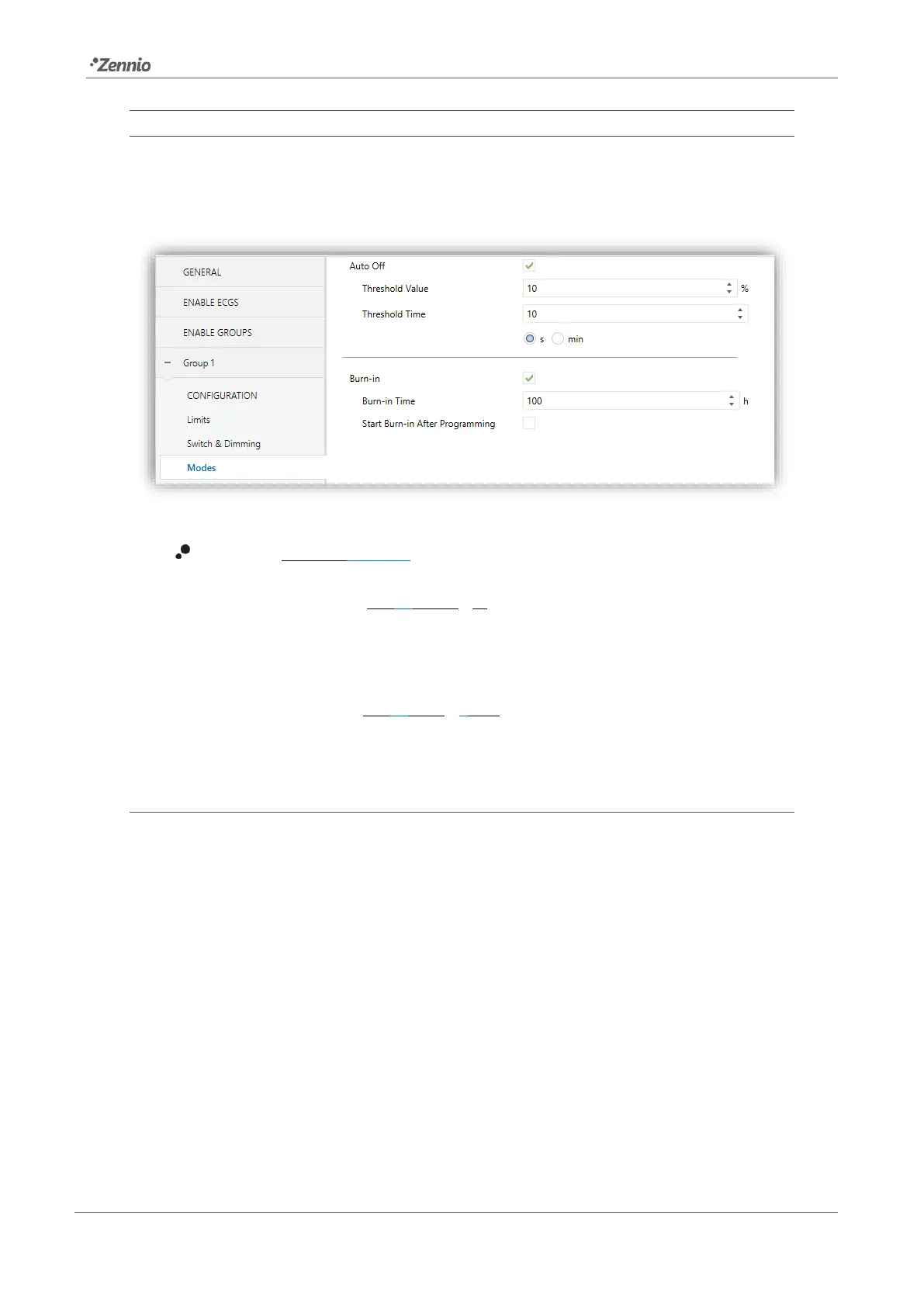
Once the Modes option has been enabled, the following parameters regarding the Auto
Off function will show in ETS:
Figure 24. Modes
Auto Off [enabled/disabled]: allows enabling the Auto Off function.
➢ Threshold Value [1…10…100] [%]: dimming value beneath which the Auto
Off will be triggered in case the group remains steady at that value for more
than the threshold time.
➢ Threshold Time [1…10…50] [s/min]: time count before triggering the Auto
Off mode.
2.5.10.2 BURN-IN MODE
The Burn-in mode is intended for certain lamp types (such as fluorescent lighting) which
need to remain on for a certain time period before performing any light dimming. To
that end, before the ballasts of the group have been (steadily) switched on for at least
the configured time, it will only be possible to switch the loads off or to regulate them
to 100%.
In case of having configured any limits (either luminosity limits or dimming limits; see
section 2.5.3), they will not be considered while the Burn-in mode is in operation, i.e., the
loads will be actually switched on entirely. However, they will be applied once the Burn-
in mode is over, which will may be perceived as a slight change in the light level.
This functionality entails certain effects over other functions (while the Burn-in mode
remains active, any dimming order greater than 0% will be executed as an immediate



 To Next Page