regulation to 100%, or to 0% in other case):
Relative and absolute dimming.
Simple timers and flashing.
Lock/unlock actions.
Initialisation.
Installation test (see section 2.8).
DALI bus failure (see section 2.5.1).
An object is provided to force the activation or deactivation of the Burn-in mode at any
time.
ETS PARAMETERISATION
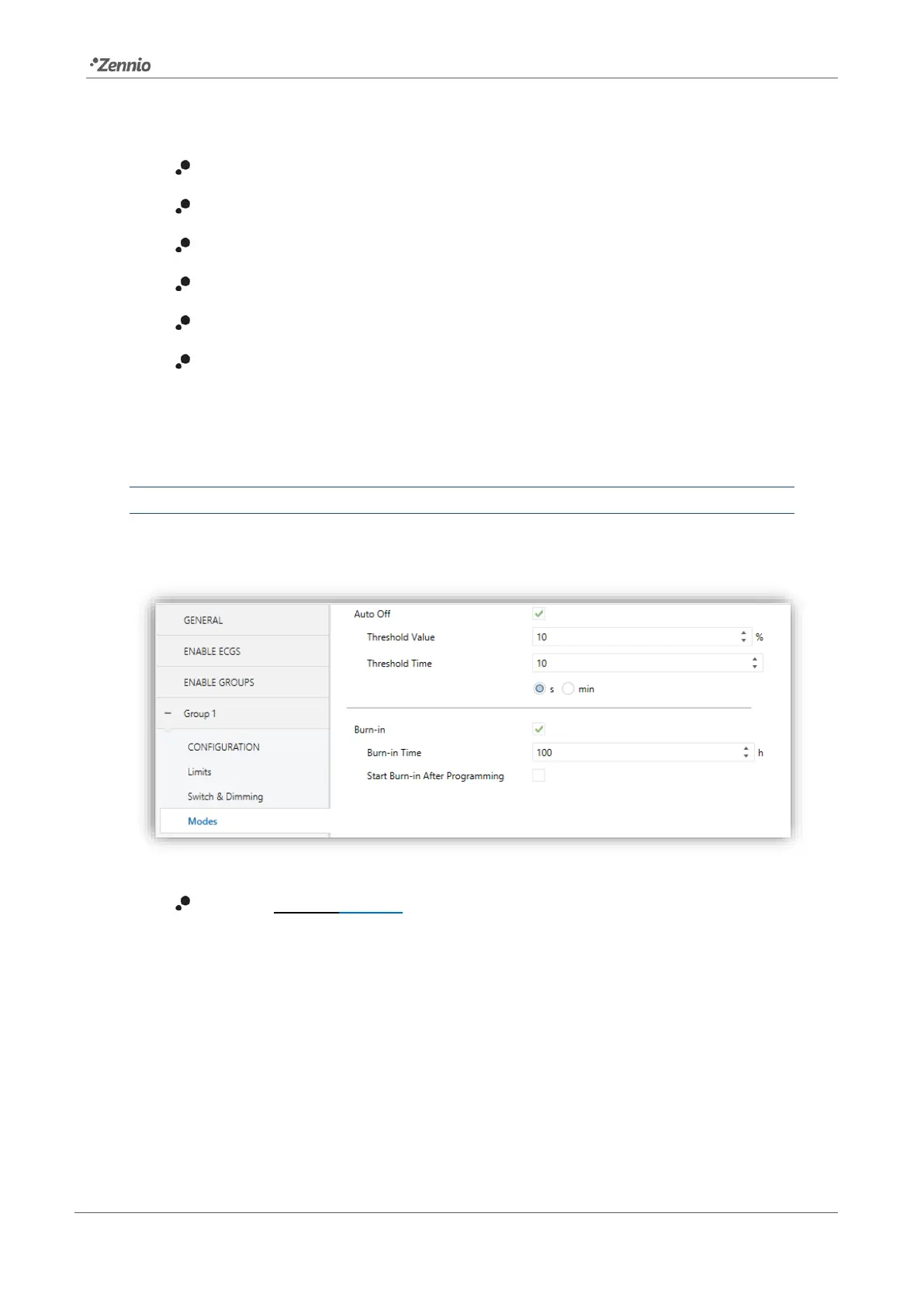
Once the Modes option has been enabled, the following parameters will show in ETS:
Figure 25. Modes
Burn-in [enabled/disabled]: allows enabling the Burn-in function. In such case,
two new objects become available:
➢ “[Group n] Burn-in Mode (Status)”, which will be sent when the group
enters (value “1”) or leaves (value “0”) the Burn-in mode.
➢ “[Group n] Burn-in Mode”, which allows forcing the activation (value “1”) or
deactivation (value “0”) of the Burn-in mode at any time, as well as restarting
the time count in case it is already active.


 To Next Page
 Loading...