Checking any errors on the ECGs and resetting the presence error.
Checking the operating hours of the ECGs and resetting the time count.
All the above actions can be performed over any ECGs present in the line, even if they
have not been enabled in parameters before (see section 2.2).
Figure 31. Installation Submenu
Note: after leaving the Installation menu, the previous dimming values are resumed, in
case they have been modified.
2.8.2.1 SELECTION AND ECG TESTING
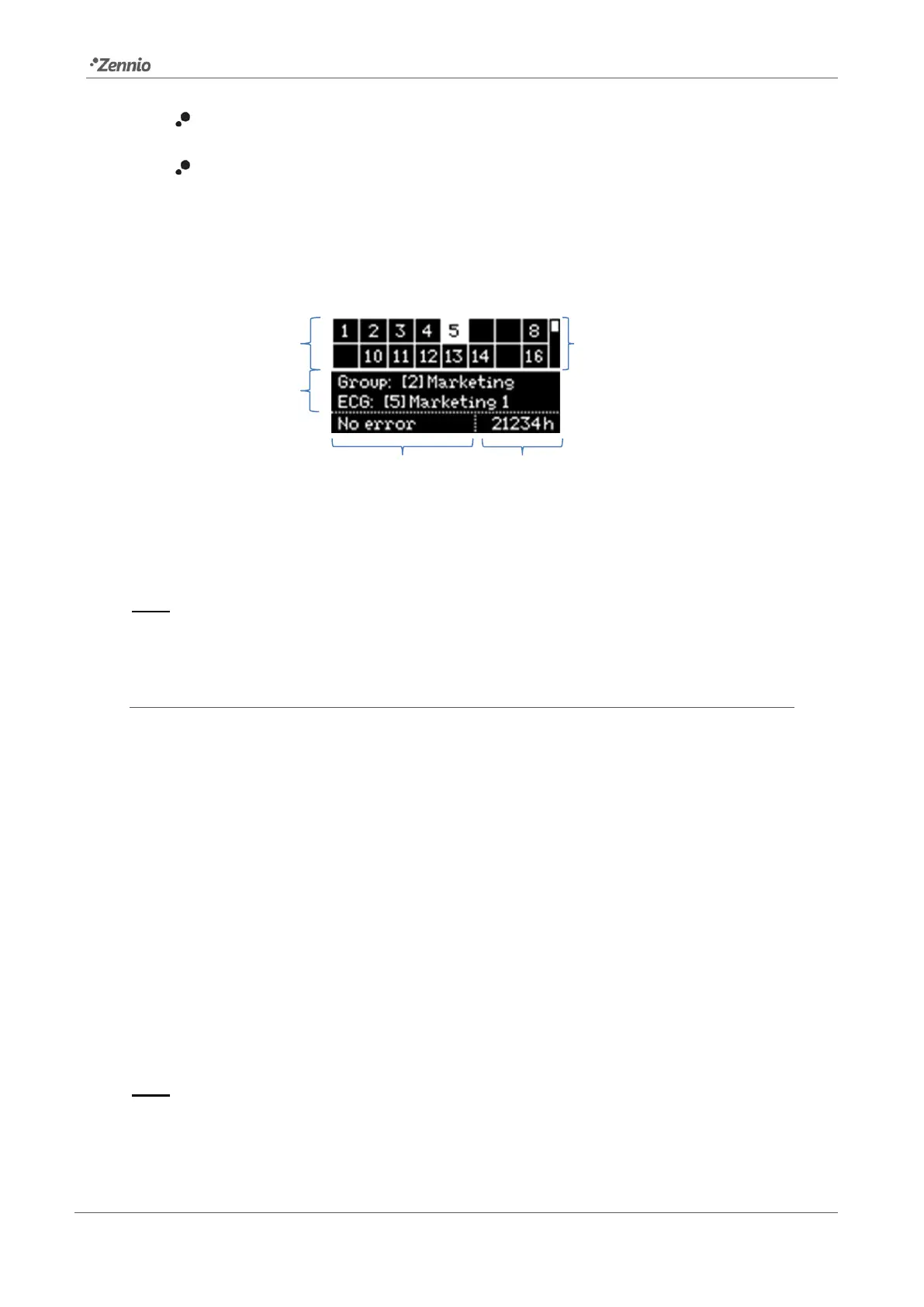
The cells in the upper table represent the detected ballasts. Empty cells correspond to
addresses that have not been assigned to any of the ballasts. To step through the
different cells, please make use of the arrow buttons. Note that only two rows are shown
simultaneously – to reach the other rows please make use of the up and down arrow
buttons.
The currently highlighted box will blink every second, and so will do the corresponding
ballast thus making it possible to identify which ballast has been assigned each address.
By pressing on OK, the selected cell will become surrounded by a dotted line and the
ballast will interrupt the on-off sequence. This allows entering into the group assignment
section.
Note: ballasts which do not allow regulation may not cause the lamp to blink.



 To Next Page