LED indicator. Room State
Apart from the button function itself, the desired behaviour of the button LEDs can be
set. The different illumination modes have been detailed in ANNEX I. LED Illumination
Modes.
The next sections explain the configuration involved for each of the above functions.
ETS PARAMETERISATION
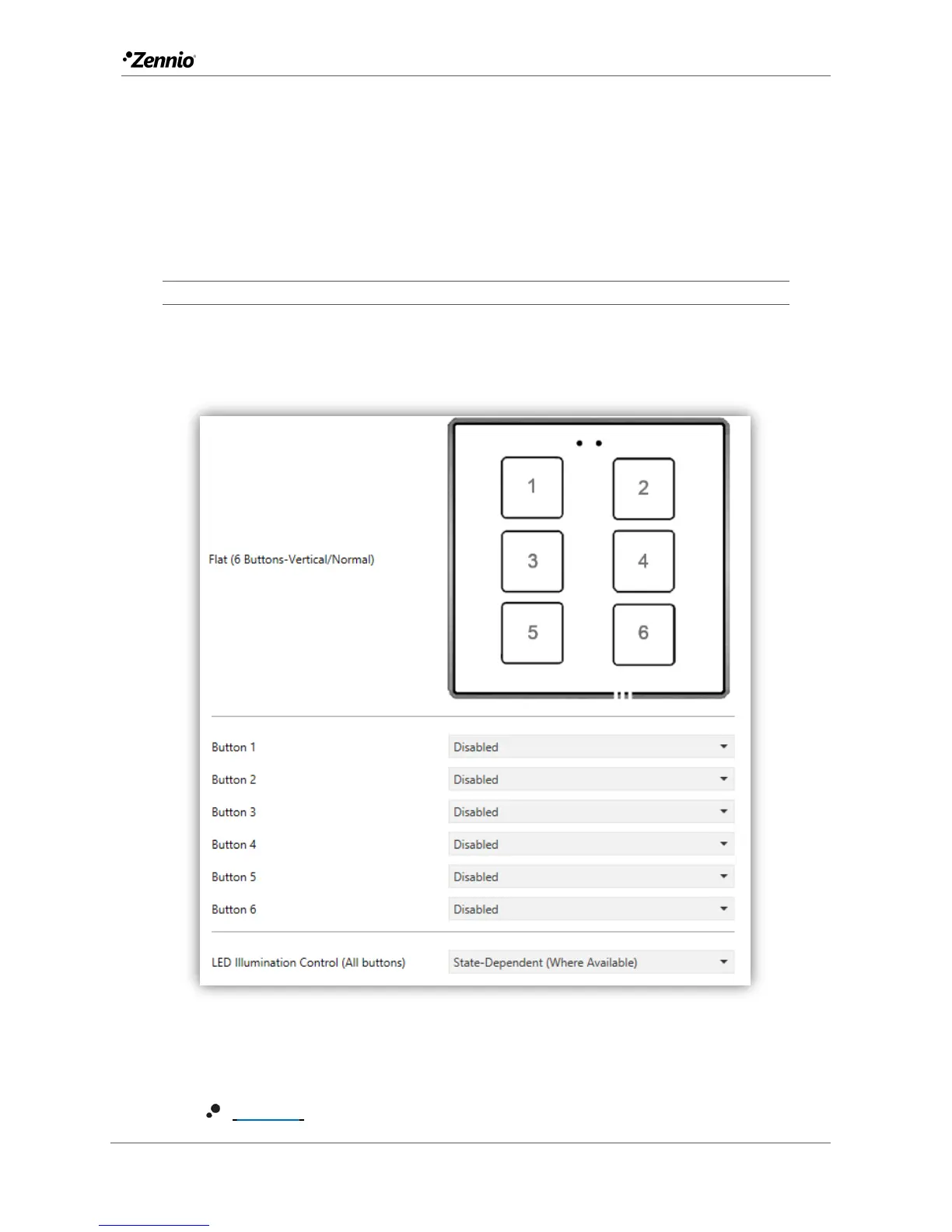
An independent tab for the parameterisation of the buttons is shown in ETS by default,
initially containing only a sub-tab named Configuration.
Figure 15 Buttons - Configuration
One drop-down list with the following options is shown per button:
[Disabled]. See section 2.2.2 for details.



 To Next Page