[Individual]. Selecting this option brings a new tab (“Button Ix”, where “x”
depends on the button), which will make it possible to configure the
functionality of that particular touch button. See section 2.2.3 for details.
[Pair X]. Sets that this touch button will belong to a two-button control (where
X is A, B or C, depending on the model). Once one pair has been assigned to
two buttons (and not before), a new tab (“Pair X”) will show up in the tab tree,
in order to configure the desired functionality. See section 2.2.4 for details.
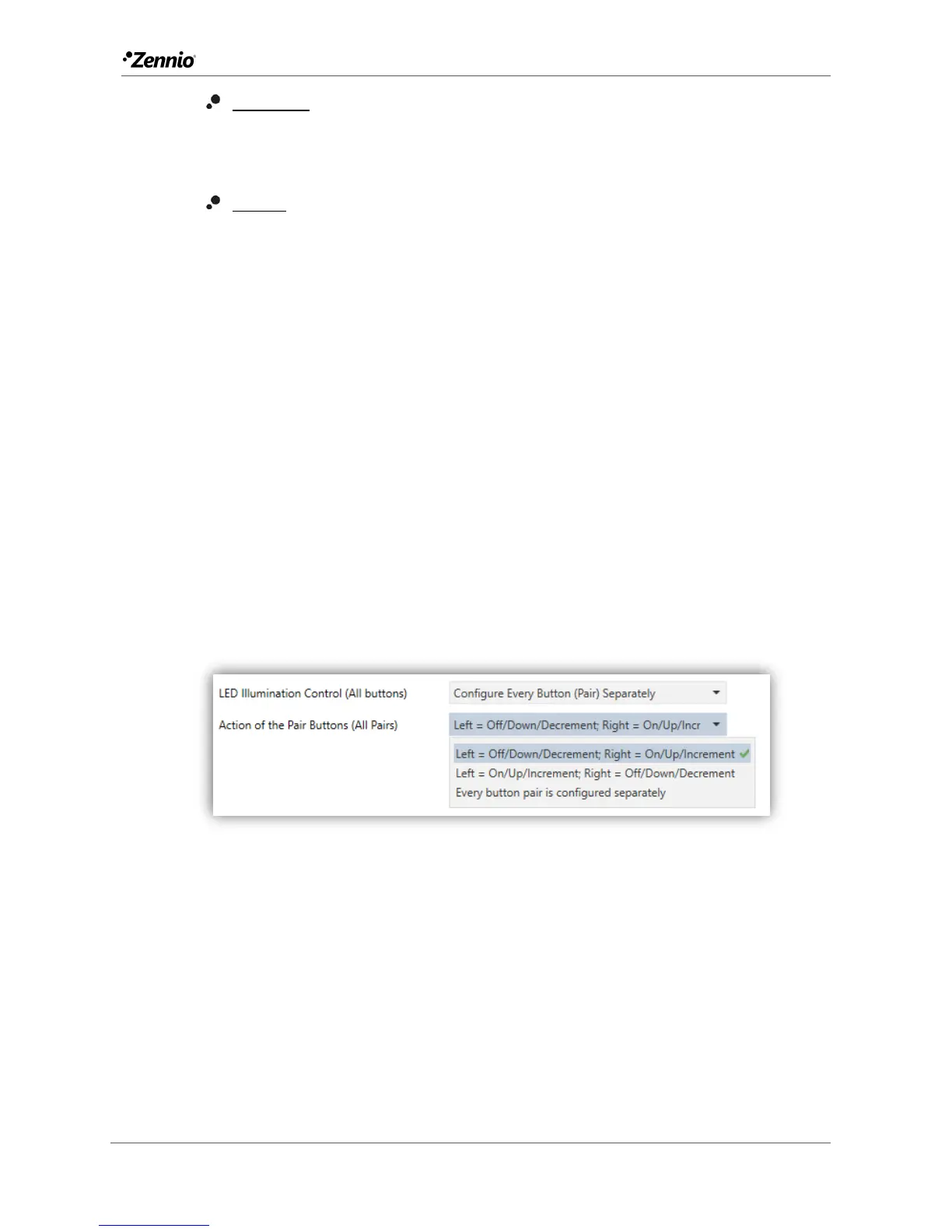
A drop-down list (LED Illumination Control (All buttons)) is provided at the bottom of
the window so a joint behaviour can be configured for the illumination of the LEDs. The
options are (please refer to ANNEX I. LED Illumination Modes for details):
[Regular]
[State-Dependent (where available)]
[State-Dependent (where available) (both LEDs)]
[Dedicated Object]
[Configure every button (pair) separately]: in case of selecting the last
option, there will be a specific parameter for each control to specifically
select the desired behaviour of the LED (or LEDs).
Figure 16 Buttons - Configuration - Advanced options.
Finally, if at least one two-button control is being configured (either Pair A or Pair B), an
additional parameter (Action of the pair buttons (all pairs)) will be available to
determine an operation criterion. The options are:
[Left = Off/Down/Decrement; Right = On/Up Increment]
[Right = Off/Down/Decrement; Left = On/Up Increment]
[Every button pair is configured separately]



 To Next Page