EasyManua.ls Logo

Zennio FLAT - Page 44

Zennio FLAT
55 pages
Print Icon
To Next Page IconTo Next Page
To Previous Page IconTo Previous Page
Loading...
Flat & Flat 55
http://www.zennio.com Technical Support: http://support.zennio.com
44
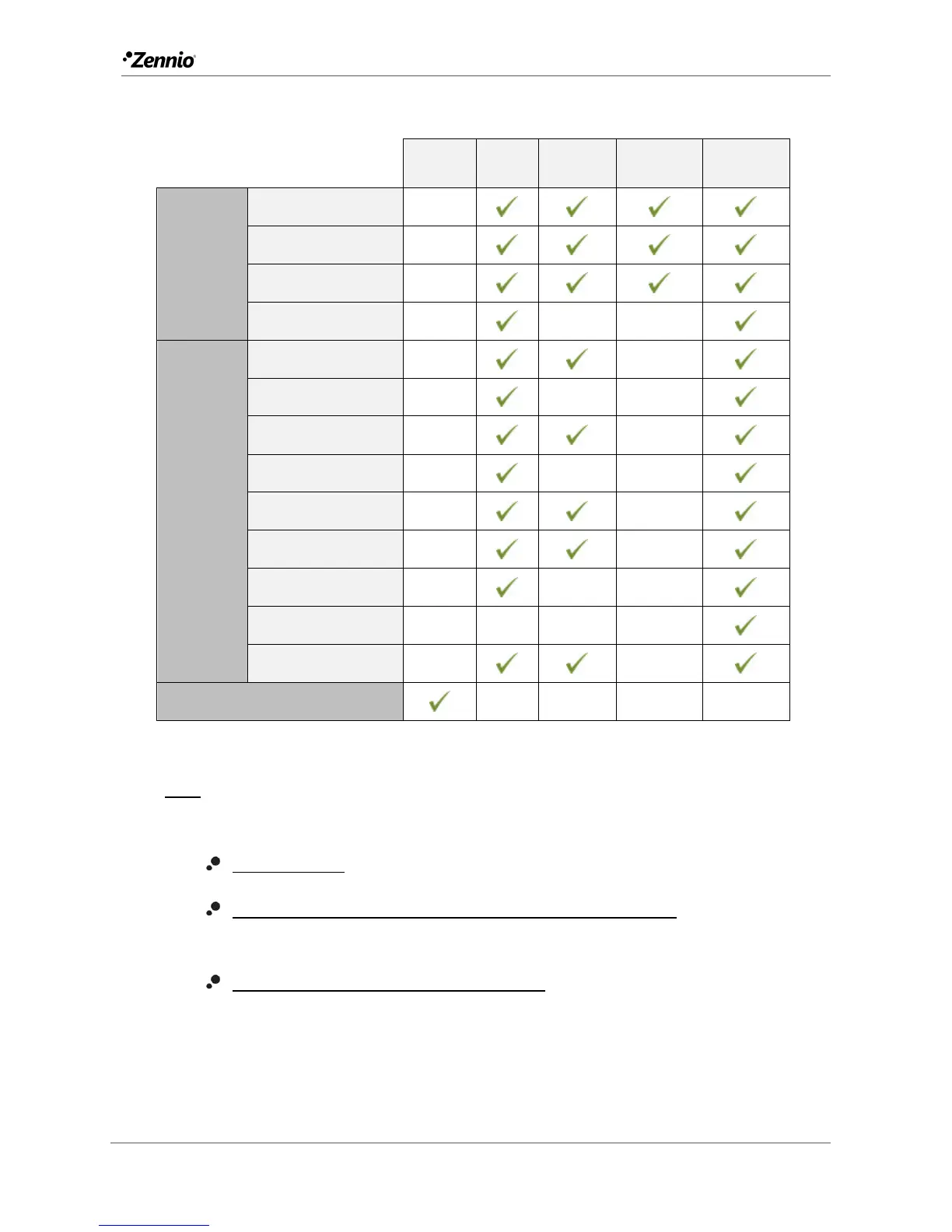
Table 4 illustrates which of the above are configurable for each function.
Disabled
Regular
State-dep.
State-dep.
(both LEDs)
Dedicated
object
PAIR
Switch
Two Objects
Dimmer
Shutter
INDIVIDUAL
Switch
Hold & Release
Two Objects
Scene
Constants
Dimmer
Shutter
LED Indicator
Room State
DISABLED
Table 4 Functions vs. LED Illumination Options.
Note:
Regarding the LEDs, it is interesting to distinguish the following cases:
Disabled button: the LED will remain off, and the button will have no function.
Button configured as “Individual” with “LED Indicator” function: the button will
still have no function. The LED may be turned on/off through a binary object.
Button configured as any other control type: the behaviour of the LED will be
configurable according to the following table (being also possible to leave it
turned off).


Related product manuals