EasyManua.ls Logo

Zennio FLAT - Page 52

Zennio FLAT
55 pages
Print Icon
To Next Page IconTo Next Page
To Previous Page IconTo Previous Page
Loading...
Flat & Flat 55
http://www.zennio.com Technical Support: http://support.zennio.com
52
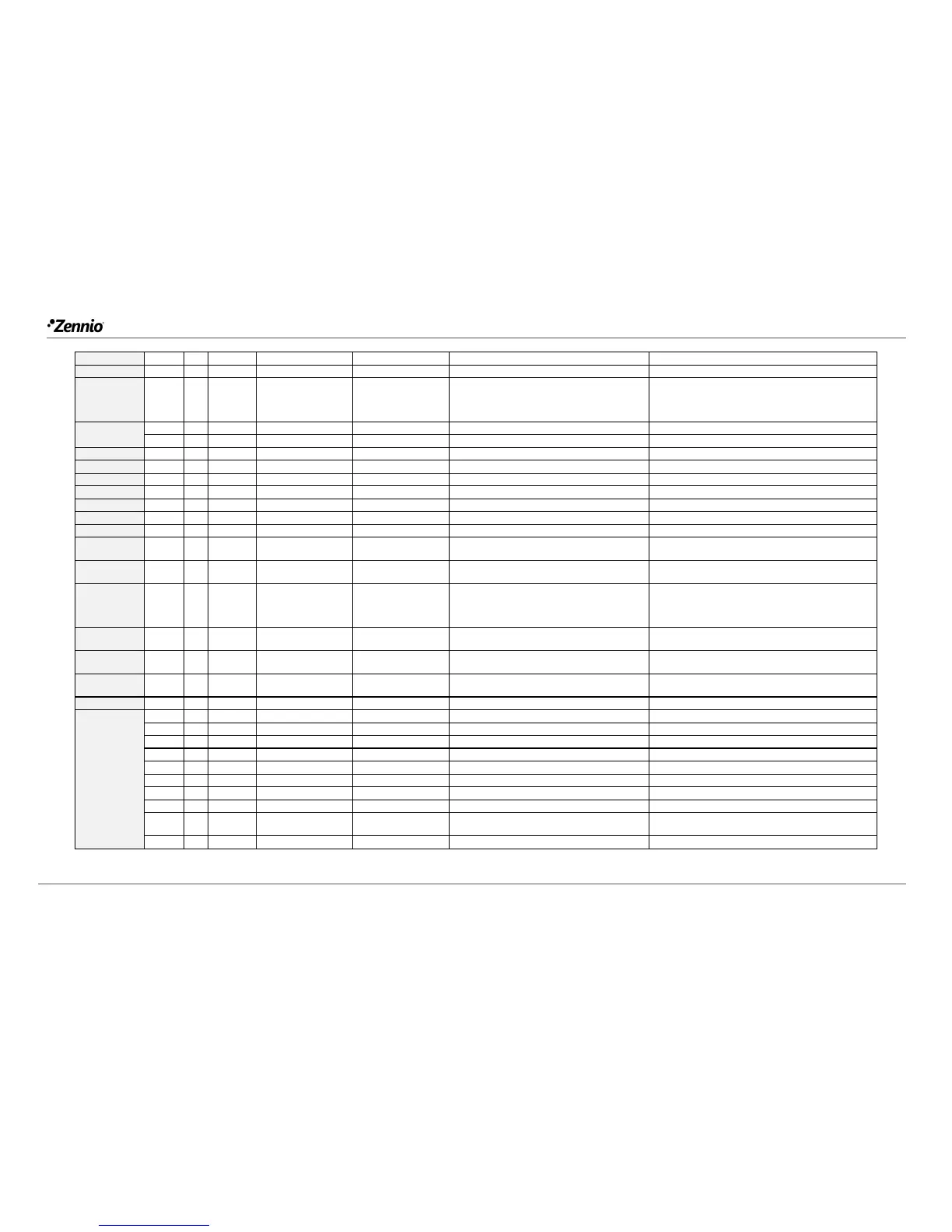
150, 179
1 Bit
O
C T R - -
DPT_Alarm
0/1
[Ix] Short Circuit Error
0 = No Error; 1 = Short Circuit Error
151, 180
1 Byte
O
C T R - -
DPT_Scaling
0% - 100%
[Ix] Presence State (Scaling)
0-100%
152, 181
1 Byte
O
C T R - -
DPT_HVACMode
1=Comfort
2=Standby
3=Economy
4=Building Protection
[Ix] Presence State (HVAC)
Auto, Comfort, Standby, Economy, Building
Protection
153, 182
1 Bit
O
C T R - -
DPT_Occupancy
0/1
[Ix] Presence State (Binary)
Binary Value
1 Bit
O
C T R - -
DPT_Ack
0/1
[Ix] Presence: Slave Output
1 = Motion Detected
154, 183
1 Bit
I
C - - W -
DPT_Window_Door
0/1
[Ix] Presence Trigger
Binary Value to Trigger the Presence Detection
155, 184
1 Bit
I
C - - W -
DPT_Ack
0/1
[Ix] Presence: Slave Input
0 = Nothing; 1 = Detection from slave device
156, 185
2 Bytes
I
C - - W -
DPT_TimePeriodSec
0-65535
[Ix] Presence: Waiting Time
0-65535 s.
157, 186
2 Bytes
I
C - - W -
DPT_TimePeriodSec
1-65535
[Ix] Presence: Listening Time
1-65535 s.
158, 187
1 Bit
I
C - - W -
DPT_Enable
0/1
[Ix] Presence: Enable
According to parameters
159, 188
1 Bit
I
C - - W -
[Ix] Presence: Day/Night
According to parameters
160, 189
1 Bit
O
C T R - -
DPT_Occupancy
0/1
[Ix] Presence: Occupancy State
0 = Not Occupied; 1 = Occupied
161, 190
1 Bit
I
C - - W -
DPT_Ack
0/1
[Ix] External Motion Detection
0 = Nothing; 1 = Motion detected by an external
sensor
162, 167, 172,
191, 196, 201
1 Byte
O
C T R - -
DPT_Scaling
0% - 100%
[Ix][Cx] Detection State (Scaling)
0-100%
163, 168, 173,
192, 197, 202
1 Byte
O
C T R - -
DPT_HVACMode
1=Comfort
2=Standby
3=Economy
4=Building Protection
[Ix][Cx] Detection State (HVAC)
Auto, Comfort, Standby, Economy, Building
Protection
164, 169, 174,
193, 198, 203
1 Bit
O
C T R - -
DPT_Switch
0/1
[Ix][Cx] Detection State (Binary)
Binary Value
165, 170, 175,
194, 199, 204
1 Bit
I
C - - W -
DPT_Enable
0/1
[Ix][Cx] Enable Channel
According to parameters
166, 171, 176,
195, 200, 205
1 Bit
I
C - - W -
DPT_Switch
0/1
[Ix][Cx] Force State
0 = No Detection; 1 = Detection
206, 212
1 Bit
I
C - - W -
DPT_Enable
0/1
[Ix] Input Lock
0 = Unlock; 1 = Lock
207, 213
1 Bit
C T - - -
DPT_Switch
0/1
[Ix] [Short Press] 0
Sending of 0
1 Bit
C T - - -
DPT_Switch
0/1
[Ix] [Short Press] 1
Sending of 1
1 Bit
I
C T - W -
DPT_Switch
0/1
[Ix] [Short Press] 0/1 Switching
Switching 0/1
1 Bit
C T - - -
DPT_UpDown
0/1
[Ix] [Short Press] Move Up Shutter
Sending of 0 (Up)
1 Bit
C T - - -
DPT_UpDown
0/1
[Ix] [Short Press] Move Down Shutter
Sending of 1 (Down)
1 Bit
C T - - -
DPT_UpDown
0/1
[Ix] [Short Press] Move Up/Down Shutter
Switching 0/1 (Up/Down)
1 Bit
C T - - -
DPT_Step
0/1
[Ix] [Short Press] Stop/Step Up Shutter
Sending of 0 (Stop/Step Up)
1 Bit
C T - - -
DPT_Step
0/1
[Ix] [Short Press] Stop/Step Down Shutter
Sending of 1 (Stop/Step Down)
1 Bit
C T - - -
DPT_Step
0/1
[Ix] [Short Press] Stop/Step Shutter
(Switched)
Switching of 0/1 (Stop/Step Up/Down)
4 Bit
C T - - -
DPT_Control_Dimmin
0x0 (Stop)
[Ix] [Short Press] Brighter
Increase Brightness

Related product manuals