SIMPLICITY PLUS INSTALLATION MANUAL
Approved Document No: GLT.MAN-107 PAGE 28
Issue 3.16 Author: NRPJ Date: 21/09/2017
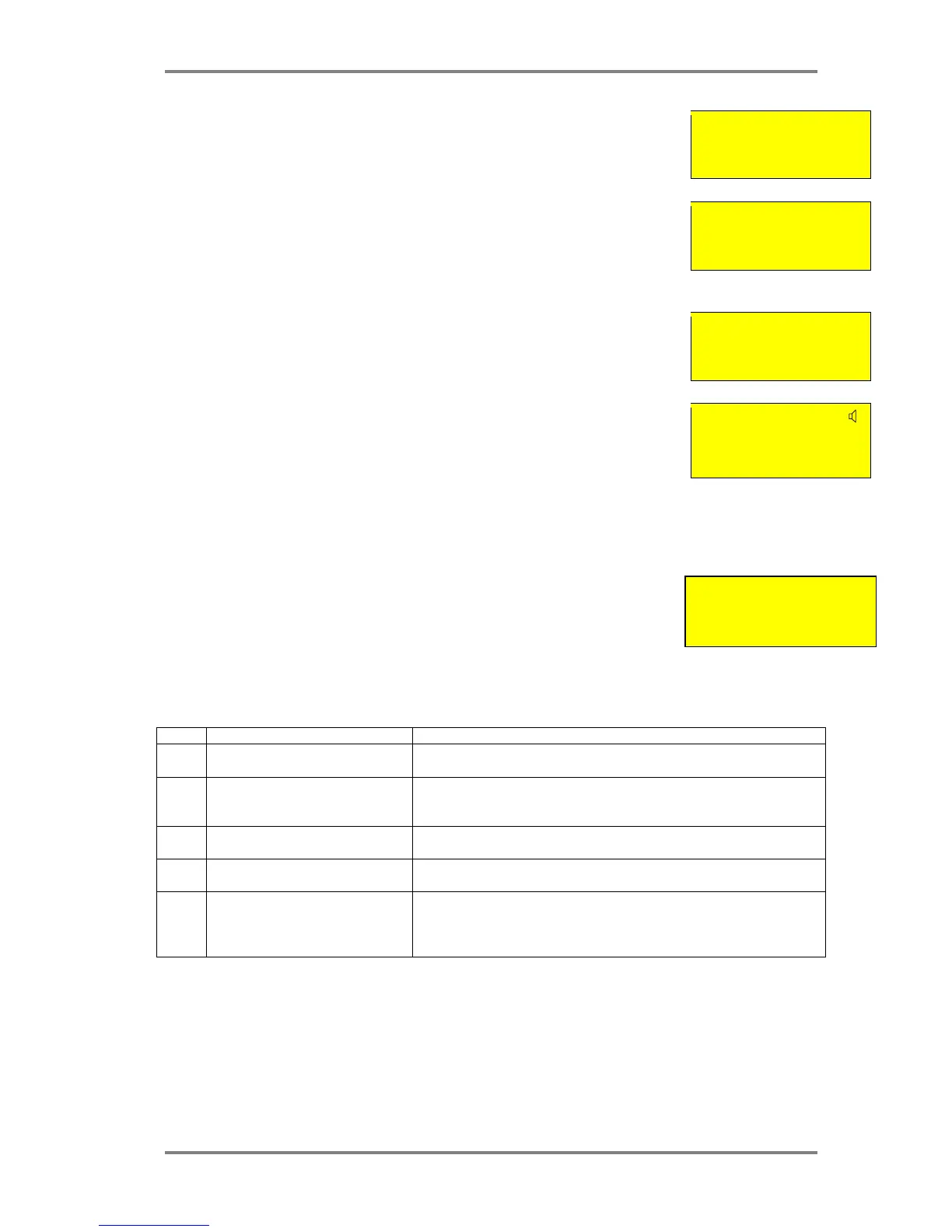
Press Prev & Next to select the default operation, then press enter.
I/O Unit Operation
Common
ENTER to Confirm
12.9.3 SETTING INDIVIDUAL I/O UNIT OUTPUT OPERATION
To alter the operation mode of an individual I/O unit, go to configuration menu 2.
Select Edit Device.
Configuration Menu 2
4:Configure Loops
5:Edit Device
6:Config System <
Scroll to the required Address.
Press V to cycle through the different Variations of I/O configuration.
I/O-COM
Analog: 16 Normal
Interface to Main FA
Zone:01 Ad:013
12.9.4 SETTING INDIVIDUAL I/O UNIT INPUT OPERATION
To alter the INPUT mode of an individual I/O unit, go to configuration menu 2
Select Edit Device.
Scroll to the required Address
Press Button “I” (for Input) to cycle through the different Triggering Options of I/O configuration
The different options are:-
Letter Description Use
A AUTOMATIC ALARM I/O signals Detector alarm when operated. Default setting. Used when
device being monitored is Automatically triggered.
M MANUAL CALL POINT ALARM I/O signals a MCP alarm when operated. Used when device being
monitored is Manually triggered, and the system is set to distinguish
manual & automatic alarms.
P PREALARM I/O signals a Pre-Alarm when operated. Used when a device being
monitored needs to give a warning signal , but not an alarm signal.
F FAULT I/O signals a Fault Signal when operated. Used when a device being
monitored does not have a normally closed fault relay
D DISABLE RELAYS I/O sets all connected I/O relays as disabled when operated. Used when
user testing of the panel needs to suspend relay operation to avoid
shutting down connected equipment. Turning off the input re-enables the
relays
I/O Zn-D



 To Next Page