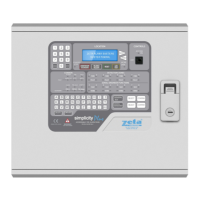
SIMPLICITY PLUS INSTALLATION MANUAL
Approved Document No: GLT.MAN-107 PAGE 33
Issue 3.16 Author: NRPJ Date: 21/09/2017
15. VIEWING PANEL INFORMATION
15.1 MENU STRUCTURE
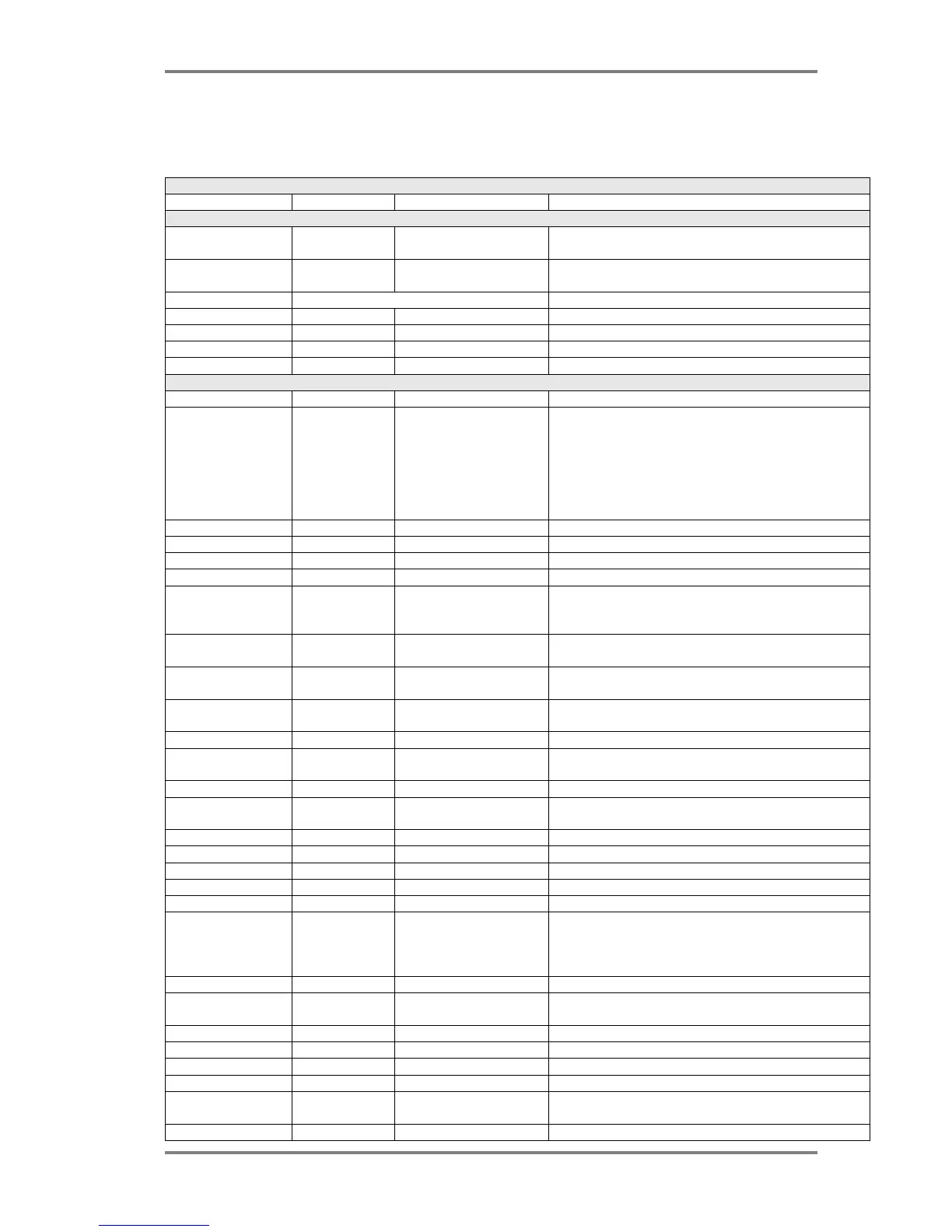
To help locate the different features available, the menu structure of the simplicity panel is shown here.
MENU LAYOUT
MAIN MENU SUB MENU 1 SUB MENU 2 DESCRIPTION
CONFIGURATION MENU 1 – THE USER MENU
1:Loop Contents - - View quantity of each device type configured on the
loop
2:Device Status - - View the status of an individual device (Status –
normal/fault/alarm, Analogue value, device label
3:Event logs VIEW EVENT LOG
1: Alarms -
2: Faults -
3: System -
4: All -
CONFIGURATION MENU 2 – THE ENGINEER MENU
4:Configure Loops - - Configure the loop
5:Edit Device - - Edit device label (press enter for cursor)
Turn on detector LED
Ring associated sounder
Select alarm verification
Turn off associated sounder at this address
Disable this device.
Select specific I/O Operation for an I/O unit
6:Config System System Menu
1: Clock - Adjust time & date
2: Zones - Change zone boundaries
3: Alarms Alarm Operation
1: Det Choose detectors to cause zonal alarm or common alarm
for sounders. There is also an option for alarms from
detectors not to ring any sounders.
2: MCP Choose MCP to cause zonal alarm or common alarm for
sounders
3: SOUNDER Select if the sounders have a zonal to common time out
when triggered zonally
4: Bases Select if associated sounder bases work common or
zonal
5: I/O Select default I/O type
6:Relay Chose if the on board fire relay operates for all alarms,
detector alarms only, or manual call point alarms only
4: Timing Alarm Timing
1: Zonal to Common Select the delay for all the sounders to operate after a
zonal alarm
2: Alarm Verify Select alarm verification time
5: Misc Misc Settings
1: Language Select LCD language
2: Version Info Displays the firmware versions
3: Protocol Select device protocol
4: Mode Select maintenance or running mode. Maintenance
mode reports all faults as soon as the panel detects
them. Running mode requires a fault to be present for
around 30 seconds before reporting
5: Name Allows a panel name to be entered (2 x 20 characters)
6: Tone Allows the alarm tone to be selected. See sounder
manuals for further information.
6: Reset Reset Settings
1: Logs Erases event logs
2: Zones Resets the default zone boundaries
3: Panel Resets panel to default alarm & timing settings
4: Devices Erases loop contents from memory, clears device labels,
resets verification & sounder base settings to default.
6: All Resets all configuration settings, but preserves event log.



 To Next Page