SIMPLICITY PLUS INSTALLATION MANUAL
Approved Document No: GLT.MAN-107 PAGE 5
Issue 3.16 Author: NRPJ Date: 21/09/2017
3. INTRODUCTION TO THE SIMPLICITY PANEL
3.1 SIMPLICITY PANEL HISTORY
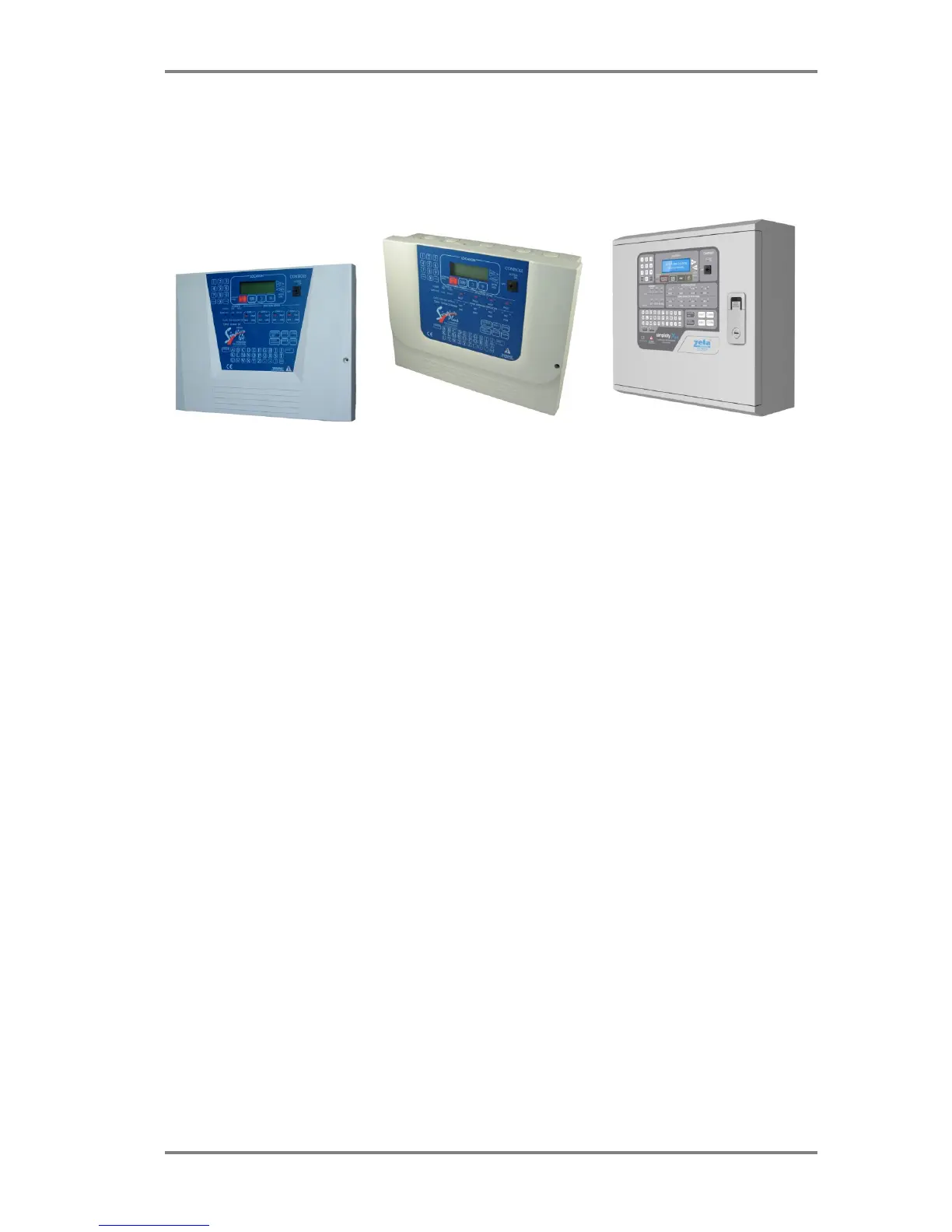
This manual covers the 3
rd
revision of the simplicity panel. Here is a brief history of the different versions:-
VERSION 1 VERSION 2 VERSION 3
Version 1: Simplicity 64 & Simplicity 126
The original simplicities had basic operation & no event log. The 2 versions had different PCBs, so a 64 is not upgradeable
to a 126 version
Version 2: Simplicity Plus – plastic box
This had the following enhancements:-
Real time clock
Event Log (2048 events)
Printer port (RS232)
Repeater port on CPU card
Improved fault messages
Improved call point identification (Panel now identifies a call point alarm immediately)
Improved sounder base starting & stopping time
Option to disable individual devices or whole zones
Detector LED & sounder can be operated from the menu to help identify devices
Panel software version can be viewed through menu.
The 64 could be upgraded to a 126 by changing the CPU card (The Old version Simplicity 126 could also be upgraded to a
Simplicity Plus by replacing the CPU card).
Version 3 Simplicity plus – Metal box
Version 3 of the Simplicity panel’s main change is that it is now available as a 2 loop version. The other changes are:-
Redesigned to fit a metal enclosure
Separate EN54-4 PSU
The CPU card is now integrated on the display PCB, so is no longer user upgradable.
User definable zones
Option for zonal or common alarm operation
Options for I/O operation
Alarm Verification
User selectable languages
Option for Fyreye Mk 2 protocol
With this latest version, the panel still offers the simplicity of the previous versions, but also allows user configurations to
zones & outputs to make the panel more flexible. If you need a manual for an earlier simplicity, please contact your
supplier.



 To Next Page