Advanced Setup
54 6212-I3 4-Port Router User’s Guide 6212-A2-ZB83-20
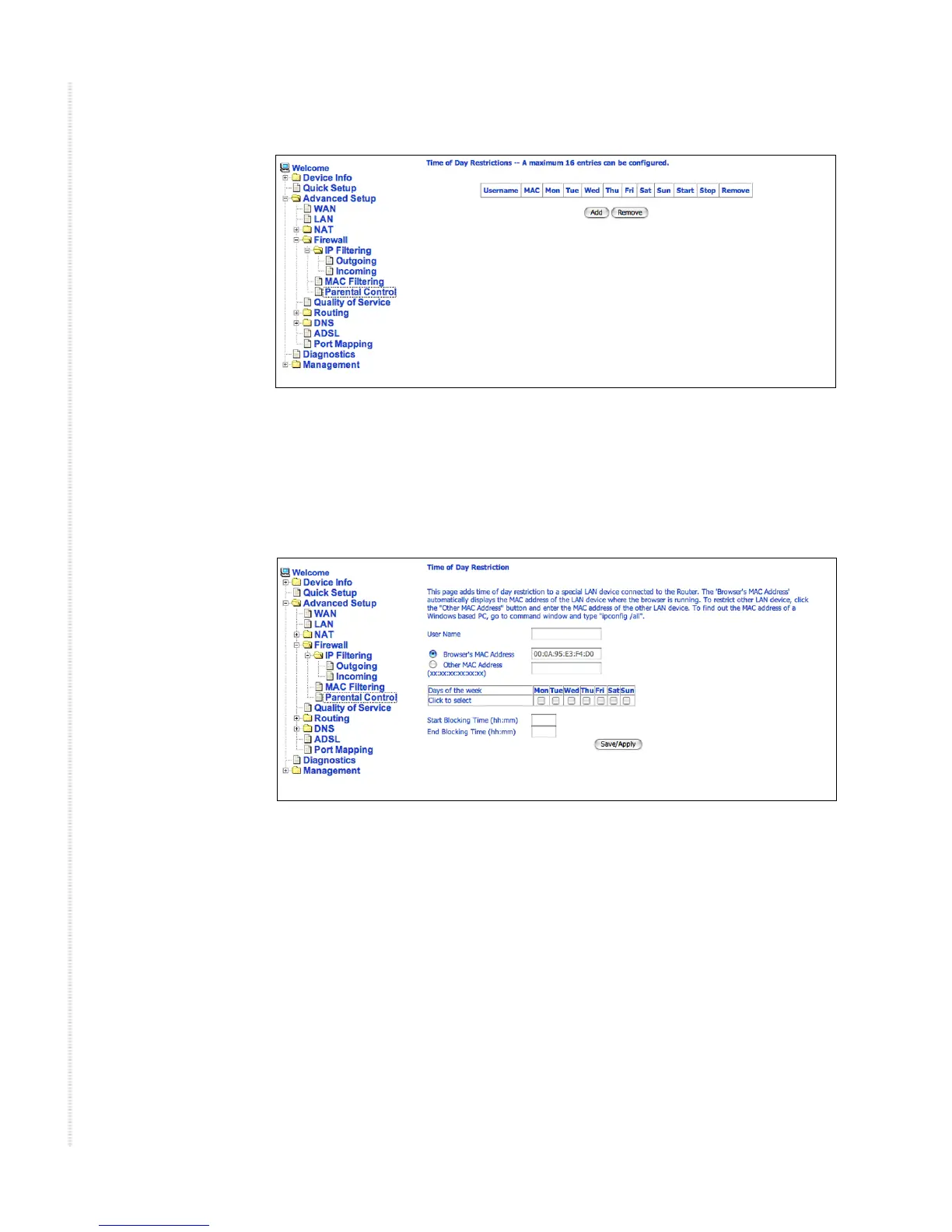
Figure 55: Parental Control Screen
To set up parental controls:
1 Click on Add. The Time of Day Restriction screen appears.
Figure 56: Parental Control – Time of Day Restrictions
2 Enter a User Name to identify the target of the restrictions.
3 Enter the MAC address of the network adapter to be restricted, and,
optionally, another MAC address.
4 Select the days of the week the restriction is in force.
5 Specify the start and end times the restriction is in force. Use the form
hh:mm, where 23:59, for example, is one minute before midnight.
6 Click on Save/Apply.


 To Next Page
 Loading...




