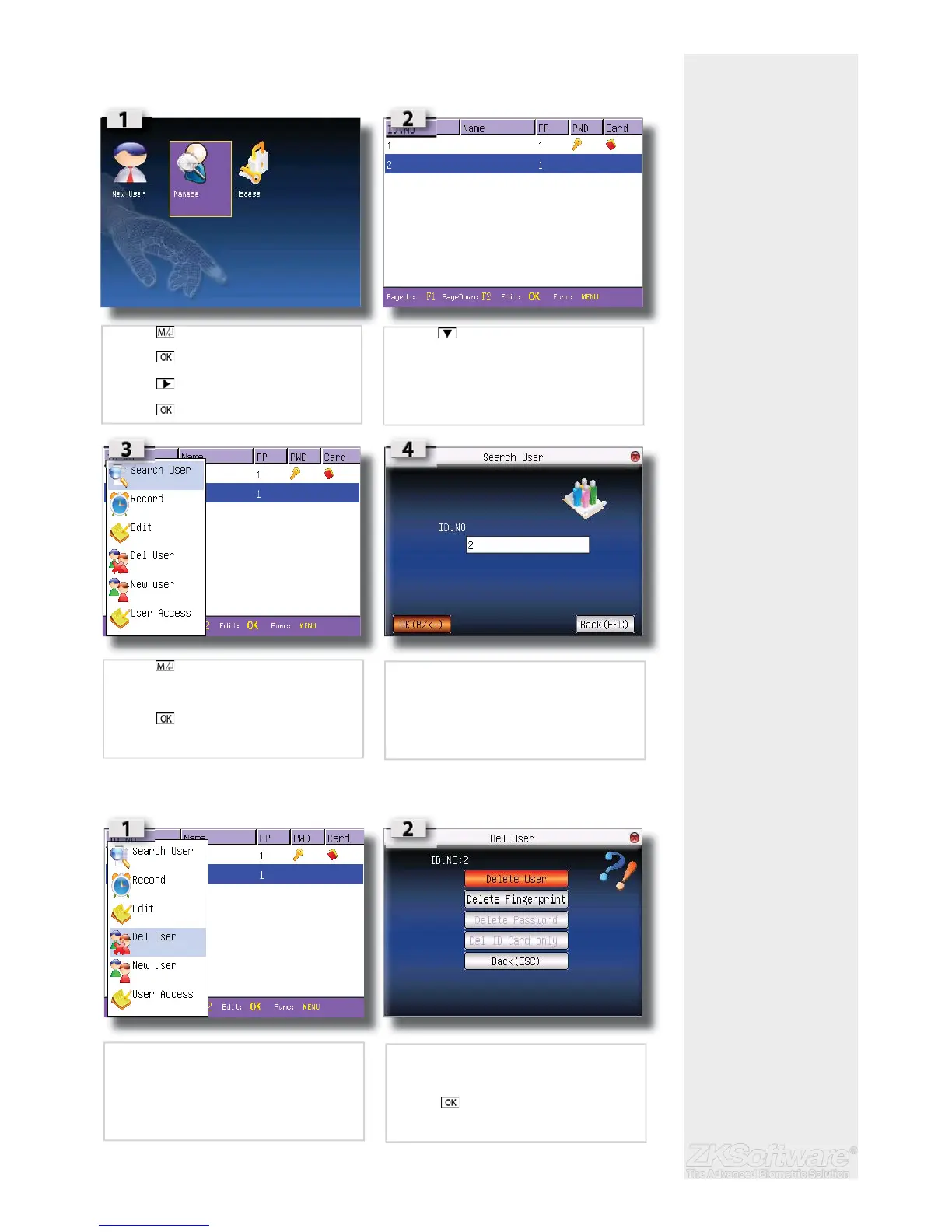
2.9 Manage Users
2.9.1 Search User
2.9.2 Delete user
Summary
* Take note: Only Admin-
istrator can edit / delete
users
* Ensure to select correct
user ID before deletion
9
• Press (menu) once
• Press
• Press once
• Press
• Press to selected user
• Press (menu) for options window
• Select SEARCH USER
• Press
• Type in the desired user id to search
• Select DEL USER to enter delete options
• Delete a single user
• Move down to desired user
• Press


 To Next Page