Summary
* Ensure device settings are
correct when installing the
device
* Reset function are only
confi guration of unit, and
not to delete users
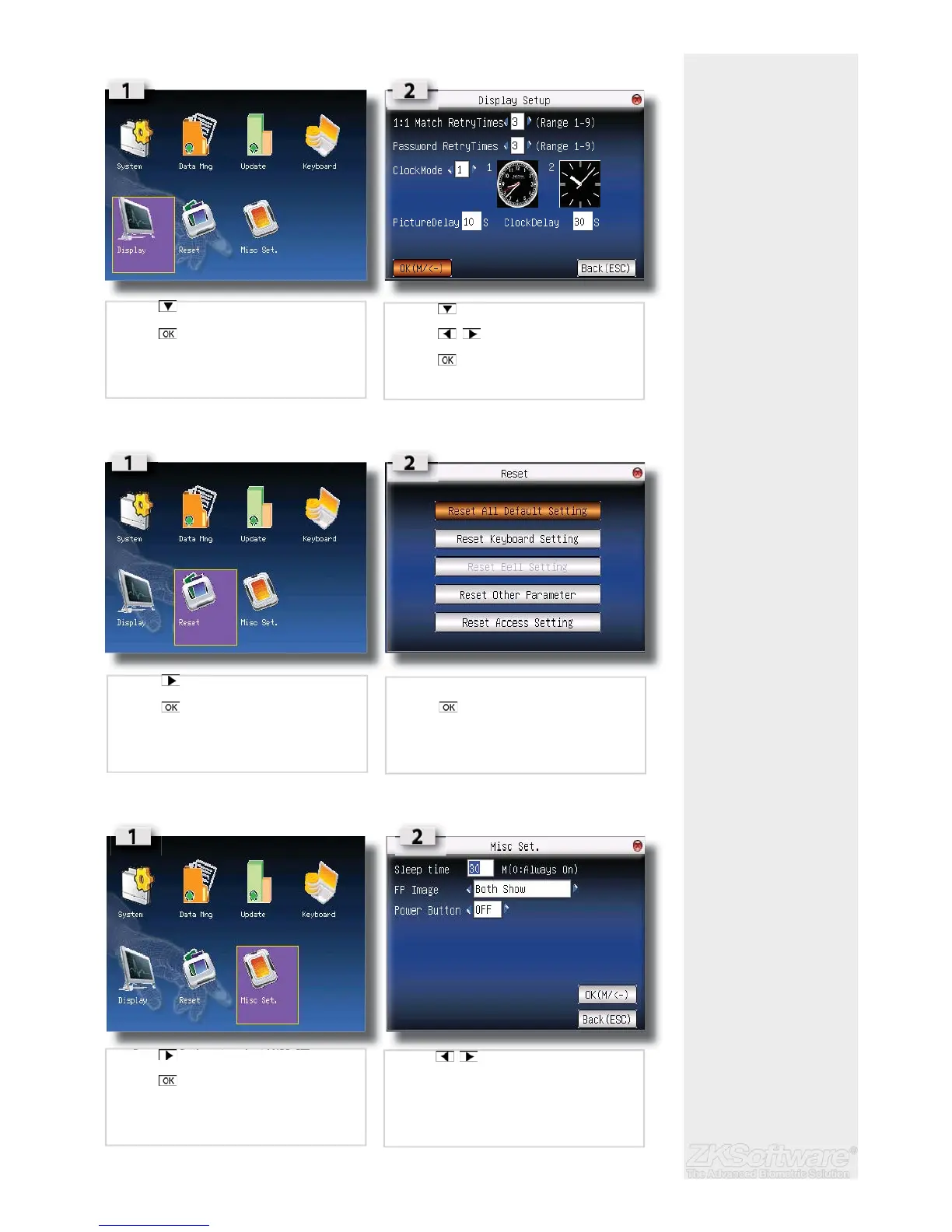
5.4 Display
5.5 System Reset
5.6 Miscellaneous settings
20
• Press to select DISPLAY
• Press
• Press to select fi eld
• Press to change values
• Press to save
• Press to select RESET
• Press
• Select fi eld that needed to be reset
• Press to confi rm
• Press 3x times to select MISC SET
• Press
• Press to change the value of the
desired fi eld or enter text


 To Next Page