Summary
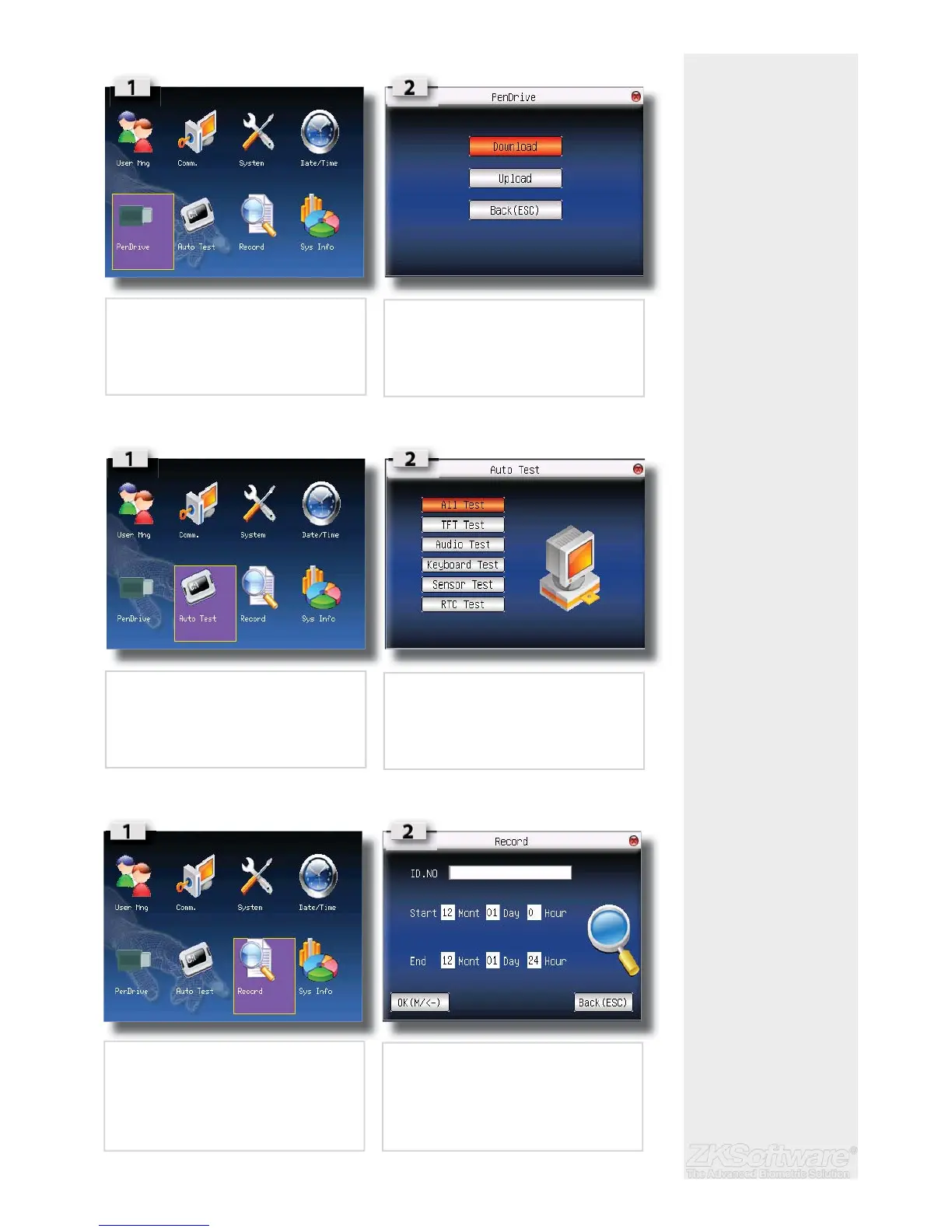
* Pendrive / USB can be
used to upload and down-
load user ID’s
* Ensure to run a AUTOTEST
to test all functions on unit
5.7 Pendrive (USB)
5.8 Auto Test
5.9 Record
21
• Select PENDRIVE on the MAIN MENU
• Insert a PENDRIVE (USB) and select desired
option
• Select AUTO TEST on the MAIN MENU
• Select the desired fi eld for testing
• Select RECORD on the MAIN MENU
• Select option to run desired query on


 To Next Page